
Known Participant
November 27, 2013
Question

compile time of iOS .ipa

  • November 27, 2013
  • 4 replies
  • 2833 views

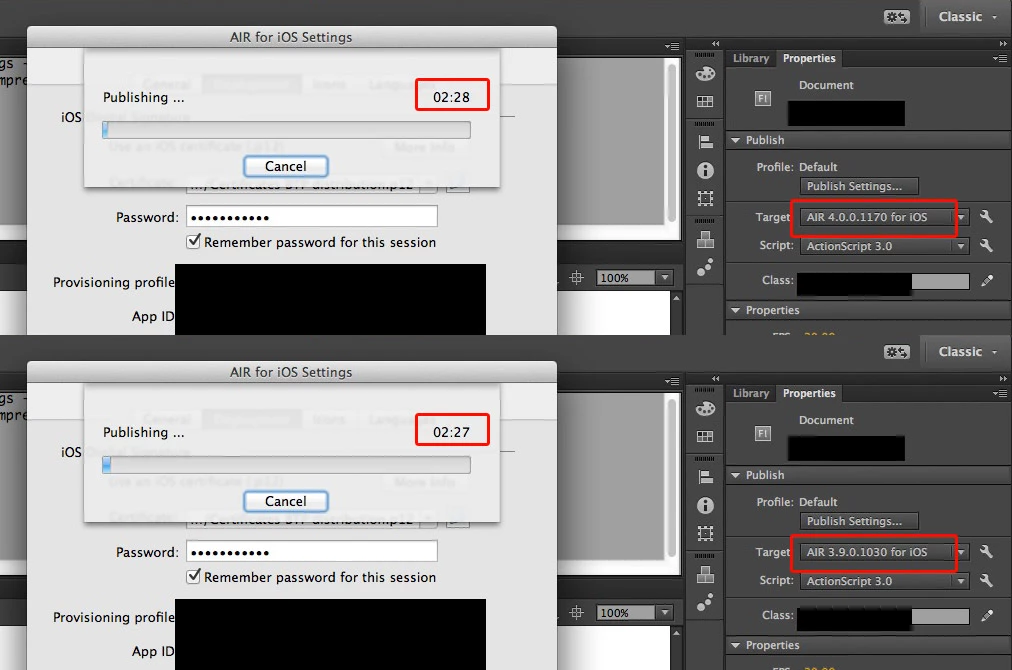
So in theory it should be 10x times faster to compile the .ipa right?

Why is it it takes exactly the same amount of time to compile my app? (around 2 minutes)

I have installed SDK 4.0 in Flash CC, and chose Air 4.0 as the target. Is there anythign else I must do?
This topic has been closed for replies.

4 replies

alanfireworks
Known Participant
January 24, 2014

Does anyone know when this will be available as an option inside Flash CC?

By the time I've typed this 'PathToSDK\bin\adt -package -target(ipa-app-store/ipa-debug/ipa-test/ipa-ad-hoc) -useLegacyAOT no -provisioning-profile <path to profile> -keystore <path to certificate.p12> -storepass xxxx -storetype pkcs12 Helloworld.ipa Helloworld-app.xml HelloWorld.swf '

and got the syntax and and paths correct, I might as well wait for the current compilation times.

Thanks,

MonicaMPAuthor
Known Participant
January 24, 2014

@alanfireworks It seems Flash CC users are left with the command line... or switch to Flash Builder to get a UI of compiling options. I franly don't know what option is worse: get a headache using the command line, or get a headache for switching to a new IDE just for compiling.

Come on Adobe, put a checkbox in the pubblish dialog with "useLegacyAOT no" and make your Flash CC users happy.

Jeff__Ward
Inspiring
January 24, 2014

Dear Flash Pro users,

You could wait around for an updated GUI...  or, you could make a desktop shortcut that runs the packaging command-line for you in one click.

Windows:

Open notepad, type (fill in the appropriate info):

cd \<PathToSDK>\bin
adt -package -target(ipa-app-store/ipa-debug/ipa-test/ipa-ad-hoc) -useLegacyAOT no -provisioning-profile <path to profile> -keystore <path to certificate.p12> -storepass xxxx -storetype pkcs12 Helloworld.ipa Helloworld-app.xml HelloWorld.swf

Save that file on your desktop as:  package_app.bat

OSX:

Bear with me, I'm less familiar with OSX, but I think it's:

cd /<PathToSDK>/bin
adt -package -target(ipa-app-store/ipa-debug/ipa-test/ipa-ad-hoc) -useLegacyAOT no -provisioning-profile <path to profile> -keystore <path to certificate.p12> -storepass xxxx -storetype pkcs12 Helloworld.ipa Helloworld-app.xml HelloWorld.swf

Save that file in /Users/<username>/Desktop/package_app.sh

Voila and congratulations, you've written a push-button packaging script that shows up on your desktop.  Just barely harder than CTRL-Enter.

Adobe Employee
December 4, 2013

Hi,

Currently this feature is not available with FlashPro.So for compiling your app using -useLegacyAOT switch please use below mentioned terminal command:

PathToSDK\bin\adt -package -target(ipa-app-store/ipa-debug/ipa-test/ipa-ad-hoc) -useLegacyAOT no -provisioning-profile <path to profile> -keystore <path to certificate.p12> -storepass xxxx -storetype pkcs12 Helloworld.ipa Helloworld-app.xml HelloWorld.swf 

Thanks,

Sakshi

Adobe AIR Team

User Unknow
Legend
November 27, 2013

You can't get access to command line compiler from Flash CC at this moment. But you can patch adt.jar. During this week I will prepare solution for myself and will post here patched file.

Colin Holgate
Inspiring
November 27, 2013

Does that still involve decompiling the Java? Perhaps Adobe could set AIR 4.0 to be that way by default, because it’s the biggest selling point of the beta.

Inspiring
November 27, 2013

Did you add "-useLegacyAOT no" to your packaging command?