Participant
September 18, 2009
Question

DirecTv NFL Supercast with Adobe Air - Problem - HELP

  • September 18, 2009
  • 17 replies
  • 24449 views

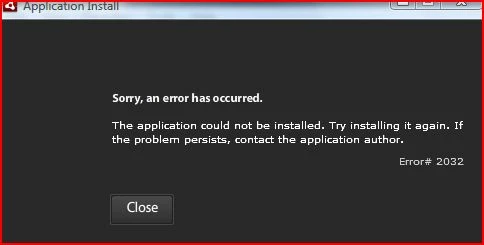
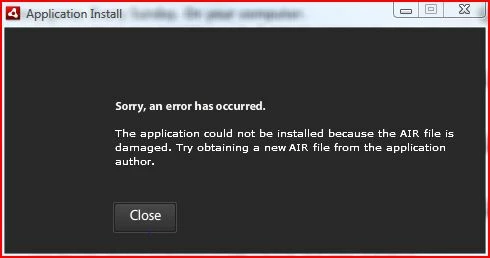
I am attempting to download the DirecTv Supercast feature so I can watch NFL Sunday Ticket online.  I am unable to get Supercast to work via Adobe Air.  When I attempt to download Supercast, I get an error message (see first  screen shot) that states, "The application could not be installed because the AIR file is damaged. Try obtaining a new AIR file from the application author."  After I download Adobe Air from the Adobe website, it installs fine; however, if I attempt to install Supercast after installing Adobe Air I get an error message (see second screen shot) that states, "The application could not be installed. Try installing it again. If the problem persists, contact the application author. Error 2032."  I have the latest Adobe flash player.  I have already viewed DirecTV online FAQs and called customer service… neither have helped resolve the issue.  I have uninstalled and reinstalled all software numerous times.  I have also attempted the installs with all firewalls off.  Nothing has worked.  I get the same problem on 4 different computers (3 running Vista and 1 running XP).  Anyone have any ideas what the problem might be?  Thanks for the help.
This topic has been closed for replies.

17 replies

Participant
September 27, 2009

Hi Nuzbim...

Can you also send me the Supercast file to this email:  Rbakken@yahoo.com

I'm having the same problem and I'm in Germany right now...

Thanks.

-Rich

Participating Frequently
September 20, 2009

i've emailed the folks who sent me a PM or left their emails on the board.

i've had to use a VPN in order to get it to broadcast, but once i run the VPN it works fine, even if my team is losing.

good luck folks

Participant
September 20, 2009

thanks for ur help  your link go it to download, now it lets me open it and it shows the scores and the games on the left, but when i click watch game nothing happens,  i dont know if its from slow internet connection maybe? or is that because my isp?how do u use a vpn is it easy is it just a program you download or is it hard to do if ur just using public wireless internet

Participating Frequently
September 20, 2009

ok after testing all thoughout the 1st set of games, you'll need a VPN of some sorts in order to get supercast to update, you can google a bunch of free VPN's those who PM'ed me i recommended a free one.

so download the VPN and make sure it's running then launch the Supercast, it'll ask you if you want to update, hit Yes and update supercast. once thats done it'll allow all the games and highlights. i've turned off the VPN now, as it'll slow down your bandwidth, or you can leave it on if you have a good connection.

hope this helps some people.

Participant
September 20, 2009

hey guys. Im in Sweden and have the exact same problem. Please let me know if you have a solution as Im getting desperate to find a way to watch the Broncos!

Participating Frequently
September 20, 2009

folks,

i'll email everyone that sent me a PM but it'll be at halftime.

however if you are being blocked by the ISP you will need to run a VPN. i got it downloaded and still have to run the VPN in order to get the supercast to work.

Participant
September 20, 2009

.

Participant
September 20, 2009

when i try to use the browser version, is says in the top left hand corner download adobe flash, and i have the newest updated one i also uninstalled and redownloaded that many of times, does anyone know anything about how to get that to work?

Participating Frequently
September 20, 2009

are you using firefox or IE, in, Internet explore go to tools, windows update, make sure you have the latest browswer, same with Firefox. Both install latest Java and work with dtv supercast browser, using it now until that file is sent to me.

Participating Frequently
September 20, 2009

It stll does not work for me either... did you get the file by the way?  thanks...

Participating Frequently
September 20, 2009

you're gettin that error because your ISP is blocking access to it. download AIR from adobe's site and then you can use a VPN to try to spoof your IP address to download the air file for supercast. if you can't do that, let me know your email and i can email you the direct supercast file.

once you install the supercast it should work just fine, it's working for me now, before i was gettin blocked by my ISP in Dubai.

XQS2FLYAuthor
Participant
September 20, 2009

Thanks for the info.  I thought it might have been the ISP.  Could you please send me the file?  I sent my e-mail to you via private communication.  Thanks!

Participating Frequently
September 20, 2009

emailed ya the direct supercast file. good luck, games start in 2 hours. gotta love tech that allows football anywhere in the world.

Participant
September 19, 2009

I am having the EXACT same problem, but instead of a PC, I'm on a Mac running OS X 10.5.  If anyone knows a solution, I'd be very interested to hear about it too.