Answered
Do we have to manually assign the icon files?
With AIR 29 and iOS 11, is the Assets.car all we need for icons, or do we still have to manually assign the icon files in AIR for iOS Settings>Icons dialog?
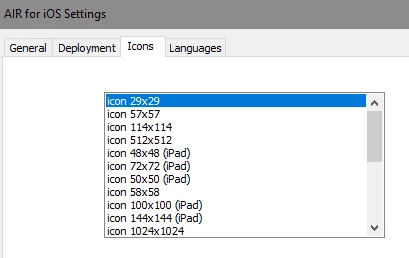

With AIR 29 and iOS 11, is the Assets.car all we need for icons, or do we still have to manually assign the icon files in AIR for iOS Settings>Icons dialog?
Hi,
For apps targeted for iOS 11 and above, only Assets.car is needed for icons. To show icons on iOS 10 and below, you need to manually assign the icon files.
Thanks,
Pravishti | Adobe AIR Engineering
Already have an account? Login
Enter your E-mail address. We'll send you an e-mail with instructions to reset your password.


 AdChoices