
Error embedding iOS third party library inside an ANE
Hi,
I'm, trying to create a ANE file embedding a third party library, but I'm encountering this problem.
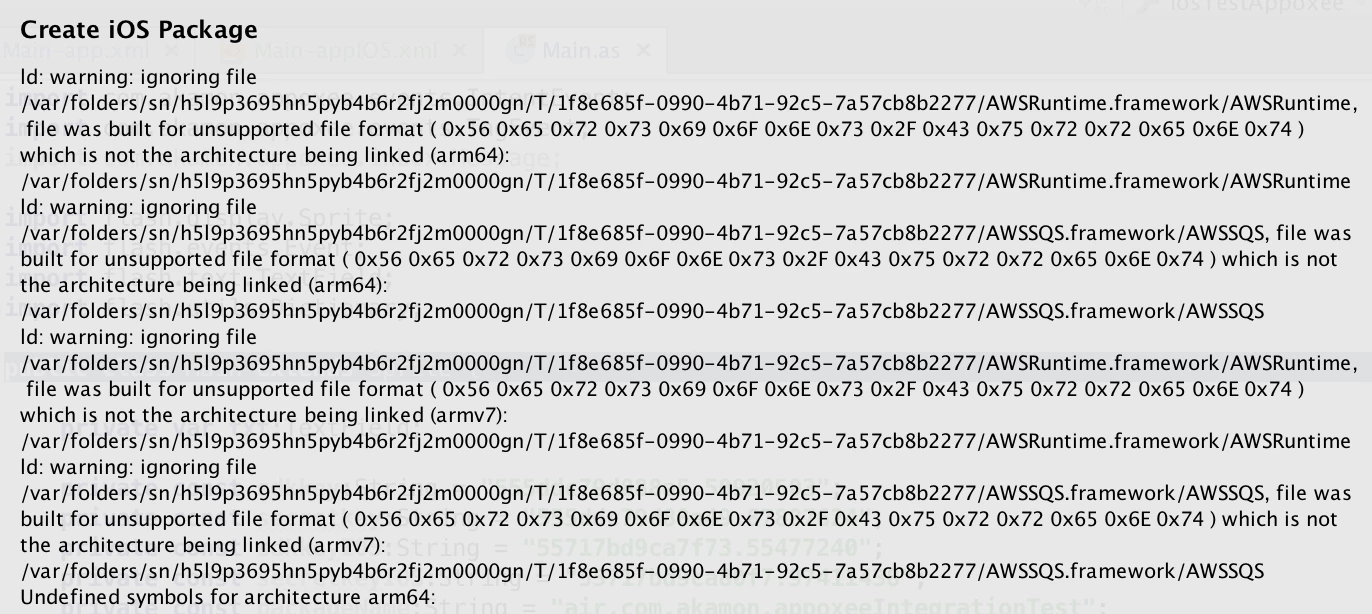
Seems files AWSSQS.framework, AWSRuntime.framework are not found because they are not compiled properly. BUT lip -info shows correct information
lipo -info ./AWSRuntime.framework/AWSRuntime
Architectures in the fat file: ./AWSRuntime.framework/AWSRuntime are: i386 x86_64 armv7 armv7s arm64
My platform-options is:
<platform xmlns="http://ns.adobe.com/air/extension/17.0">
<linkerOptions>
<option>-ios_version_min 5.1.1</option>
<option>-framework QuartzCore</option>
<option>-framework AudioToolbox</option>
<option>-framework CoreGraphics</option>
<option>-framework UIKit</option>
<option>-framework Foundation</option>
</linkerOptions>
<packagedDependencies>
<packagedDependency>AWSRuntime.framework</packagedDependency>
<packagedDependency>AWSSQS.framework</packagedDependency>
<packagedDependency>libAppoxee_ios_32bit_64bit_sdk_v3.2.4.a</packagedDependency>
</packagedDependencies>
</platform>
Any ideas? I'm blocked.
Thanks!


 AdChoices