
UXmason
Inspiring
July 18, 2014
Question

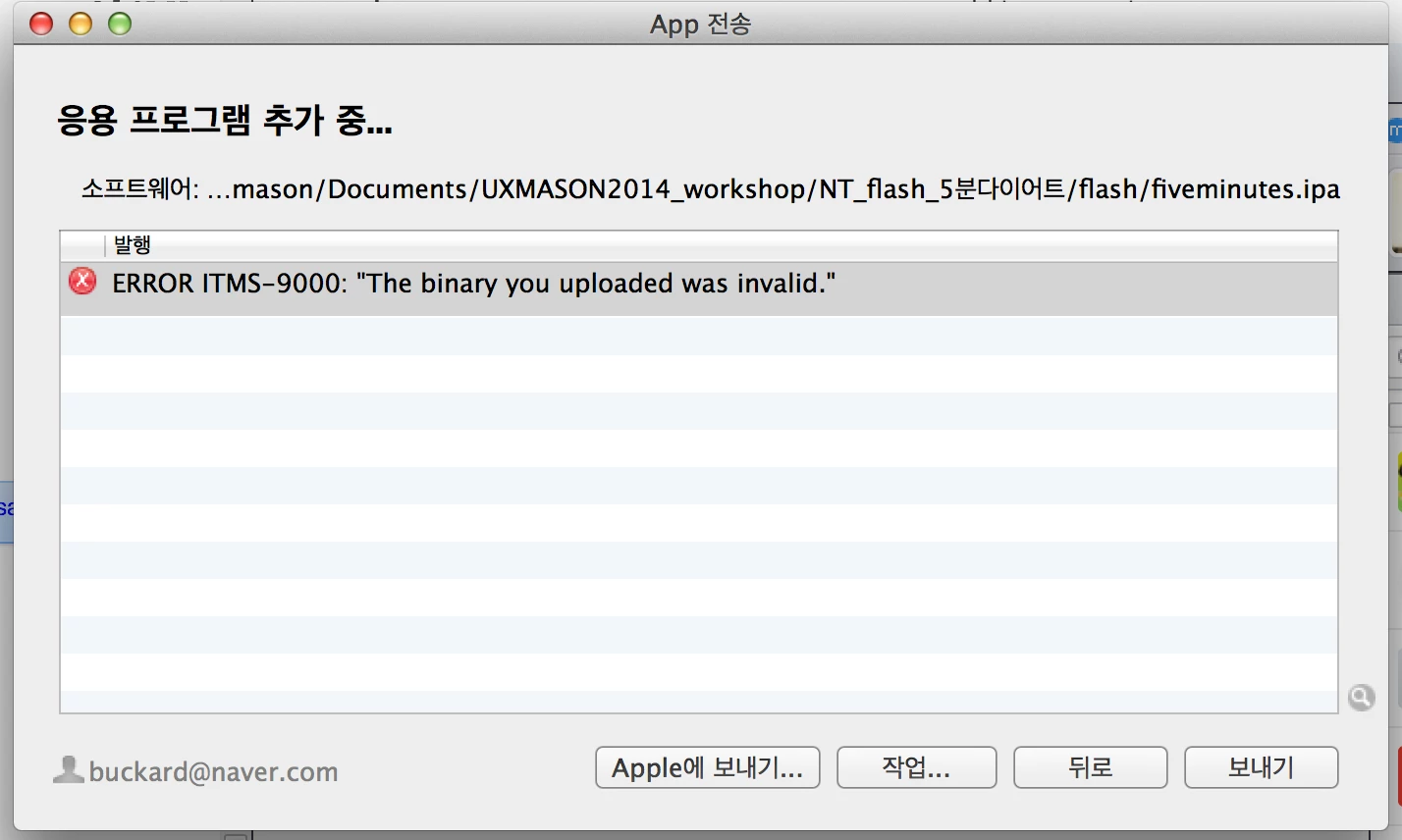
Error when uploading to App Store using Application Loader.
  • July 18, 2014
  • 1 reply
  • 470 views

This error message causes headaches.

ERROR ITMS-9000: "The binary you uploaded was invalid."

I'm using AS3.0 in Adobe Flash CC 2014 - Mac

target : AIR 14.0.0.157 for iOS.

iOS deployment type : Apple App Store.

How did you solve this problem?

This topic has been closed for replies.

1 reply

kc2015
Participating Frequently
August 6, 2014

Hi,

Did you able to solve the issue?

I am facing the same error for past few days. Eventually i could able to upload once on 1/08/2014, then apple send me recommandation email reg. new icons. After i made changes, i could not able to upload the ipa. Even the old on which was uploaded is not accepting any more.

Any help? If you could able to solve it please inform.

Thanks.

Colin Holgate
Inspiring
August 6, 2014

Someone else recently had the same issues, and in the end it was that the version of Application Loader was too old. Make sure you are using version 2.9.1.

kc2015
Participating Frequently
August 7, 2014

Hi Colin,

Thanks, it did worked I updated my App loader and it went through without any error.