
sberfield
Participating Frequently
September 30, 2014
Question

Getting a failure for missing default-568@2x.png

  • September 30, 2014
  • 1 reply
  • 624 views

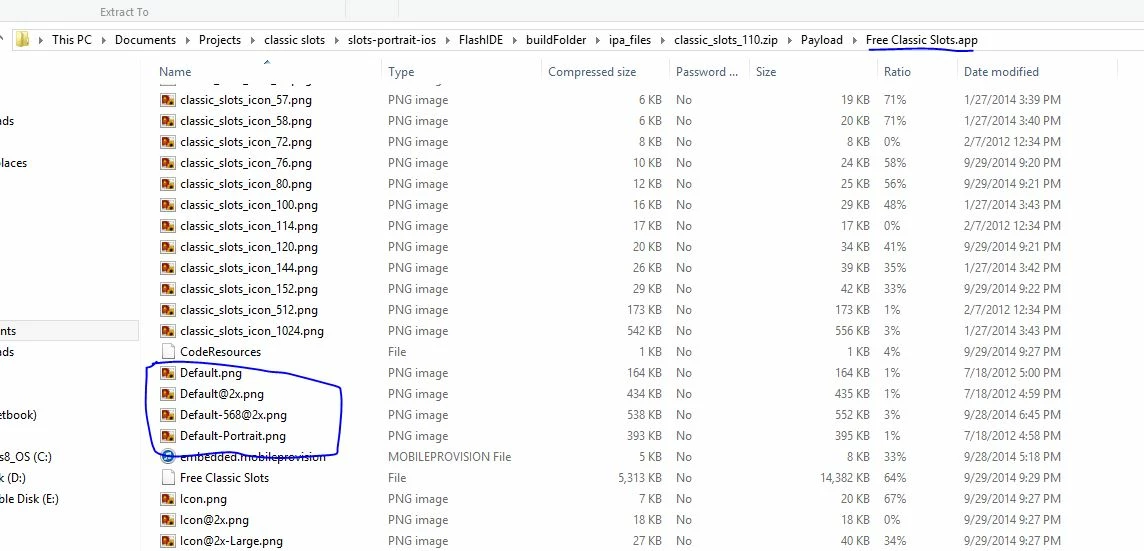
I am using Flash Pro CC 2014 with Air version 15. My iOS app hasn't been updated since iPhone 5 came out so I had to add the Default-568@2X.png image to the package when I rebuilt it. I did this exactly yhe same way I did a few months ago for another app. The image is at the root of the app. When"I try to submit with Application Loader, I get an error that the "application is not optimized for iPhone 5...


The image file is 640x1136, is named Default-568@2X.png and is at the root. When I open the ipa file I can see the file is there. I am totally stymied. Any suggetsions?
This topic has been closed for replies.

1 reply

Colin Holgate
Inspiring
September 30, 2014

I had this happening for a while yesterday. Not sure which action I did that solved it, possibly it was because I deleted the IPA locally and from my iPhone 5. You might try doing a Clear Publishing Cache from the Control menu.

As with your case, I could see that the image was in the IPA, but the app didn't fill the width of my iPhone 5. Once I did whatever it was that I did to help, then the stage filled the width ok.

sberfield
sberfieldAuthor
Participating Frequently
September 30, 2014

It's always something. Sigh. I'll try clearing the cache tonight. I don't have access to an iPhone 5 right now so was jsut assuming it would work just like hte other app. NOthing is ever as easy as it should be

Colin Holgate
Inspiring
September 30, 2014

Nicely spotted! That certainly should help.