
Installing and uninstalling this application not allowed by administrator
Hi,
On Windows 10, when I try to install an AIR application on desktop, I get the following error:
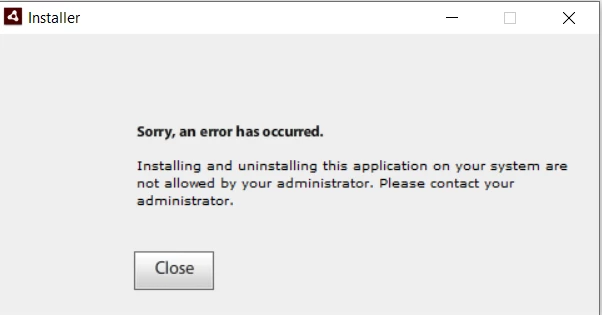
Application is developed using Flex 4.14.1 AIR 32 (I tried compiling be changing to AIR 18, 31 as well, but same error).
I then tried following suggestions:
https://community.adobe.com/t5/air/adobe-air-will-not-install/td-p/6874514?page=1
Solution Snippet from above link:
"
I finally found something that worked for me (Windows 10).
- After downloading the Adobe Air .exe file, go to its location (usually in your Downloads folder) and right click on it. Rather than clicking on "Run as Administrator" (which did not work for me), click on "Properties".
- Then go to the "Compatibility" tab.
- At the bottom of the Compatibility tab place a check beside "Run this program as an Administrator".
- Hit the "Apply" button and try running your Adobe Air install again.
Note: After doing this, I had to do the same steps for the program that I was initially trying to install that required Adobe Air as a pre-requisite.
"
Even above step did not work. I still get same error. Kindly let me know if there is any other alternative to install an AIR application on windows 10.


 AdChoices