
Inspiring
August 8, 2018
Answered

iOS app rotation broken

  • August 8, 2018
  • 1 reply
  • 910 views

Using the most recent tools (Flex 4.16.1, Air/ADT 30.0.0.107, xcode 9.4.1) the iOS app orientation/rotation is off when the device is rotated. This is a basic/empty flex app with:

<autoOrients>true</autoOrients>

<aspectRatio>any</aspectRatio>

This is what happens in the simulator:
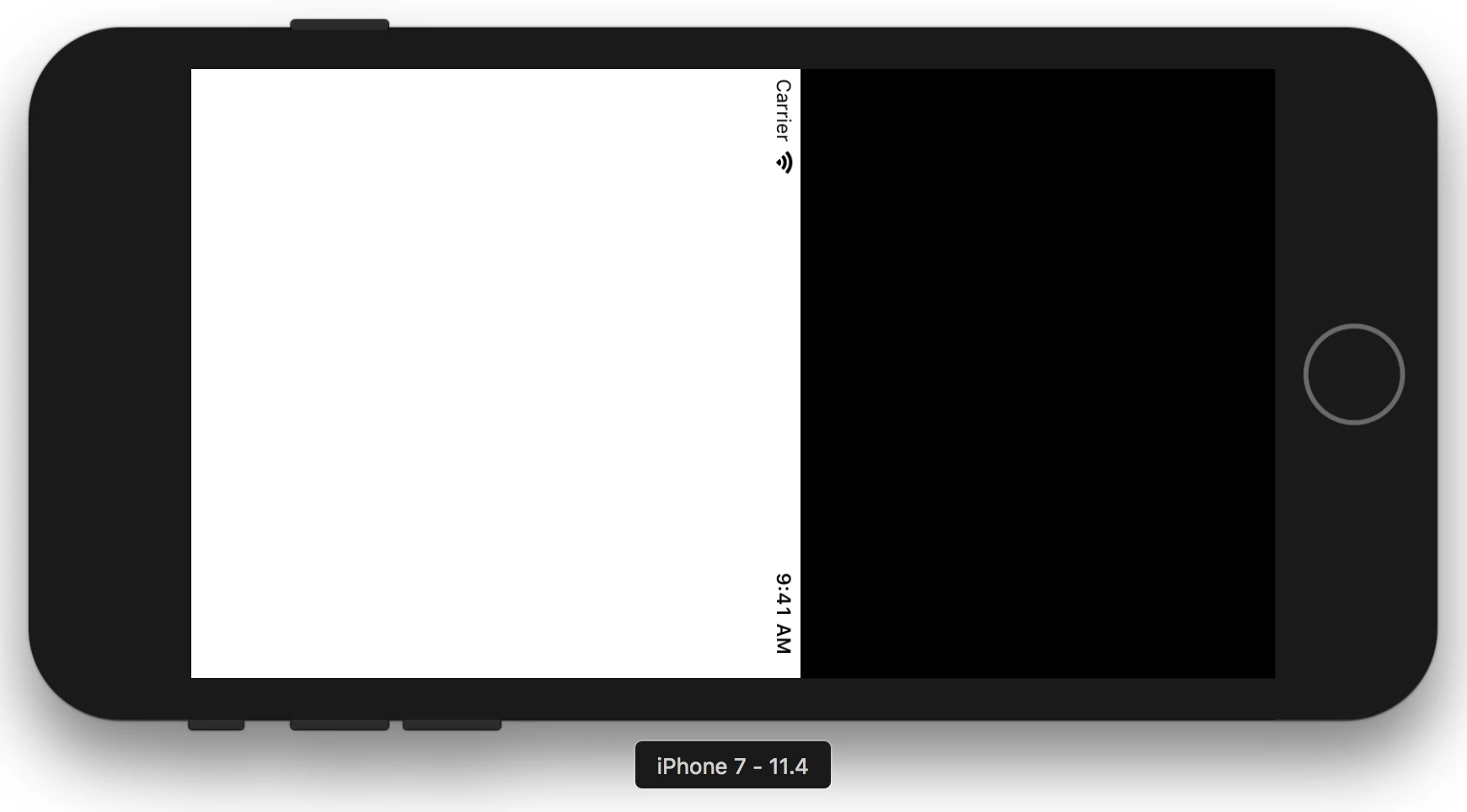
There doesn't seem to be any workaround in setting orientation, aspectRatio, stage size, etc. The only thing that works is clicking the Home button, then opening the app again. The rotation will then be correct. Seems similar to this tracker bug: Tracker

Do I need to revert to a previous xcode version? Thanks for any help

This topic has been closed for replies.
Correct answer tedalde2

Tedalde2 -

This still happens over a year later with the new XCode.  Did you ever find a newer / different resolution to this?


Yes, I recently found the real reason this happens. Packaging manually using ADT I was getting this error:

Warning: The path to platform sdk should end with any one of the (iPhoneOSx.x | iPhoneSimulatorx.x | AppleTVSimulatorx.x | AppleTVOSx.x) format to avoid any unintended behavior

Solution is to just add the specific iOS SDK version to the platformsdk path, ex:
/Applications/Xcode.app/Contents/Developer/Platforms/iPhoneSimulator.platform/Developer/SDKs/iPhoneSimulator12.4.sdk

Solves rotation and some other issues I had seen.

Funny, this is an old project I only see occasionally, about this time of year.

1 reply

Inspiring
August 8, 2018
tedalde2Author
Inspiring
August 8, 2018

I have an app that has been listening and responding to events. It worked fine until I updated everything and built again. Recent (over the past year) tooling changes, xcode and/or AIR, seem to now prevent correct orientation when autoOrients is TRUE. When autoOrients is FALSE there are no ORIENTATION_CHANGE or ORIENTATION_CHANGING events.

I had already tried a number of techniques listed in the article, resetting the orientation and/or aspect ratio on events. Nothing works to remove the black to the right of the rotated stage and orient the stage correctly. The simulator image above is from an empty flex project; the orientation should auto-adjust upon rotation, but only does so after the app is closed then re-opened.

tedalde2Author
Inspiring
August 9, 2018

Reverting to xcode 9.2 (using its platformsdk and ld64) solved it. My existing app and the empty demo now rotate correctly without other changes. @adobe can you look and determine why the stage orientation is broken using the latest xcode?