February 10, 2011
Question

japanese texts are not consistenly displayed

  • February 10, 2011
  • 2 replies
  • 567 views

Hi, i have problem with my air application.

My environment is linux (Sabayon/Gentoo like system).

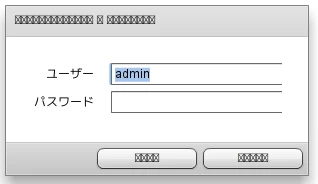
My problem is, some japanese text cannot be displayed properly until i install kochi-substitute font, but i donot like that font.

I have installed other japanese font like takao or vl gothic which has better rendering.

Please see the attached image.

The apps has css which set s|Label font to 'MS Gothic', since main developers are using windows.

Is there a way to force my apps to use non kochi-substitute fonts without touching css file?

Thanks
This topic has been closed for replies.

2 replies

February 14, 2011

Thanks for all the inputs.

hkudo
Inspiring
February 11, 2011

Hi rezashah95,

No, you can't control it without touching your app. It is called 'font fallback' by text engine and you have no control at that moment. What you can do is to specify all possible font name for all platforms that you would cover with respective (your expecting) font name in CSS. However you don't know what kind of font your user have in their environment so you can't gurantee which font is used. If you want to avoid this uncertainess, you have to embed font or use WebFont in case your app is HTML app.Hope this info help.

thanks,

Hitomi Kudo

chris.campbell
Legend
February 11, 2011

Here are a couple of documents that describe how to work with embeded fonts for different development environments:

Flex 4

Using embeded fonts

Flash CS5

Embed fonts for consistent text appearance

In AIR 2.5, changes where made HTML, CSS and Javascript to include "Web fonts are implemented by the CSS @font-face declaration, which allows a font file to be placed on a server with other web assets and to be used to render web page content. Note that AIR 2.5 supports only TTF and OTF web fonts"

Chris