

local_nostrip.arm-air.txt is missing in AIR SDK 16
I merged Flex SDK 4.6.0 and AIR SDK 16.0.0.272 and use it in the Flash Builder 4.6.
I downloaded AIR SDK 16.0.0.272 in the following :
( Because I use Flash Builder, I downloaded the original AIR SDK without the new compiler. )
http://www.adobe.com/devnet/air/air-sdk-download.html
I added ANE files to my app and entered iOS SDK path in the properties window of project.
* iOS SDK path : /Applications/Xcode.app/Contents/Developer/Platforms/iPhoneOS.platform/Developer/SDKs/iPhoneOS8.1.sdk/
When I build my app, the following error occurred :
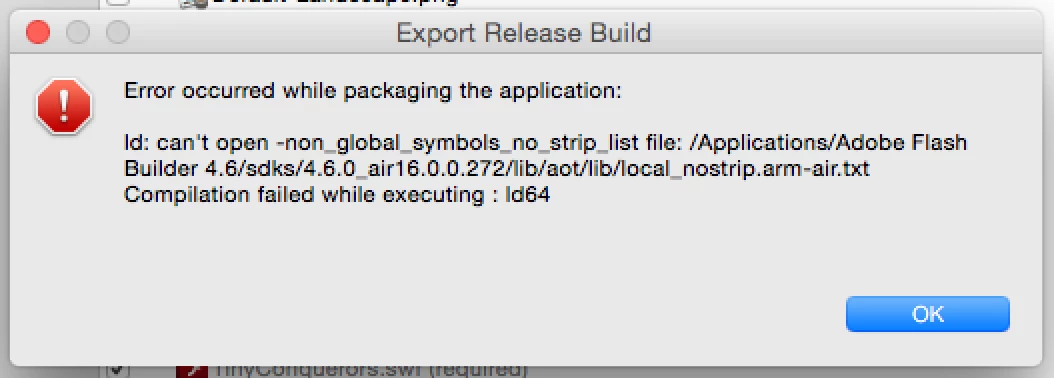
After I read the error message, I check whether local_nostrip.arm-air.txt is in the specified location.
I found local_nostrip.arm-air.txt is missing in the sdk - it does not exist in the {pathtosdk}/lib/aot/lib/.
In the AIR SDK 15, local_nostrip.arm-air.txt file is in the {pathtosdk}/lib/aot/lib/.
Can I use local_nostrip.arm-air.txt of the AIR 15 instead?
Does anybody know?


 AdChoices