


Participant
September 21, 2011
Question

more ios certificate issues

  • September 21, 2011
  • 2 replies
  • 988 views

Hello,

I really enjoy publishing Adobe Air stuff on the Android market but when it comes to IOS and the Appstore I get the camps.

I am a freelance game developer and I made few games for a major TV channel.

Publish them on the android market was easy pizy.

The problems came when I tried uploading them to Apple's appstiore.

I believe that the main problem is that I work on a PC and not Mac.

I got a .P12 file and a  password from the company but I couldn't publish it on my Flash Professional CS5.5.

(it was not a password but something to do with the key)

than I got another P12, which was accepted and published to an ipa by  my Flash Professional CS5.5 but when I uploaded it

to the appstore using a Mac I got the error msg showing in the image below
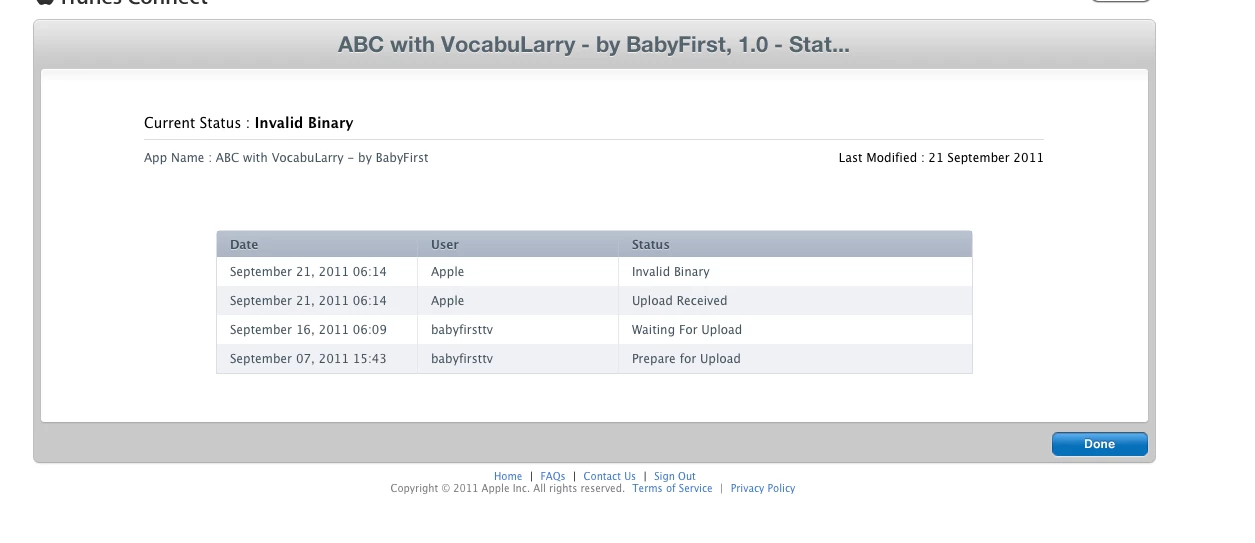
Any ideas, thought,   links to ease my sufferings

(i know how to develop games... much less about certificates and provisions)

This topic has been closed for replies.

2 replies

September 21, 2011

Are you using two different provisioning profiles and certificates for development and for distribution? Because you should, seems like it was tough for you to get the p12 but you need 2 of them.

Chris W. Griffith
Community Expert
Community Expert
September 21, 2011

Here is Lee Brimelow's tutorial on doing iOS development on Windows. http://gotoandlearn.com/play.php?id=133

Just like I tell Android developers to avoid the emulator and get a device, I also tell iOS developers to get any old Mac for the code signing. You will save time (and hence $$) in the long run.

Good luck!

Chris

Participant
September 21, 2011

thank alot...

but since I am using Flash Pro 5.5 as my packager wont I'll be needing the adobe Flash Professional CS5.5 to be installed on my new mac machine as well?

Vivo

September 22, 2011

All you would need the mac for is to obtain the certificates and for that you just need KeyChain which I think comes with a mac and application loader to upload your files which I think you get with the iOS SDK.