


Problem with Android 4 StageWebView cutting off/covering up buttons on same View
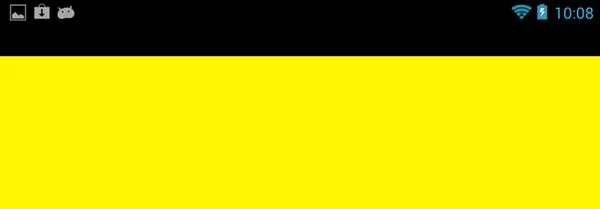
So I'm trying to pull off something similar to the example here: http://cookbooks.adobe.com/post_Create_a_basic_web_browser_with_StageWebView-18850.html. Basically, a native browser view with a few Flex controls over top. Problem is, I've been running into a lot of display problems on Android 4 devices specifically. As far as I can tell, the StageWebView seems to be preventing the button overhead from being rendered in part or *at all* - as in, the button doesn't show up at all. It's just black.
See for yourselves. Here's a screenshot (the test page has a yellow background):
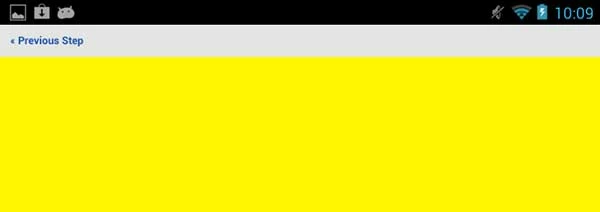
If I touch the screen or the web view, the button will (usually) abruptly show up above the page, where it's supposed to be:
Anyone else seen anything like this before? Any ideas what it could be?
***
Additional information for those who might want it:
- Project is being developed in Flash Builder 4.6 with the 4.6 SDK. Screenshots are from a Google Nexus 7 tablet (Android version 4.1.2, Adobe AIR version 3.4.0.254).
- the view in this case is an ActionScript class extending View with a skin. Here's the relevant code:
[SkinState("ready")]
[SkinState("loading")]
public class LogInWebView extends View
{
[SkinPart(required="false")]
public var previousButton:Button;
private var browser:StageWebView;
private var url:String;
private var isFirstPageLoaded:Boolean;
public function LogInWebView()
{
super();
isFirstPageLoaded = false;
}
override public function set data(value:Object):void {
url = value.url;
invalidateProperties();
}
// protected functions
override protected function createChildren():void {
super.createChildren();
if (url) {
browser = new StageWebView();
browser.viewPort = new Rectangle(0, 0, stage.stageWidth, stage.stageHeight);
browser.addEventListener(Event.COMPLETE, onFirstPageLoaded, false, 0, true);
browser.loadURL(url);
}
}
override protected function partAdded(partName:String, instance:Object):void {
super.partAdded(partName, instance);
if (instance === previousButton) {
previousButton.addEventListener(MouseEvent.CLICK, onPreviousButtonClick, false, 0, true);
if (browser) {
browser.viewPort = new Rectangle(0, previousButton.height, stage.stageWidth, stage.stageHeight-previousButton.height);
}
}
}
override protected function commitProperties():void {
if (isFirstPageLoaded && currentState != "ready" && browser) {
// display StageWebView now that it's loaded
skin.currentState = "ready";
browser.stage = this.stage;
} else if (currentState != "loading") {
skin.currentState = "loading";
}
super.commitProperties();
}
// event listeners
private function onFirstPageLoaded(event:Event):void
{
browser.removeEventListener(Event.COMPLETE, onFirstPageLoaded);
isFirstPageLoaded = true;
invalidateProperties();
}
- note: the button ONLY appears in state "ready" - it's not in state "loading."
Your thoughts?
 AdChoices