

remove adobeair 3
I want to upgrade my Adobe Air to current version.
Adobe Air | 19.0.0.213 |
I have successfully downloaded AIr 19 and tried to install it - many, many times. I wind up with a string of windows across my screen that says "installing"... but it doesn't. Tried getting into the DOS command line and using the current version as administrator using the DOS command "AdobeAIRInstall.exe -uninstall" command ( to delete the earlier version.
Thought it was going to work until I get an error message that concluded "see log". here is the log:
[2015-11-12:10:13:25] Runtime Installer begin with version 18.0.0.180 on Windows 7 x86
[2015-11-12:10:13:25] Commandline is: (1).exe -uninstall
[2015-11-12:10:13:25] No installed runtime detected
[2015-11-12:10:13:25] Runtime Installer end with exit code 2
[2015-11-12:10:16:03] Runtime Installer begin with version 18.0.0.180 on Windows 7 x86
[2015-11-12:10:16:03] Commandline is: -uninstall
[2015-11-12:10:16:03] No installed runtime detected
[2015-11-12:10:16:03] Starting runtime uninstall. Uninstalling runtime version
[2015-11-12:10:16:03] Exiting due to error: [ErrorEvent type="error" bubbles=false cancelable=false eventPhase=2 text="Unhandled exception TypeError: Error #1009" errorID=1009]
[2015-11-12:10:16:03] Runtime Installer end with exit code 7
I'm at my wits' end! Any annd all help welcome!
Thanks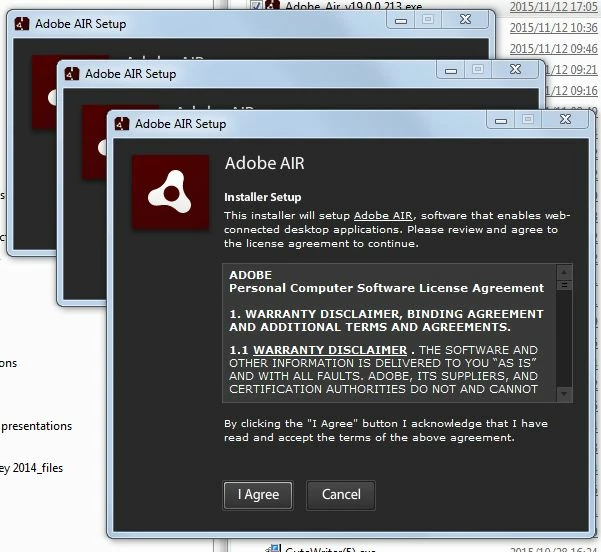


 AdChoices