


Smoothing embeded images
Hi,
I try to show in my Android application a image rotated. I need showing this image smoothed. My image is embeded at my apk, and i'm using "smooth = true" as value inside sentence Embed.
[Embed(source="icons/smoothQuality.jpg", smoothing="true")]
public const ImprimirIcon:Class;
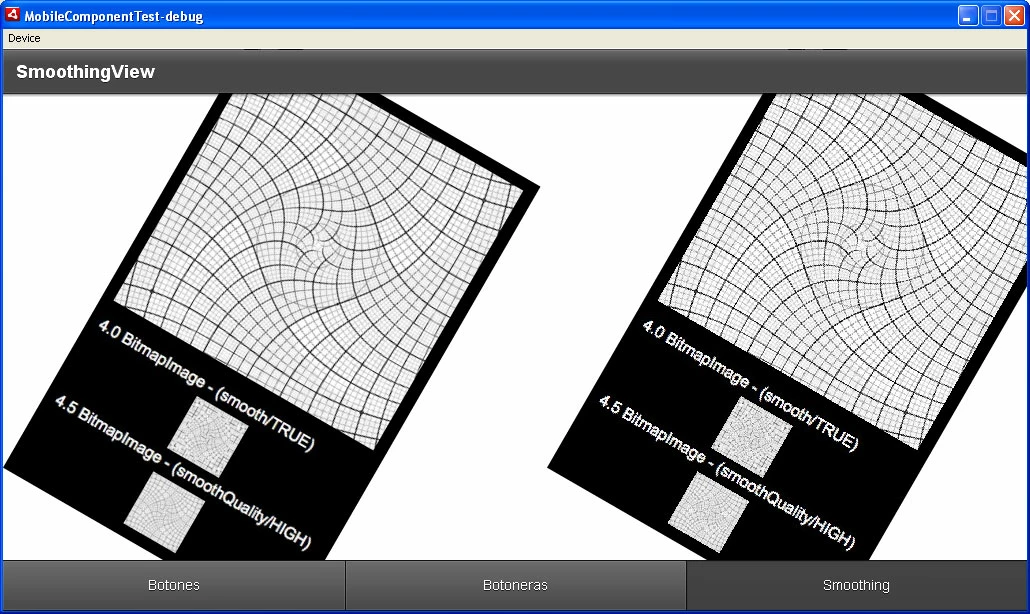
I'm using two spark image components. The first image has the smoothing activated and with highest quality. But the second image don´t use the smoothing technic. Furthermore I have a function that rotate 30 grade the image when this is created.
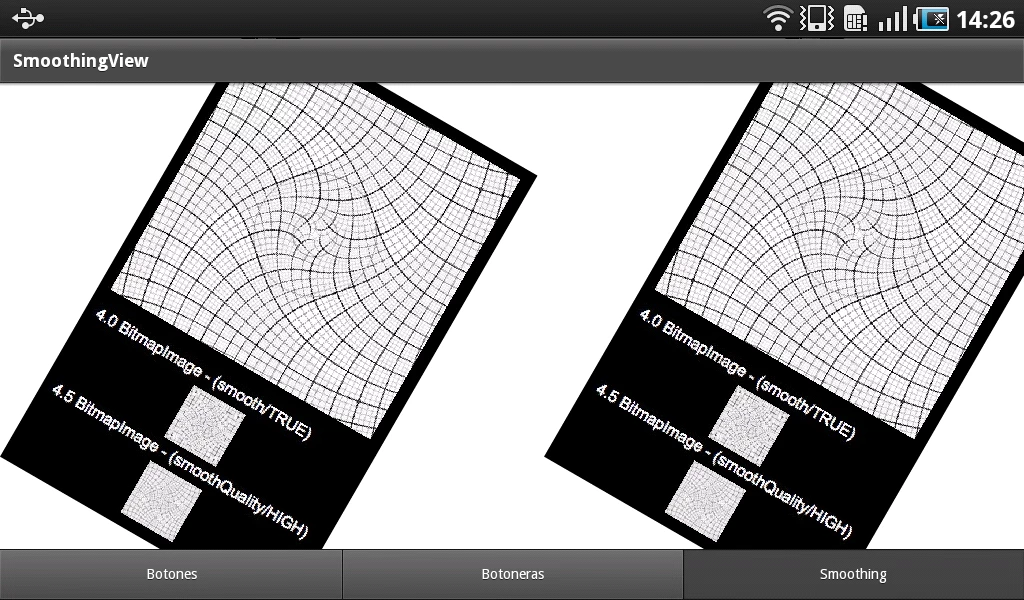
My problem is that I see the first image smoothed and the second image unsmoothed at my emulator. But, at my Samsung Galaxy Tab 7" I see unsmoothed both.
I don´t know what is the problem. I tried with BitmapImage and I get the same result.
Help me please! I don´t know that more to do :S
Thanks;)
It's the code of my demo View:
<s:View xmlns:fx="http://ns.adobe.com/mxml/2009"
xmlns:s="library://ns.adobe.com/flex/spark" title="SmoothingView">
<fx:Declarations>
<!-- Place non-visual elements (e.g., services, value objects) here -->
</fx:Declarations>
<s:layout>
<s:HorizontalLayout />
</s:layout>
<s:Group width="50%" height="100%">
<s:Image id="imagen" verticalCenter="0" horizontalCenter="0"
smooth="true" smoothingQuality="high"
fillMode="clip" scaleMode="letterbox"
source="{ImprimirIcon}"
creationComplete="{calculatePositionRotation(imagen)}"/>
</s:Group>
<s:Group width="50%" height="100%">
<s:Image id="iconDisplayNormal" verticalCenter="0" horizontalCenter="0"
fillMode="clip" focusEnabled="false"
smooth="false" smoothingQuality="high"
cacheAsBitmap="true"
source="{ImprimirIcon}"
creationComplete="{calculatePositionRotation(iconDisplayNormal)}"/>
</s:Group>
<fx:Script>
<![CDATA[
import mx.core.UIComponent;
[Embed(source="icons/smoothQuality.jpg", smoothing="true")]
public const ImprimirIcon:Class;
private function calculatePositionRotation(displayObject:UIComponent):void
{
var m:Matrix = displayObject.transform.matrix;
var rotacion:Number = 30;
m.rotate(degrees2radians(rotacion));
displayObject.transform.matrix=m;
displayObject.visible = true;
}
// 2*Pi*Radians = 360 Degrees
private function degrees2radians(deg:Number):Number {
return (2 * Math.PI * deg) / 360;
}
]]>
</fx:Script>
This is the emulator's screenshot:
And this the tablet's screenshot:
 AdChoices