


Stretched text and image with FULL_SCREEN_INTERACTIVE after Air player update
One of my Air applications uses StageDisplayState.FULL_SCREEN_INTERACTIVE to switch to full screen during the presentation of some sheets.
Everything worked fine untill some users reported a streching of texts and images in the sheets.
It turns out that the problem occurs after an update from the Adobe Air Player to 3.1 from 2.7.

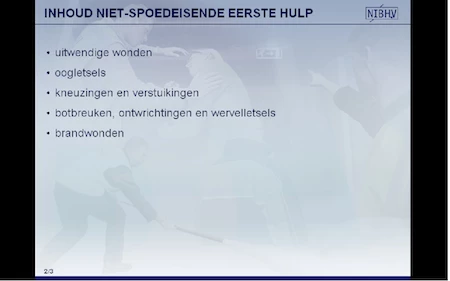
The first screen shots shows the text as it should be, the second screen shot shows the text after the update of the Air Player.
The code used to go into the Full Screen mode is:
public function setFullScreenInteractive(fullScreenWidth:int = Constants.INT_SCREEN_WIDTH_SMALL, fullScreenHeight:int = Constants.INT_SCREEN_HEIGHT_SMALL):void
{
s.fullScreenSourceRect = new Rectangle( 0, 0, fullScreenWidth, fullScreenHeight);
s.displayState = StageDisplayState.FULL_SCREEN_INTERACTIVE;
}
with Constants.INT_SCREEN_WIDTH_SMALL = 800 and Constants.INT_SCREEN_HEIGHT_SMALL = 600.
I can reproduce the problem on a couple of computers with Windows Xp but it's not happening on all the computers I've tested.
Any idea how to fix this (without telling my users to Uninstall the current Air Player and reinstall the Air Player 2.7)?
Regards,
Bart
 AdChoices