
The executable was signed with invalid entitlements
So have spent a full day now trying to reinsall an Adobe AIR app to an iPad.
Upadted Adobe air SDK to latest 32.0 and have tried re-creating my certificates and provisioning profile from scratch.
If I try to deploy directly from Adobe AIR I get an error message
"Application verification failed"
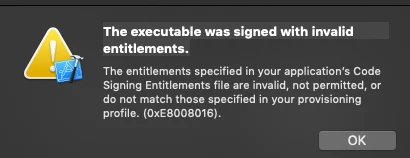
If instead I publish an .ipa and try and deploy via XCode I get the following
If I furthermore check entitlements on my app.bundle I see
<plist version="1.0">
<dict>
<key>application-identifier</key>
<string>foo.domain.app</string>
<key>get-task-allow</key>
<true/>
<key>aps-environment</key>
<string>development</string>
</dict>
</plist>
but checking entitlements in my Provisioning profile I see
<key>get-task-allow</key><false/>
Could this be the source of my error? If so, how do I get both these values to be the same?
Any replies welcome as I need to launch this!


 AdChoices