
TLS 1.2 support Air Desktop Version-Flex SDK 4.5.1
Hi All,
I am new to this forum. I am working on air desktop application. recently Salesforce announced they are going to disable TLS 1.0 protocol from their servers and they will be supporting 1.1,1.2 of TLS protocol. here is test url which we can use to test that in air desktop : https://tls1test.salesforce.com/s/. I have gone through some of posts in this forum and did not find similar post about this issue. I found one, but it did not help either : Does FLEX and AIR support TLS 1.1+ encryption?
I wrote below code to test that url. SecureSocket connection is successful. but UrlRequest is failing, because it is using TLS 1.0 version to connect to server., Since Air app uses TLS 1.0 protocol, the handshake itself is failing. I found that info in wireshark: TLSv1 Record Layer: Alert (Level: Fatal, Description: Handshake Failure)
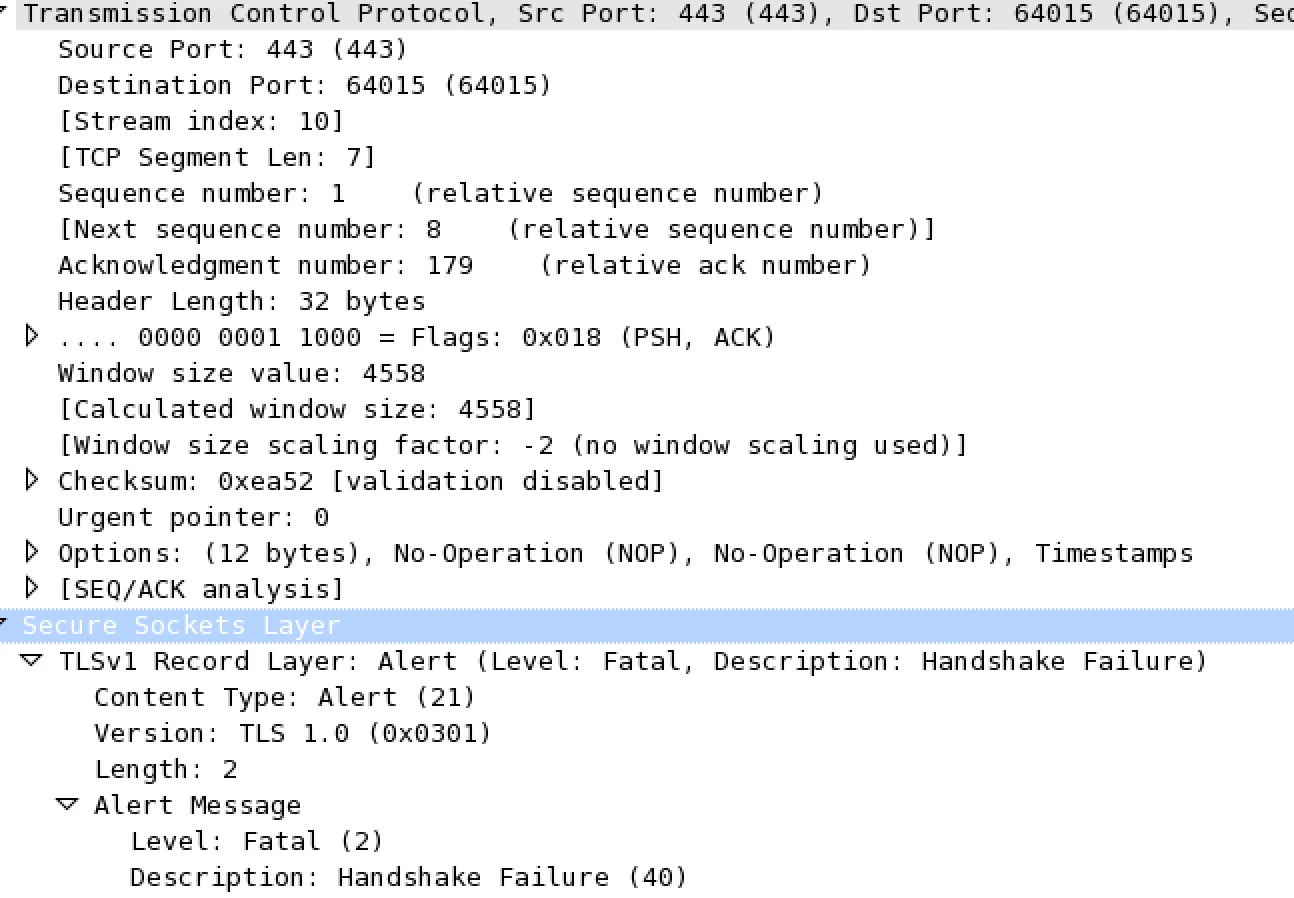
My goal is to switch my desktop client to support TLS 1.2 protocol. I am using Flex SDK 4.5.1 version to build application. Can you please help me to understand about this issue ?
- Is there anyway to configure TLS version for UrlLoader or UrlRequest ?
- Do I need to get client certificate to authenticate with server for TLS 1.2 protocol ?
- Will this work if upgrade Flex and Air SDKs, I tried, it did not work, but not sure whatever i have tried is correct or not ?
import flash.display.Sprite;
import flash.events.*;
import flash.net.URLLoader;
import flash.net.URLRequest;
import flash.net.URLRequestDefaults;
import flash.net.URLRequestHeader;
import flash.net.URLRequestMethod;
import flash.net.URLVariables;
private function URLRequestHeaderExample() {
var loader:URLLoader = new URLLoader();
loader.dataFormat = URLLoaderDataFormat.VARIABLES;
configureListeners(loader);
SecureSocketExample();
var header:URLRequestHeader = new URLRequestHeader("Authorization", "sampleToken");
var request:URLRequest = new URLRequest("https://tls1test.salesforce.com/services/oauth2/token"); //https://tls1test.salesforce.com/
//request.data = new URLVariables("name=John+Doe");
request.method = URLRequestMethod.GET;
URLRequestDefaults.idleTimeout = 1200000;
request.requestHeaders.push(header);
try {
loader.load(request);
} catch (error:Error) {
trace("Unable to load requested document.");
}
}
private function configureListeners(dispatcher:IEventDispatcher):void {
dispatcher.addEventListener(Event.COMPLETE, completeHandler);
dispatcher.addEventListener(Event.OPEN, openHandler);
dispatcher.addEventListener(ProgressEvent.PROGRESS, progressHandler);
dispatcher.addEventListener(HTTPStatusEvent.HTTP_STATUS, httpStatusHandler);
dispatcher.addEventListener(SecurityErrorEvent.SECURITY_ERROR, securityErrorHandler);
dispatcher.addEventListener(HTTPStatusEvent.HTTP_STATUS, httpStatusHandler);
dispatcher.addEventListener(IOErrorEvent.IO_ERROR, ioErrorHandler);
dispatcher.addEventListener(HTTPStatusEvent.HTTP_RESPONSE_STATUS, httpRespoStatusHandler);
}
private function completeHandler(event:Event):void {
var loader:URLLoader = URLLoader(event.target);
trace("completeHandler: " + loader.data);
}
private function openHandler(event:Event):void {
trace("openHandler: " + event);
}
private function progressHandler(event:ProgressEvent):void {
trace("progressHandler loaded:" + event.bytesLoaded + " total: " + event.bytesTotal);
}
private function securityErrorHandler(event:SecurityErrorEvent):void {
trace("securityErrorHandler: " + event);
}
private function httpStatusHandler(event:HTTPStatusEvent):void {
trace("httpStatusHandler: " + event);
}
private function httpRespoStatusHandler(event:HTTPStatusEvent):void {
trace("httpRespoStatusHandler: " + event);
}
private function ioErrorHandler(event:IOErrorEvent):void {
trace("ioErrorHandler: " + event);
}
private var secureSocket:SecureSocket = new SecureSocket();
private function SecureSocketExample()
{
secureSocket.addEventListener( Event.CONNECT, onConnect )
secureSocket.addEventListener( IOErrorEvent.IO_ERROR, onError );
try
{
secureSocket.connect( "tls1test.salesforce.com", 443 );
}
catch ( error:Error )
{
trace ( error.toString() );
}
}
private function onConnect( event:Event 😞void
{
trace("Connected.");
secureSocket.close();
}
private function onError( error:IOErrorEvent 😞void
{
trace( error.text + ", " + secureSocket.serverCertificateStatus );
}
]]>


 AdChoices