
Inspiring
Nov 9, 2016 10:30 AM UTC
Answered

Unable to install the application on iOS Simulator

Adobe Animate 2017 (build 16.0.0.112)

AIR SDK 23.0 for iOS

Xcode 8.1

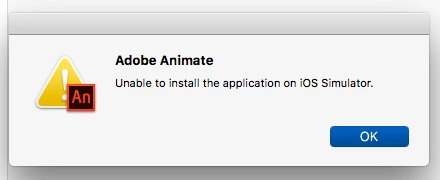
Trying to run app on iOS Simulator and getting the error "Unable to install the application on iOS Simulator".
Path to iOS Simulator SDK is set to

/Applications/Xcode.app/Contents/Developer/Platforms/iPhoneSimulator.platform/Developer/SDKs/iPhoneSimulator.sdk

Actually selected this path below in Finder but appears to be an alias to the path above

/Applications/Xcode.app/Contents/Developer/Platforms/iPhoneSimulator.platform/Developer/SDKs/iPhoneSimulator10.1.sdk

Oddly, the 10.1 iOS Simulator doe NOT show up under Xcode->Preferences->Components. The latest version is 10.0
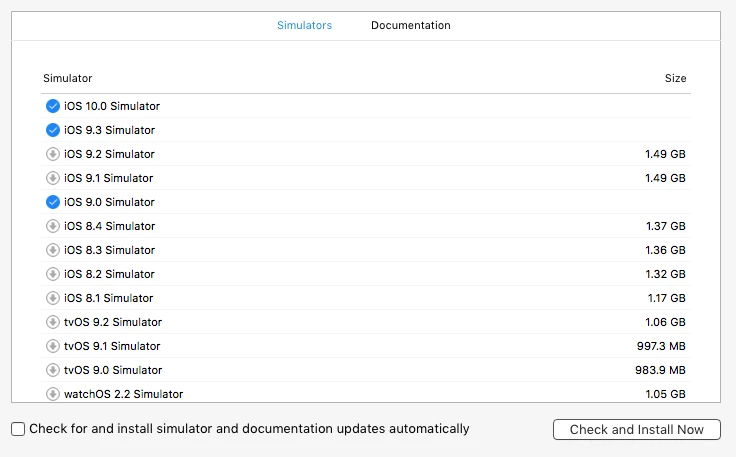
Any one able to suggest a solution to this and especially why the simulator does not appear under Components?

Console output shows this log entry when attempting to run app on simulator:

Failed to find class DTiPhoneSimulatorSystemRoot at runtime.

This topic is closed to new replies. Start a new post to keep the conversation going.
natural_criticB837
natural_criticB837Correct answer
Legend
Feb 3, 2017 6:54 PM UTC

I checked with today's Animate update, still doesn't work. Might need to be fixed in the AIR SDK.


The release notes say this has been fixed in the latest Air 25 SDK (released today), hope it helps:

Adobe AIR 25 Beta | application development - Adobe Labs

Happy coding

15 replies

cocoua
Known Participant
Sep 16, 2017 6:12 PM UTC

I'm having same problem with xcode 9 and AIR 27

I'm unable to test to test the app in iPhone Plus, iPhone X and iPad

Translate
Legend
Sep 16, 2017 9:08 PM UTC

Xcode 9 iOS 11 simulator is now 64bit only. AIR outputs 32bit for simulator builds. Adobe will need to update AIR for iOS 11, hopefully in next version.

Translate
cocoua
Known Participant
Sep 18, 2017 4:27 PM UTC

thank you so much!!

hope it will be before they send the iPhone X devices!!

Translate
pravishtis
Adobe Employee
Adobe Employee
Feb 6, 2017 5:11 AM UTC

Hi,

This issue has been fixed in our latest Beta. Please download our latest AIR SDK 25 Beta from: http://labs.adobe.com/downloads/air.html.

Thanks,

Pravishti | Adobe AIR Engineering

Translate
conormn01
Inspiring
Feb 6, 2017 1:10 PM UTC

Hi! The beta does work on the initial build to the iOS simulator, but changing devices and building again doesn't. I submitted a bug in the tracker here: https://tracker.adobe.com/#/view/AIR-4198255​ (page doesn't load for me now, maybe the tracker is down?)

Also I have a similar thread going here: Unable to install the application on iOS Simulator

Translate
Known Participant
Feb 1, 2017 12:32 AM UTC

Did you ever figure this out?

Translate
conormn01
Inspiring
Feb 1, 2017 2:39 AM UTC

Not yet. There's a thread going here: Unable to install the application on iOS Simulator

And the bug has been reported to Adobe, which has it in the "To Test" stage here: Tracker

We'll see if it gets worked out.

Translate
Colin Holgate
Inspiring
Feb 1, 2017 3:41 AM UTC

I checked with today's Animate update, still doesn't work. Might need to be fixed in the AIR SDK.

Translate
conormn01
Inspiring
Dec 3, 2016 7:13 PM UTC

I have the same issue with the same setup. Also just tried AIR 24 Beta (build177) with no luck.

Will proceed to slam face against wall...

Translate