
Vista Installation seems to work, until application won't launch - stuck in permissions
Hey there 
In an effort to use an AIR application (CurationSoft) I installed AIR. BUT then when I go to launch the application the following message pops up and nothing happens:

I've tried a multitude of combinations: uninstalling both, allowing the application to install Adobe AIR (which it says it will do), then reinstalling both and installing AIR again with Curation soft separately, etc.
I've disabled a random Logitech driver (because it was mentioned somewhere in troubleshooting) and I even dropped my firewall in an attempt to make this work. I tried to give firewall permissions directly to Adobe AIR but I couldn't find it on the program menu.
Which is confusing because if I try to install it again I see -
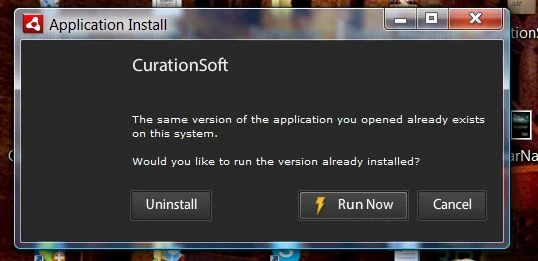
And from my understanding CurationSoft installs AIR as part of the installation process.
I see Adobe AIR as a program in my Control Panel and it let's me uninstall there... but otherwise I can't tell it is around. I don't see it on my list of programs or on my desktop or anything.
thanks


 AdChoices