
daniellec11772128
Participant
July 10, 2019
Answered

3D Rotate tool grayed out

  • July 10, 2019
  • 2 replies
  • 5770 views

Hello everyone, rectangular prism girl again,

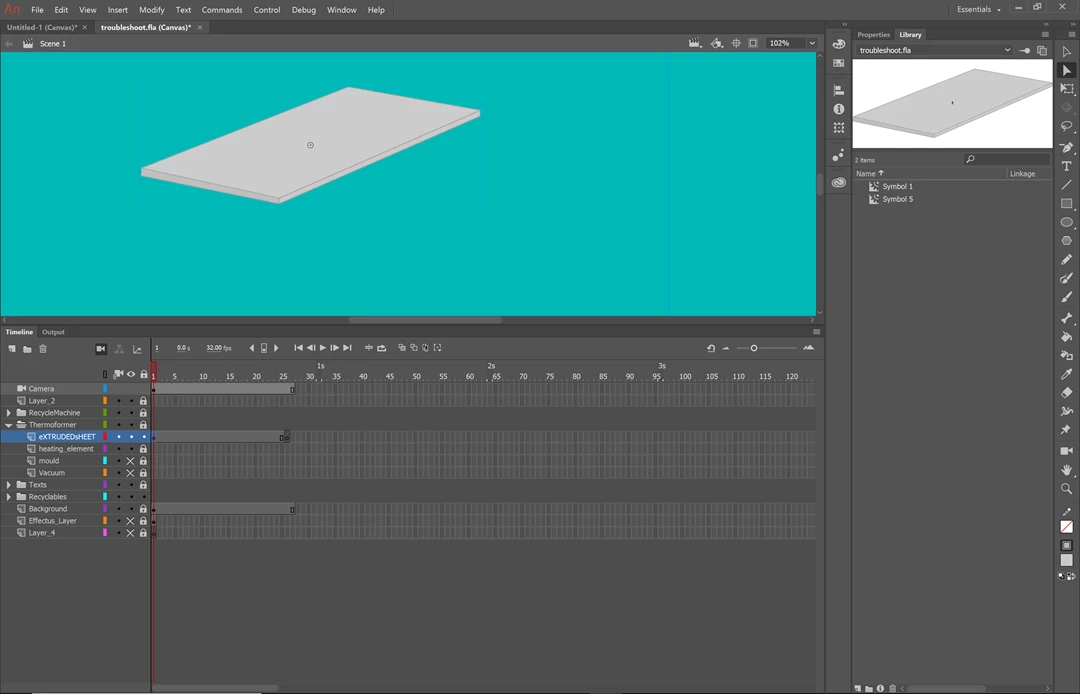
I can't figure out the shape tween, so I figured I would just use the 3D rotate tool to give a similar effect.  But, as luck would have it, It doesn't work for me like it does for those people in the tutorials. I converted the shape (on its own layer) to a symbol, put a movie clip symbol in another graphic symbol, but I have yet to see that 3D rotate symbol NOT grayed out. I even tried the shift+w command, to no avail. Here is a screenshot for reference. Thanks!!
This topic has been closed for replies.
Correct answer ClayUUID

daniellec11772128  wrote

I can't figure out the shape tween, so I figured I would just use the 3D rotate tool to give a similar effect.

This is somewhat like saying, "I couldn't figure out the can opener, so I figured I'd just use the CNC machine."

Shape tweens are simple, and a fundamental part of Animate. 3D rotation is complicated and rarely-used (and as you've discovered, not supported in canvas documents).

2 replies

ClayUUIDCorrect answer
Legend
July 11, 2019

daniellec11772128  wrote

I can't figure out the shape tween, so I figured I would just use the 3D rotate tool to give a similar effect.

This is somewhat like saying, "I couldn't figure out the can opener, so I figured I'd just use the CNC machine."

Shape tweens are simple, and a fundamental part of Animate. 3D rotation is complicated and rarely-used (and as you've discovered, not supported in canvas documents).

n. tilcheff
Legend
July 10, 2019

Hi mate,

I can see your file is Canvas. Convert it to AS3 file and all greyed out options should activate.

Use Canvas only if you know why you are using it. It has lots of limitations.

Good luck!

Nick - Character Designer and Animator, Flash user since 1998 | Member of the Flanimate Power Tools team - extensions for character animation
daniellec11772128
Participant
July 12, 2019

Thank you!