Participant
November 28, 2019
Answered

A few questions about Adobe Animate and it's UI

  • November 28, 2019
  • 1 reply
  • 653 views

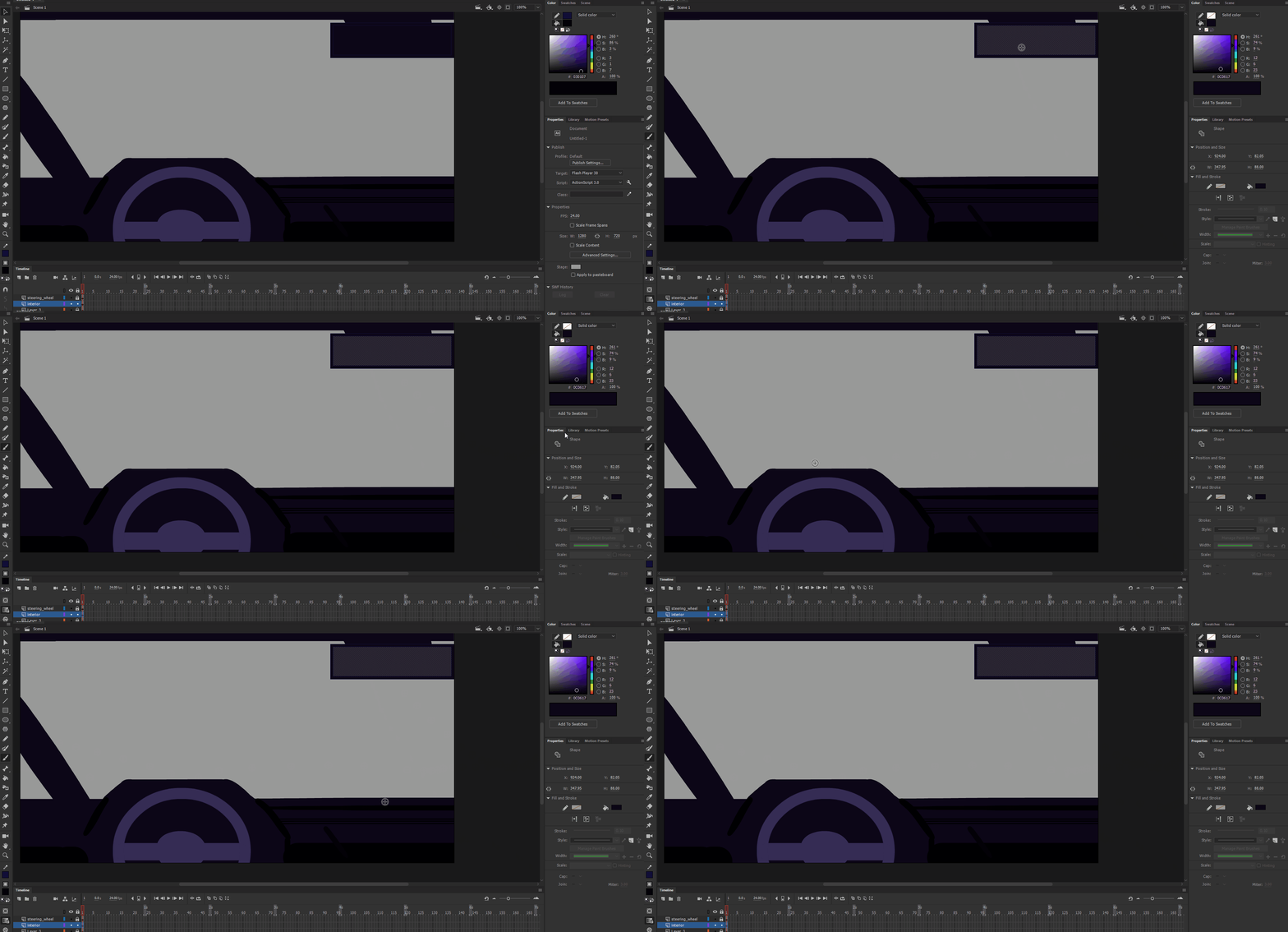
        I keep having this issue with Animate where I cannot change my brush settings when I have something in the stage selected. (GIF relevant).


Secondly, If I wanted to draw inside of a selected object, is it possible to hide the "dots" so I can actually see what i'm drawing?


This topic has been closed for replies.
Correct answer n. tilcheff

Hi again, mate,


I believe that it's always been like this - the Properties Inspector is contextual and when you have a rectangle selected, it gives you the properties of that rectangle.


In the new An 2020 they have added tabs to PI and there you should be able to edit the tool properties even when you have a shape/drawing object selected.

So it may be worth trying that to see if it feels more natural.


Just make a separate install, rather than replacing your 2019 as there are a lot of changes and quite a few known issues with An 20 at this point.


Best regards!


1 reply

n. tilcheff
Legend
November 28, 2019

Hi mate,


To hide 'the dots' go to your View menu and choose Hide Edges.

You can also assign to it a one key shortcut so that you can toggle it very easily.


Nick - Character Designer and Animator, Flash user since 1998 | Member of the Flanimate Power Tools team - extensions for character animation

KfrayAuthor
Participant
November 28, 2019

Thank you for your responce Nick. Would you happen to know the issue with not being able to edit my brush properties while something else is selected by chance?

n. tilcheff
n. tilcheffCorrect answer
Legend
November 29, 2019

Hi again, mate,


I believe that it's always been like this - the Properties Inspector is contextual and when you have a rectangle selected, it gives you the properties of that rectangle.


In the new An 2020 they have added tabs to PI and there you should be able to edit the tool properties even when you have a shape/drawing object selected.

So it may be worth trying that to see if it feels more natural.


Just make a separate install, rather than replacing your 2019 as there are a lot of changes and quite a few known issues with An 20 at this point.


Best regards!


Nick - Character Designer and Animator, Flash user since 1998 | Member of the Flanimate Power Tools team - extensions for character animation