Participant
May 5, 2021
Answered

A simple mouse over / mouse out button

  • May 5, 2021
  • 1 reply
  • 4809 views

Hello everybody,
i am trying to create a simple button that on mouseover has this code on the main timeline:

var frequency = 3;
stage.enableMouseOver(frequency);
this.btn_test.addEventListener("mouseover", fl_MouseOverHandler_2);

function fl_MouseOverHandler_2()
{
	this.btn_test.play(2);
}

while at mouseout it has this code:

var frequency = 3;
stage.enableMouseOver(frequency);
this.btn_test.addEventListener("mouseout", fl_MouseOutHandler_2);

function fl_MouseOutHandler_2()
{
	alert("fuori")
}

The problem is that the mouseout alert works fine but the mouseover does not.

If I could get the mouseover to work correctly I could replace the alert with the correct code.


The "btn_test" clip looks like this:
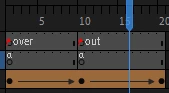
with a stop on the first frame and another stop on frame 10.


How can I fix the code for play on mouseover from frame 1 to frame 10 and play on mouseout from frame 11 to frame 20?


Thanks to anyone who can help me!

    This topic has been closed for replies.
    Correct answer JoãoCésar17023019

    Thanks for the file.


    I would like to suggest another approach using TweenJS.


    This method has at least two advantages:

    - You don't need to create two animations (in and out);

    - The animation will change direction from the current frame.


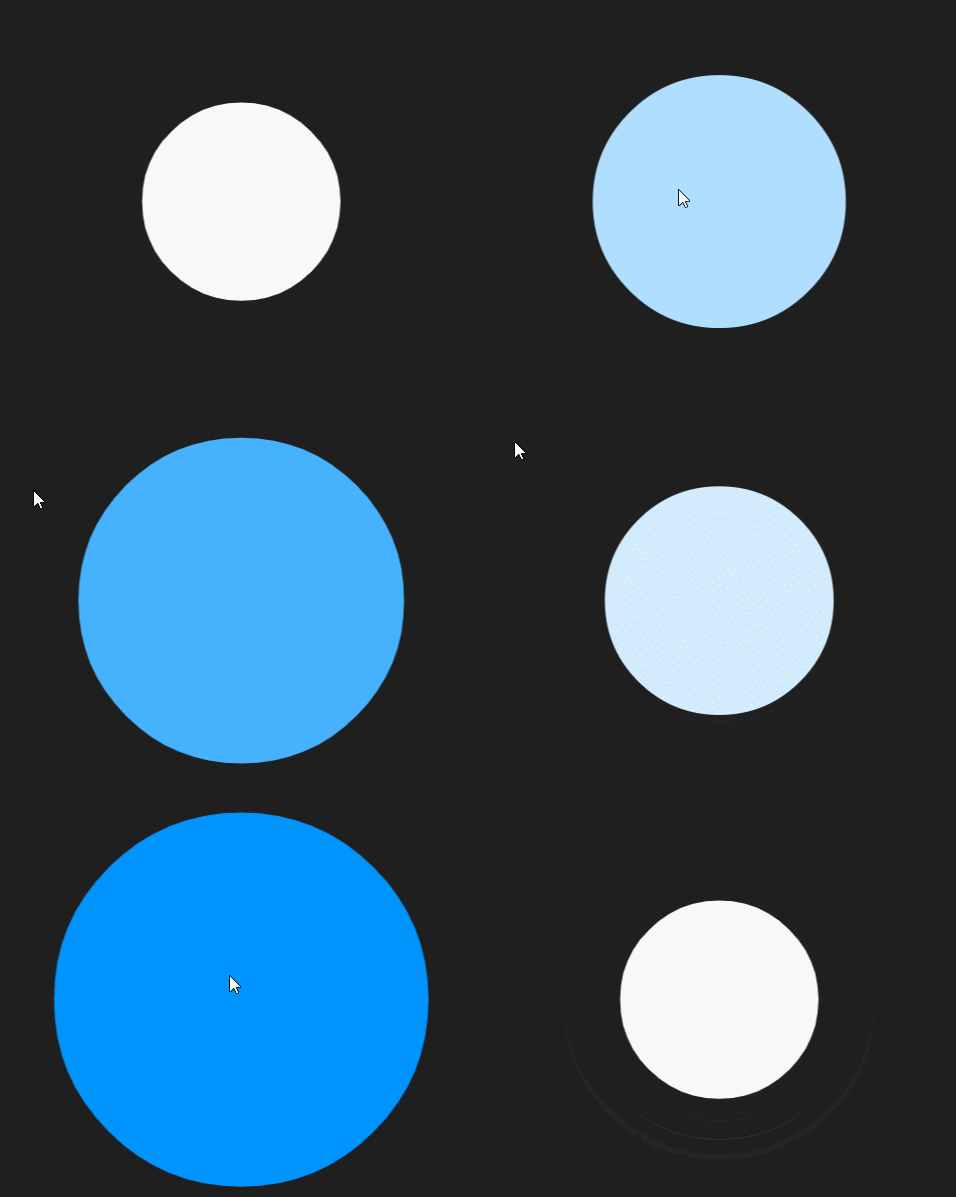
    Preview:


    Try it:

    https://bit.ly/3eXIkBN


    JavaScript / JS code:

    var root = this;
    
    root.main = function()
    {
    	document.body.style.backgroundColor = lib.properties.color;
    	stage.enableMouseOver();
    	root.button.mouseChildren = false;
    	root.button.on("mouseover", function(e){ root.hoverTween(e.currentTarget, e.currentTarget.totalFrames -1) });
    	root.button.on("mouseout", function(e){ root.hoverTween(e.currentTarget, 0) });
    };
    
    root.hoverTween = function(target, destination, ease)
    {
    	var duration = (Math.abs(destination - target.currentFrame) / lib.properties.fps) * 1000;
    	
    	target.frame = target.currentFrame;
    		
    	createjs.Tween.get(target, { override: true }).to({ frame: destination }, duration, ease).on("change", function(e)
    	{
    		var target = e.currentTarget.target;		
    		target.gotoAndStop(Math.round(target.frame));
    	});
    };
    
    root.main();


    Download / FLA / source / files:

    https://github.com/joao-cesar/adobe/tree/master/animate%20cc/html5_canvas/hover_tween


    I hope this helps.


    Regards,

    JC

    1 reply

    JoãoCésar17023019
    Community Expert
    Community Expert
    May 5, 2021

    Hi.


    It's a problem of context. The this keyword inside of the event handler function doesn't refer to the main timeline as you probably expect. Use the bind method to fix the issue.


    Like this:


    this.btn_test.addEventListener("mouseover", fl_MouseOverHandler_2.bind(this));


    I hope this helps.


    Regards,

    JC

    PR24Author
    Participant
    May 5, 2021

    Thank you!!!
    Thanks to you I was able to get the button from frame 2 to 10 to mouseover and frame 11 to 20 to mouseout .
    Every now and then the button has some bugs if with the mouse cursor I go over the button too quickly or exit the button area too quickly but in any case it is a step forward.

    Is this problem normal? Is there any way to fix?

    JoãoCésar17023019
    Community Expert
    Community Expert
    May 5, 2021

    Nice! You're welcome!


    It is because the children may be interfering. To solve this, you can try one of the following approaches:


    - Set the mouseChildren property of the Movie Clip instance to false;

    - Assign a hitArea;

    - Place an invisible button inside the Movie Clip instance, over the children;

    - Or try to use a regular button symbol instead of a Movie Clip symbol and make use of the Hit frame.


    I hope these help.


    Regards,

    JC