chenjil43641795
Legend
May 25, 2018
Answered

A very old question, color swatch new folder cannot be stored

  • May 25, 2018
  • 1 reply
  • 1236 views

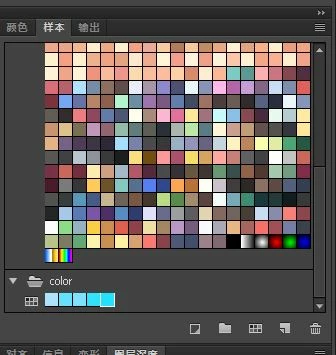
Color-Sample.

Create a new Folder

Add color swatch

Add color.

And then save the color.

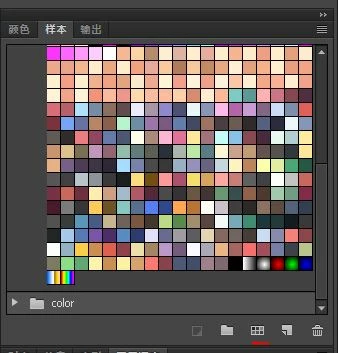
But when the software is turned on again, the colors and folders disappear.

This problem is very early, because has not improved, so it was ignored.

This is an operation method error.

Or the software itself is wrong.

Anyway, it's not convenient to paint.

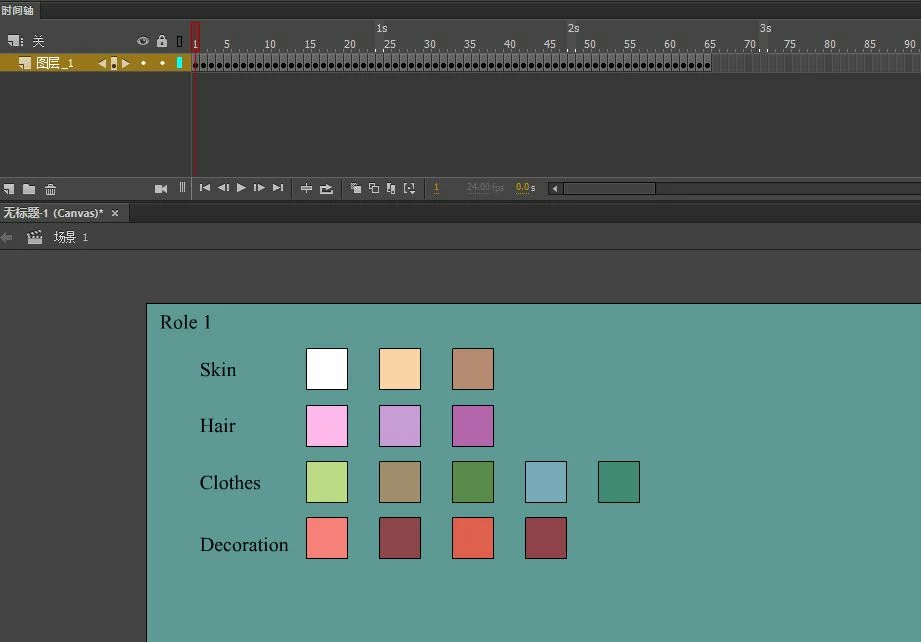
Now, I painted the color on the stage and saved it.

And then save it.

When used, switching files, more cumbersome
    This topic has been closed for replies.
    Correct answer UDESCO

    Yes, this was a missing functionality until now. We have already addressed this internally and it should be available with the next public release of Animate.

    1 reply

    Preran
    Legend
    May 25, 2018

    Which version of Adobe Animate CC are you on? I tried reproducing your issue, and I could not.

    This is what I did.

    - Started a new AS3 project

    - Created a new folder in the Swatches panel

    - Added colors to the panel.

    -  Used the colors on objects on the canvas

    - Saved the file and closed Adobe Animate

    - Opened the file.

    I see the colors in the folder. None of them are missing.

    Thanks,

    Preran

    chenjil43641795
    Legend
    May 25, 2018

    You are opening a saved file..

    If the new file, the folder and the color disappear.

    Save the color and save it as the default value,

    It's all invalid.

    This means that every time the color is not universal, I must set the file color

    Preran
    Legend
    May 25, 2018

    Have you tried adding your Swatches to the CC library?

    Using Creative Cloud Libraries and Adobe Animate CC