Adding movies dynamically. gone bad.. color me stupid!
 Ls,
Ls,
0: Its not rocket science, but my surname aint Oppenheimer either so... read on if ou dare.
1: this is my third attempt at mastering OO and flash CS5 so, i hope we can all have a laugh after.
2: In short.. I added a 64x64 tiled movie in flash. Read it out in an array, in a.. well original way(just to see if i could get it to work so stop lauging already), and tried to recreate them using a flash class.
2a: The recreate class works but shows the Tiles in a random order, every time a new one?!
this is what happens..
2b: The nested , to be copied into the array, clips show up in the loop thru the DisplayContainer trace.
I traced the x and y values of the stored clips. they are as in the original MC in flash.
Adding them back to a new MC, i traced the values again.. they are the same as the trace in the store in the array.
2?: so i stored the display objects in an array. Recreated them on screen thru a class. Traced values match.
on screen, they seem to be in random order.
X: I have included two screenshots, 1 of the original MC in flash and 1 of the resulting rebuild (just enjoy those and try to imagine how totally frustrated i am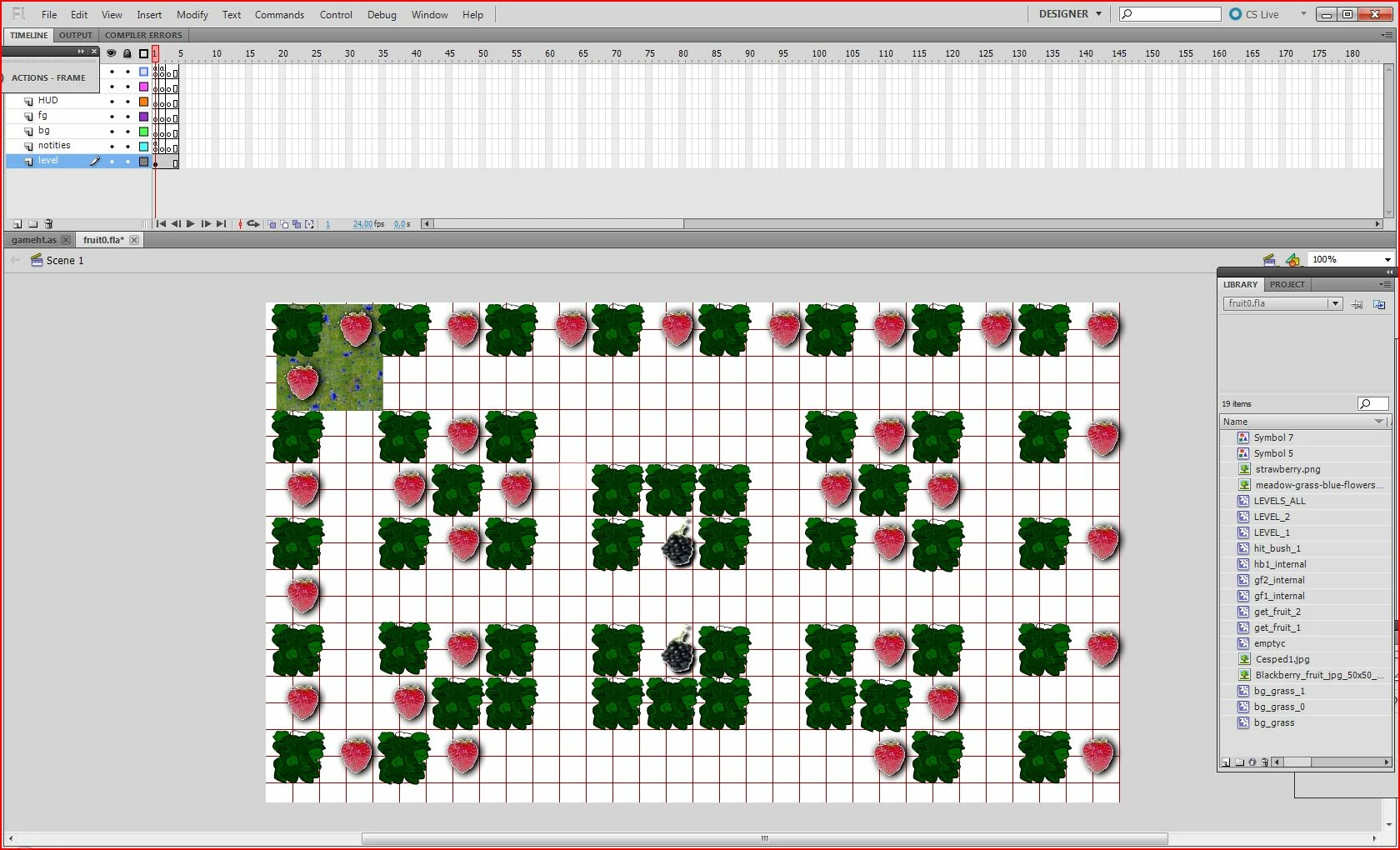
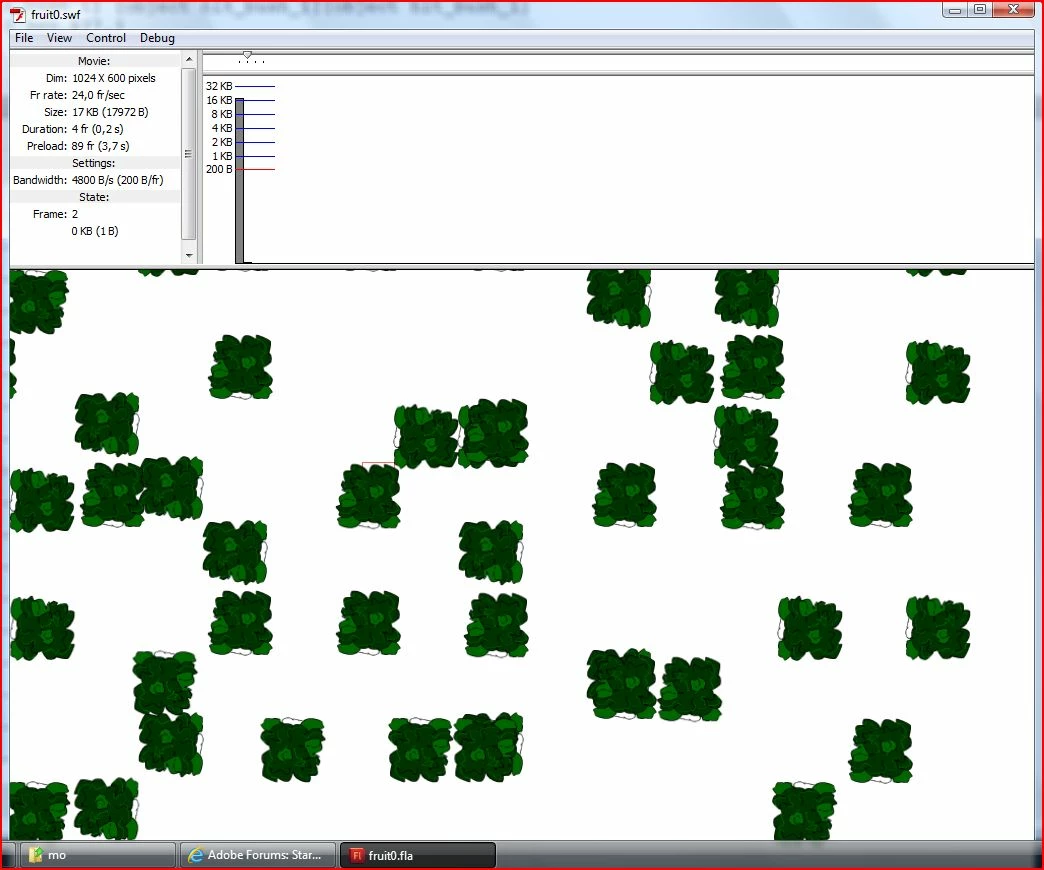 )
)
conclusion: AAAAAAAAAAAAAA!
Please help and I will be eternally gratefull
I have included some code in the hope that it is enough to help you help me figure this out.
Flash file contains (all exported for actionscript):
MC conmtaining all the nested movieclips i want is called(instance name) LEVELA1,
MC im extracting and trying to recreate is called : hit_bush_1 , this is not an instance name but a movieclip name
(and some more but i wont bore you with that).
and some actionscript that reads the DisplayObjectContainer object into an Array called Hit_o
embedded as in .fla frame1
import flash.display.DisplayObjectContainer;
import flash.display.*;
var bgdo:DisplayObject;
var hit_o:Array = [];
var hit_i:int = 0;
var currentlvl:String = "";
function getlevelvars(container:DisplayObjectContainer, slvl:String):void
{
var child:DisplayObject;
for (var i:uint=0; i < container.numChildren; i++)
{
child = container.getChildAt(i);
// Only looking for the movieclips after the word LEVEL
if ( child.name.substr(0,3) == "LEV"){
currentlvl = child.name;
trace("level found", currentlvl, slvl);
}
// if the Mc encountered is the same as the one requested, start pushing them into the array.
if (currentlvl == slvl){
if ( child.toString().substr(8,1) == "h"){
trace ("hitfound:" + child, child.x, child.y);
hit_o[hit_i] = child;
hit_i++;
}
}
// recurse into the displayobjectcontaner
if (container.getChildAt(i) is DisplayObjectContainer)
{
getlevelvars(DisplayObjectContainer(child), slvl)
}
}
}
// getting flash MC into array
// entering the DisplayObject list from the MC LVL_ALL, looking for the MC's nested under LEVELA1
// The movieclip has instance name LEVELA1
// after this the array hit_o is supposed to contain all the display objects from the MC that are named hit_bush_1
// the integer hit_i is the number of nested movieclips
var scont:DisplayObjectContainer;
scont = this.getChildByName("LVL_ALL").parent;
getlevelvars(scont,"LEVELA1");
// I pass the array to the recreating class (see below)
var mygameht:gameht = new gameht(hit_o, hit_i);
addChild(mygameht);
.as classes
gameht.as (rebuilds the movieclip from the array) see below:
package {
import flash.display.MovieClip;
import flash.display.DisplayObject;
public class gameht extends MovieClip {
public function gameht(ho:Array,hc:int) {
// constructor code
this.name = "myHt";
this.x = 0;
this.y = 0;
this.visible=true;
this.populateht(ho,hc);
}
function populateht (ho:Array,hc:int): void {
var ts:String;
var mdo:DisplayObject;
mdo = ho[0];
ts = mdo.toString().substring(8);
ts = ts.substr(0, (ts.length -1));
//trace(ts);
for (var to:int=0; to < hc; to++){
mdo = ho[to];
if (ts == "hit_bush_1")
var tile:MovieClip = new hit_bush_1();
tile.x = mdo.x
tile.y = mdo.y
tile.name = mdo.toString() + mdo.toString();
tile.visible= true;
addChild(tile);
trace("adding: ", tile.x, tile.y, tile, tile.name)
}
}
}
}
 AdChoices