


Participant
December 25, 2019
Answered

Adobe Animate 20.0.1 WHITE SCREEN (URGENT)

  • December 25, 2019
  • 3 replies
  • 5731 views

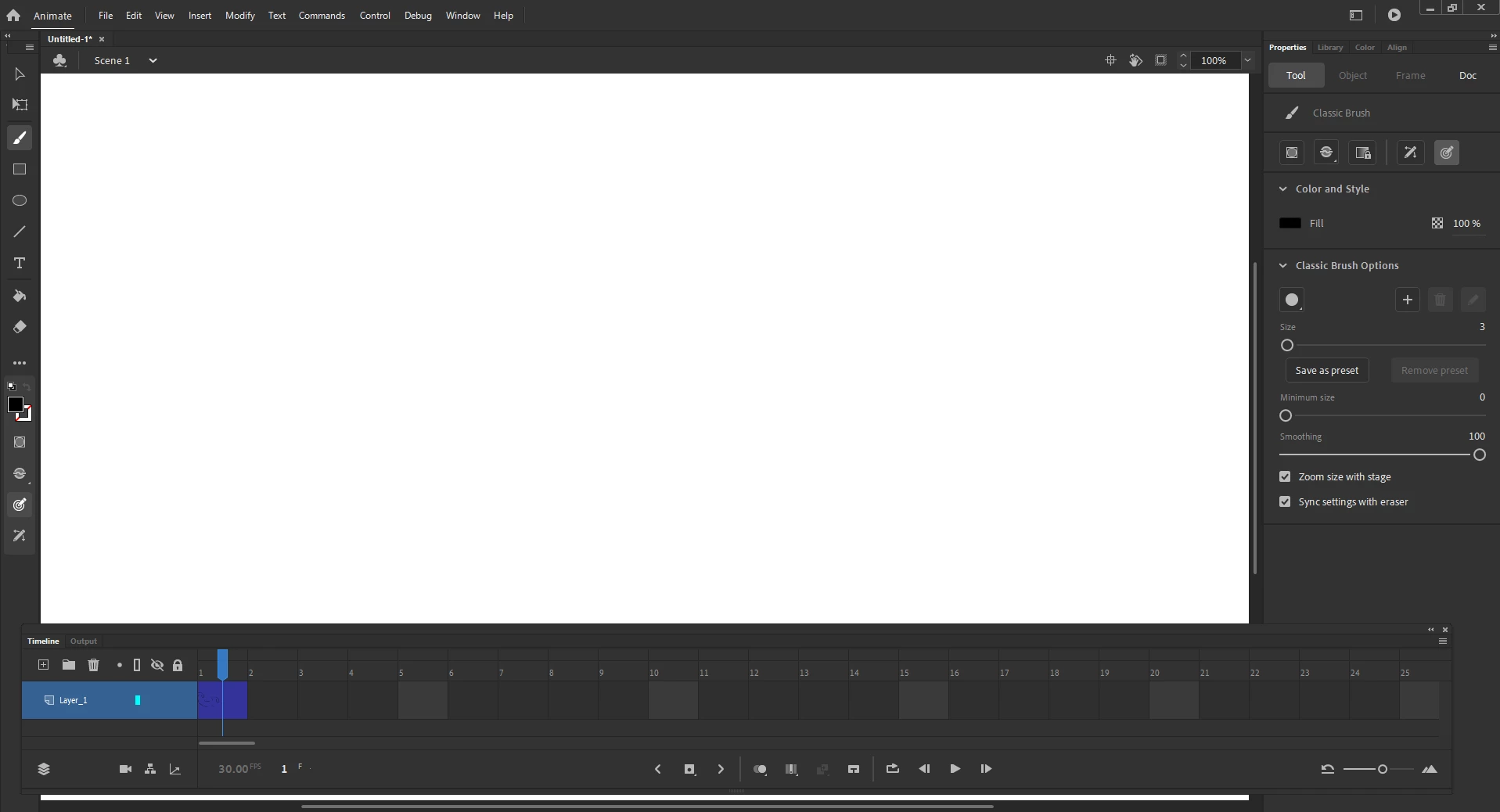
I just got adobe animate, but I have a problem where I'm not able to see my pasteboard or stage AT ALL. I put a picture of my issue. I can draw and change the stage color as you can see in the timeline preview, but nothing shows on the main screen. This even happens to the premade animations on "open new" I need help on this issue fast so I can finish a piece for my portfolio.

This topic has been closed for replies.
Correct answer kglad

using a browser that allows popups and cookies, contact adobe support during pst business hours by clicking here and, when available, click 'chat', http://helpx.adobe.com/x-productkb/global/service-ccm.html

3 replies

stefanim10184246
Participating Frequently
September 9, 2020

I  have the exact same problem. It was working and then this happened.

kglad
Community Expert
Community Expert
September 9, 2020

in this order


1. look for updates to your os and animate.

2. restart your computer.

3. reset your preferences: https://helpx.adobe.com/animate/using/set-preferences.html

4. contact support

Participant
January 23, 2020

I just had this same problem. For anyone reading this in future - updating my windows fixed this issue

kglad
Community Expert
kgladCommunity ExpertCorrect answer
Community Expert
December 25, 2019

using a browser that allows popups and cookies, contact adobe support during pst business hours by clicking here and, when available, click 'chat', http://helpx.adobe.com/x-productkb/global/service-ccm.html