
itm11358142
Participant
June 14, 2019
Question

Adobe Animate 2019 - Export Window - button not found

  • June 14, 2019
  • 1 reply
  • 1215 views

Hi All,

I'm the school IT Support person and we seems to be having this problem with Adobe Animate 2019:
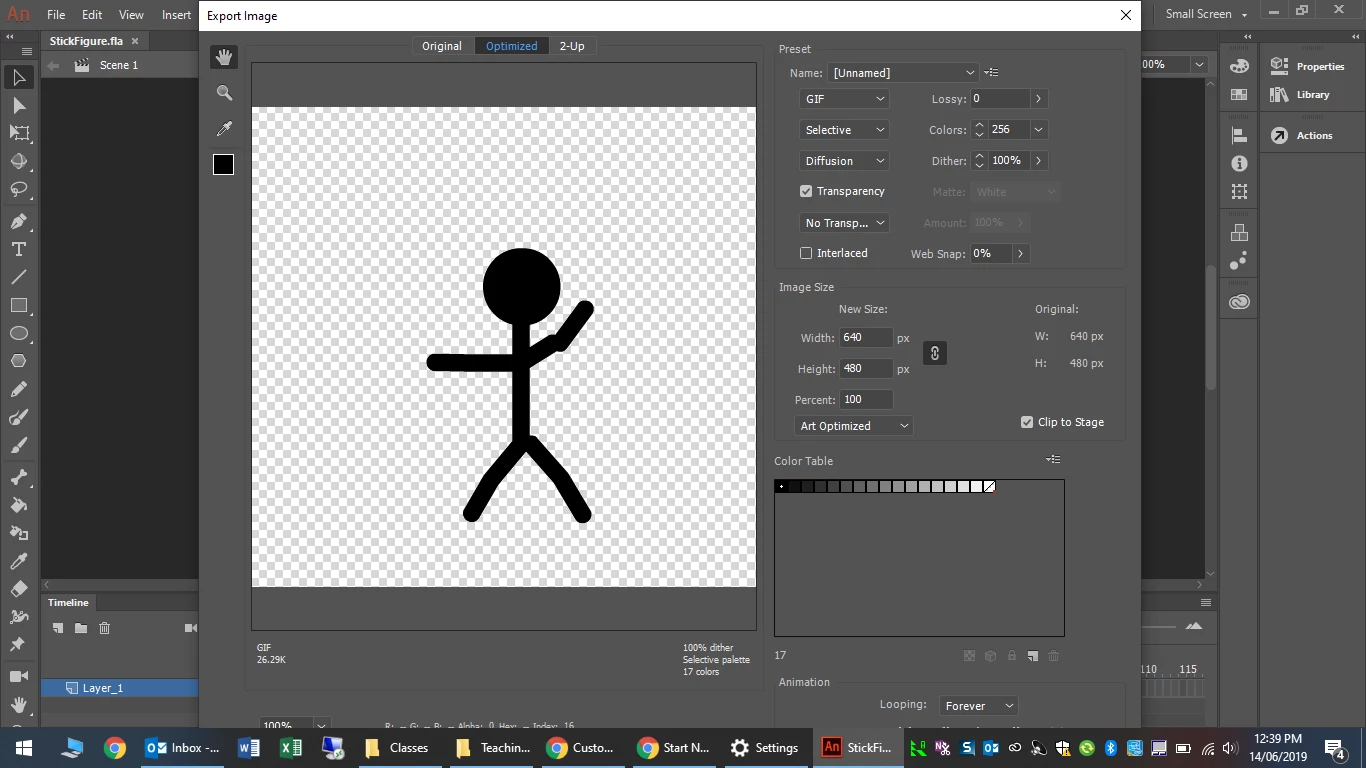
As you can see the Export button is hiding underneath the task bar and we are unable to complete our export.

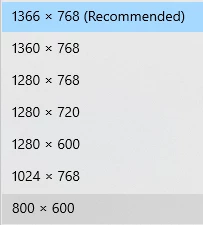
I have checked the screen resolution and all the 1,000 laptops we own only have these options
We can auto hide the task bar and use the command to move the window (alt+shift+spacebar > hit m) to get access to the button.

Sometimes we have been able to use the workspace "Small screen" to adjust but even this doesn't resolve the issue.

Is there another solution you can think of so we can get this to work for our school

This topic has been closed for replies.

1 reply

n. tilcheff
Legend
June 14, 2019

Wow! Just wow! I didn't realise they've gone so gigantic with the interface recently.

Hi mate,

Hopefully the team will see this and fix it in the next update.

Maybe Preran​ would like to report it to the devs as it is a serious issue - minimum vertical dimension is 800px.

Just tried here on a larger screen and I can see that if you press Shift+Tab three times "Save" becomes the active button, so you will be able to hit Enter and invoke the Save As... dialog.

But this is only if you haven't touched any of the other controls. If you do some adjustments the focus travels around with every Tab or Shift+Tab press.

Poor kids, must feel very disappointed.

Hope this helps!

NT

Nick - Character Designer and Animator, Flash user since 1998 | Member of the Flanimate Power Tools team - extensions for character animation
itm11358142
Participant
June 14, 2019

Hey NT,

Thanks for the feedback, I've managed to find another work around for the time being as the export option was no solution

Allows them to save as GIF in their project and we can see all the buttons on a smaller screen.

May help other people who have the issue !!

Hope the dev's come up with a solution for the other method - collapsible menus might need to be a thing