
Participating Frequently
December 26, 2022
Question

Adobe animate asset wart properties tool not active
  • December 26, 2022
  • 2 replies
  • 1430 views

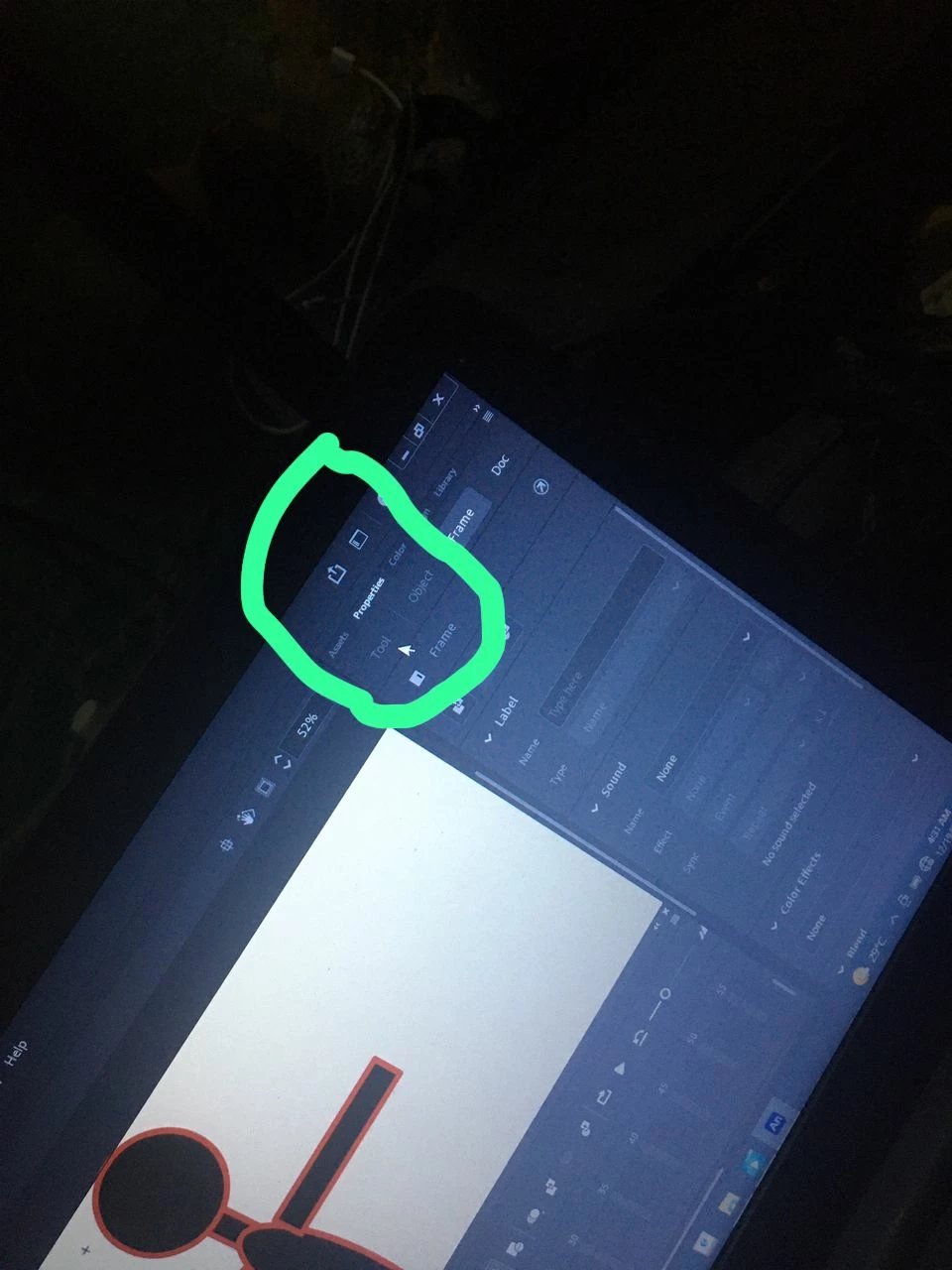
please I'm having issues with Adobe animate asset warp properties tool Parnell, I'm unable to apply asset warp amature on my character because the properties tool Parnell is not available, meanwhile I can't apply amarture on my character. If I click on the asset warp tool, then click on my character, the metch will apply on my character but the amarture is not working. Please help 

This topic has been closed for replies.

2 replies

kglad
Community Expert
Community Expert
December 26, 2022

what does "parnell" mean?

Participating Frequently
December 27, 2022

This place (feature)

Mario_CR
Community Expert
Community Expert
December 26, 2022

In Animate 23.0 when you click a shape/bitmap on stage it will first add a mesh with envelope controls. Click it again to add actual bones to it.


Is there a way to turn this off? Yes.

With the Asset Warp Tool selected go to the properties panel (Tool tab) and turn off the Envelope toggle.

Participating Frequently
December 27, 2022

The properties tool is not clickable, see the attached image , only Frame and Doc is clickable