
Participant
December 3, 2018
Answered

Adobe Animate CC content not responsive on iPhone safari browser.

  • December 3, 2018
  • 3 replies
  • 718 views

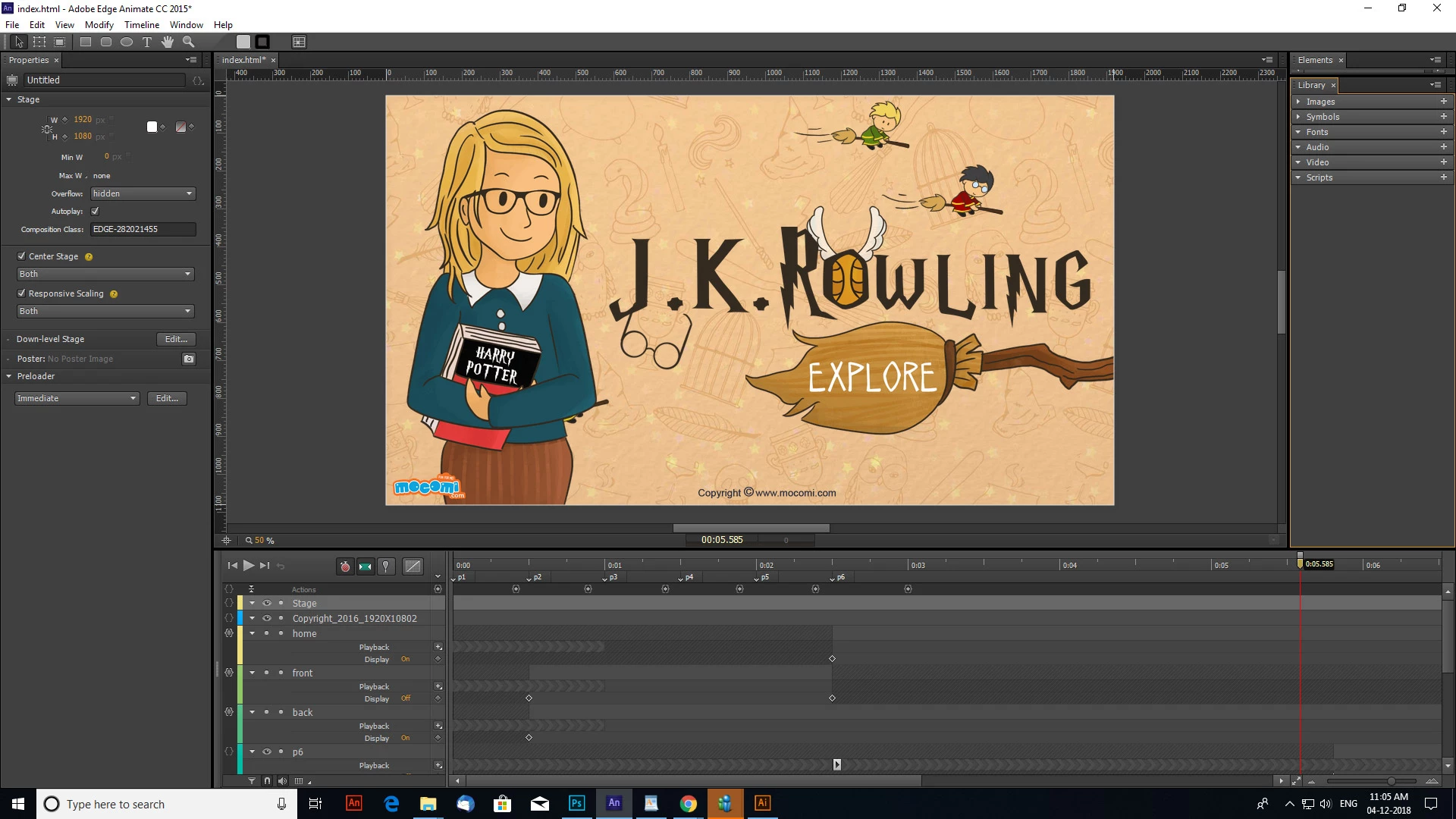
So, we using Adobe Animate CC 2015 and the edge content isn't responsive in iPhone safari browser. It is working fine in all other devices and browsers. Can someone help resolve this issue? Thank you!
This topic has been closed for replies.
Correct answer Colin Holgate

Please check the below screenshot and let me know you suggestions.


Something worth Ponting out is that you're using Edge Animate, and this is the Adobe Animate forum.

The answer given here may help, but if not, post a new question in that forum:

Re: iframe with Edge Animate not responsive on iPhone

3 replies

Colin Holgate
Inspiring
December 3, 2018

Are you able to give a link to something that isn't responsive, that I can try on my iPad and iPhone?

Participant
December 4, 2018

There you go. http://mocomi.com/j-k-rowling/

Thanks Colin!

Colin Holgate
Inspiring
December 4, 2018

The Animate content part of the page does get cut off on iPhone and iPad, but works fine in desktop Safari. It's cut off in Chrome as well.

You could reply with a picture of your publish settings, or post the FLA somewhere, in case that helps to figure it out.

Preran​ be on standby, there may be a problem to fix!

bucksommerkamp
Community Expert
Community Expert
December 3, 2018

Let's ask Colin Holgate​ as he is the expert on these things.

bucksommerkamp
Community Expert
Community Expert
December 3, 2018

Check here for the updates to Animate CC: Animate CC new features | New enhanced brushes and layers

There may be incompatibilities with the iOS version of Safari, depending on how you export the content.

Participant
December 3, 2018

Do you mean I can export content in such a way that it will be compatible with iOS version of safari?

Thanks.