

Answered
Adobe Animate CC Drag and Drop
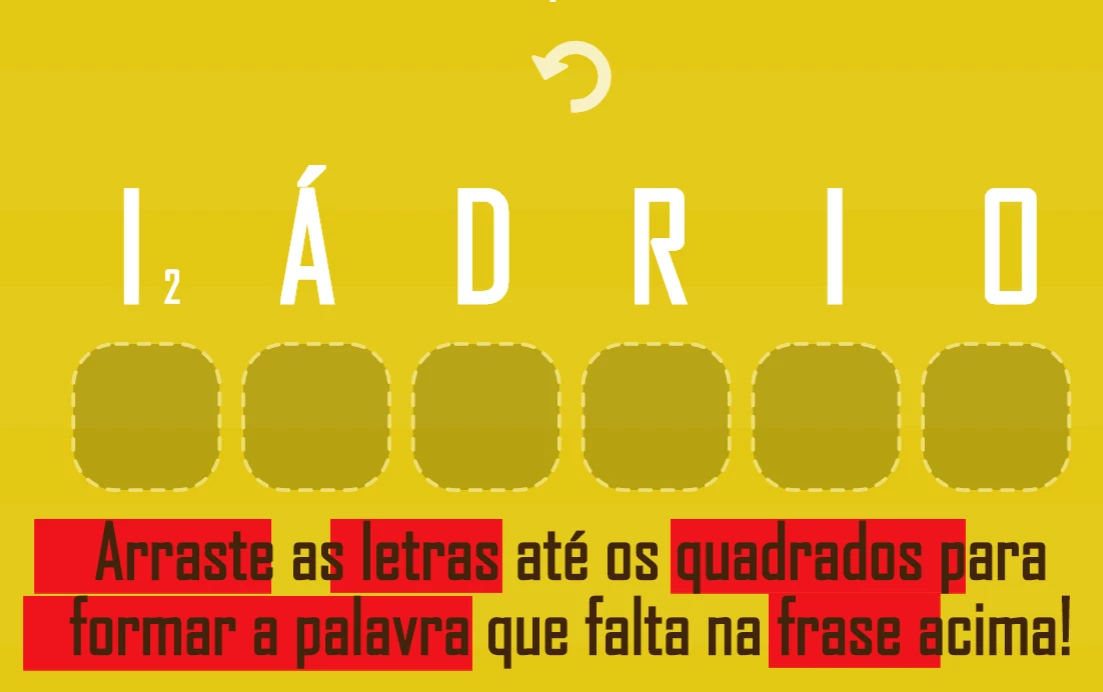
Hi! I just created a drag and drop word game using Adobe Animate CC.
Everything is working fine, except when there is 2 same letters on 1 word, the letter is only accepted by one slot. So I have to try both letters just to see which one will work on that specific slot. It makes the game frustrating for the user.
And here is my code:
var root = this;
var pieces = root.pieces;
var slots = root.slots;
var restart = root.restart;
var winMessage = root.winMessage;
var positions = [];

root.setup = function()
{
document.body.style.backgroundColor = lib.properties.color;
createjs.Touch.enable(stage);
stage.mouseMoveOutside = true;
root.drawStart = stage.on("drawstart", root.start, null, true);
};

root.start = function(e)
{
stage.off("drawstart", root.drawStart);
winMessage.originalY = winMessage.y;

pieces.children.forEach(function(child, index)
{
positions[index] = {x:child.x, y:child.y};
});

slots.children.forEach(function(child, index)
{
child.mouseChildren = false;
});

root.restartHandler(null);
restart.on("click", root.restartHandler);
pieces.on("mousedown", root.mouseDownHandler);
};

root.restartHandler = function(e)
{
pieces.count = 0;
winMessage.text = "";
root.shuffle();
};

root.mouseDownHandler = function(e)
{
e.currentTarget.setChildIndex(e.target, e.currentTarget.children.length - 1);
e.target.offsetX = (e.stageX / stage.scaleX) - e.target.x;
e.target.offsetY = (e.stageY / stage.scaleY) - e.target.y;
pieces.target = e.target;
root.stageMouseMove = stage.on("stagemousemove", root.stageMouseMoveHandler);
root.stageMouseUp = stage.on("stagemouseup", root.stageMouseUpHandler);
};

root.stageMouseMoveHandler = function(e)
{
if (pieces.target)
{
pieces.target.x = (e.stageX / stage.scaleX) - pieces.target.offsetX;
pieces.target.y = (e.stageY / stage.scaleY) - pieces.target.offsetY;
}
};

root.stageMouseUpHandler = function(e)
{
stage.off("stagemousemove", root.stageMouseMove);
stage.off("stagemouseup", root.stageMouseUp);

if (pieces.target)
{
root.check();
pieces.target = null;
}
};

root.shuffle = function()
{
positions.sort(function(a, b)
{
return 0.5 - Math.random();
});

pieces.children.forEach(function(child, index)
{
child.originalX = positions[index].x;
child.originalY = positions[index].y;
child.mouseEnabled = true;
createjs.Tween.get(child).to({x:child.originalX, y:child.originalY}, 350, createjs.Ease.backInOut);
});
};

root.check = function()
{
var spot = slots.getObjectUnderPoint(pieces.target.x, pieces.target.y);

if (!spot)
{
root.onMiss();
return;
}

root.slot = spot.parent;

if (root.slot)
{
if (pieces.target.name === root.slot.name)
{
root.onMatch();

if (pieces.count === pieces.children.length)
root.onWin();
}
else
root.onMiss();

root.slot = null;
}
else
root.onMiss();
};

root.onMatch = function()
{
createjs.Sound.play("match_sfx");
pieces.target.mouseEnabled = false;
pieces.count++;
createjs.Tween.get(pieces.target).to({x:root.slot.x, y:root.slot.y}, 350, createjs.Ease.backInOut);
};

root.onWin = function()
{
createjs.Sound.play("correct_buzzer");
root.gotoAndStop(root.timeline.position + 1);

};

root.onMiss = function()
{
createjs.Sound.play("miss_sfx");
createjs.Tween.get(pieces.target).to({x:pieces.target.originalX, y:pieces.target.originalY}, 350, createjs.Ease.backInOut);
};

root.setup();
Sorry I'm really new to this. Would appreciate your help!



 AdChoices