
Participant
June 19, 2017
Question

Adobe Animate CC Layers Question

  • June 19, 2017
  • 2 replies
  • 227 views

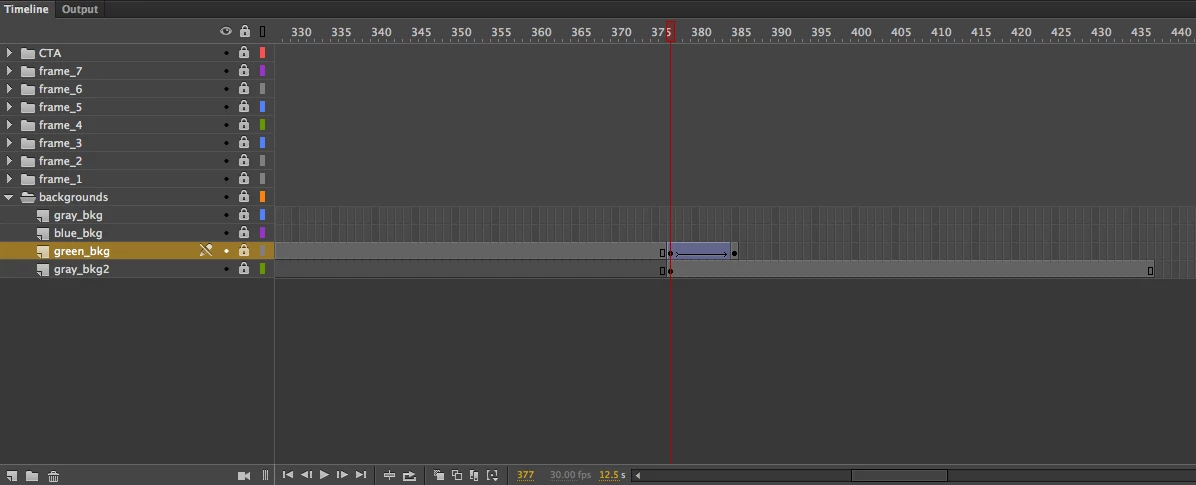
I am having trouble with my final animation frame not displaying when published. I have 4 background images displaying in different animation frames, they all display correctly except the image for the last frame. When the animation gets to the final frame the background image from the previous frame doesn't animate out of the stage as intended. Instead it stays in the stage, covering the content of the final frame.

I feel like there is something very simple I am overlooking, but have been trying to solve the issue for days and would really appreciate any help!
This topic has been closed for replies.

2 replies

kglad
Community Expert
Community Expert
June 19, 2017

another opinion: you don't need a blank keyframe at green_bkgd layer/ frame 386 to have whatever exists at 385 not appear:  having the timeline end (assuming that is frame 386 where green_bkgd ends) is sufficient.

so if you see something on stage after the last frame of green_bkgd, unlock all layers, expand your folders and click what you see that you think should not be visible.  the layer/frame that contains that object will be displayed in your timeline and you can use the visible toggle to confirm the location of the problematic instance.

Colin Holgate
Inspiring
June 19, 2017

You should add a blank keyframe in the green_bkg layer, at frame 386. Select that cell and press the F7 key.

Also double check the alpha value of the green_bkg image at frame 385, to make sure it's zero (assuming you're fading it out).