
Participant
January 6, 2018
Answered

Adobe Animate CC Not Responding/Laggy

  • January 6, 2018
  • 3 replies
  • 13065 views

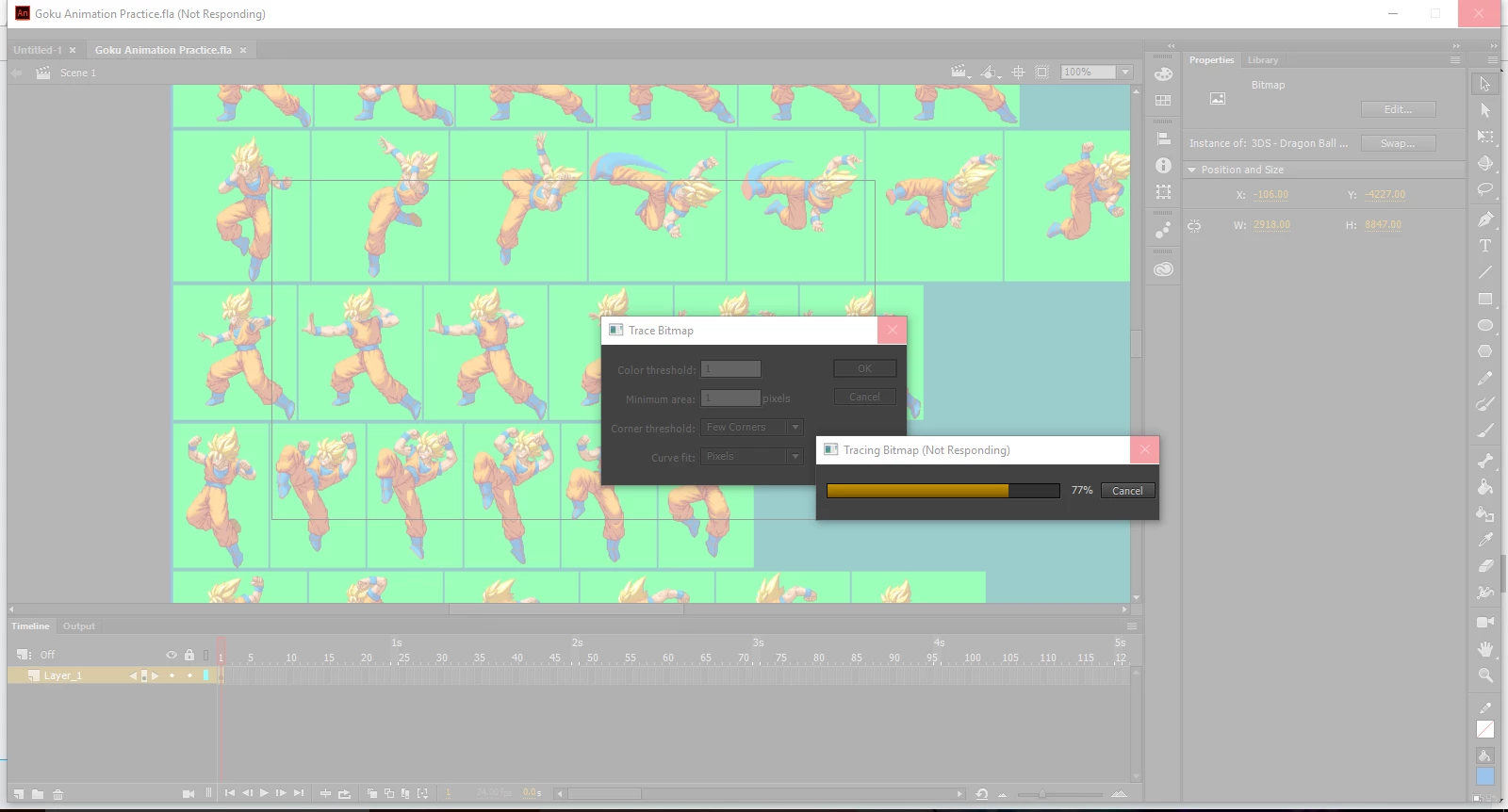
I'm running Adobe Animate CC on Windows 10, my laptop is a Toshiba Satellite C75. I just recently installed Adobe Animate to do learn and make some sprite animations. I can help but notice that my Adobe Animate is a bit laggy every time I try to import something(For example a sprite sheet). Every time I try to trace a bitmap my Adobe Animate stops responding at around 77%. All my other Creative Cloud programs run smoothly but Adobe Animate is laggy and stops responding every time i try to trace the bitmap. Is there any way to remove lag from the program? Screenshot is below
    This topic has been closed for replies.
    Correct answer Preran

    I would try a few things

    - Verify system requirements: Adobe Animate CC system requirements 

    - Make sure that all my device drivers are updated. If your device says they are, look at the manufacturer's site to confirm.

    -  Restore preferences: Adobe Animate CC: Add to Wordpress - YouTube

    - Do a clean install of Adobe Animate: Use the CC Cleaner Tool for installation issues

    If this did not help, contact Adobe Customer Care contact-bumper

    Thanks,

    Preran

    3 replies

    Participant
    May 9, 2021

    Ok, I found a solution. There's a miss-match between PC and software settings. 

    here's what you can do: Go to settings and under Updates and Settings, use the troubleshooter. When you run the troubleshooter follow the instructions and choose adobe animate 2020 (or any other program that's giving you a hard time) use the reccommended settings and apply them and Voila! the issue is resolved. 
    Thank me later.


    Participant
    June 26, 2021

    How exactly did you get to that screen? Been having a similar issue.

    Participant
    January 3, 2020

    Adobe is unoptimized, I have an Octa Core,  32GB de RAM, installed in a SSD, and this s hit it still lagging/not responding. DON'T BUY IT

    Preran
    Community Manager
    PreranCommunity ManagerCorrect answer
    Community Manager
    January 10, 2018

    I would try a few things

    - Verify system requirements: Adobe Animate CC system requirements 

    - Make sure that all my device drivers are updated. If your device says they are, look at the manufacturer's site to confirm.

    -  Restore preferences: Adobe Animate CC: Add to Wordpress - YouTube

    - Do a clean install of Adobe Animate: Use the CC Cleaner Tool for installation issues

    If this did not help, contact Adobe Customer Care contact-bumper

    Thanks,

    Preran

    Participating Frequently
    June 23, 2020

    Adobe Animate doesn't run well on my computer either. It seems my computer resolution is too high, so I check to see what the best system requirements are and one of them is that the resolution needs to be 1280x1024 or under.

    That is ridiculous. Computers are no longer made in that kind of resolution anymore. Your answer is far from helpful.