
davidc55968441
Participating Frequently
January 7, 2022
Question

Adobe Animate character rig keeps breaking

  • January 7, 2022
  • 4 replies
  • 2681 views

I'm running into a huge issue with Adobe Animate. I'm trying to pose my character, which is rigged with parent layering, with the keyframes I want it set on the timeline. But when I go back, it randomly breaks like the example below, this has never happened to me before and I didn't do anything out of the ordinary. I've gone back to make corrections, but it keeps breaking and I don't know what's going on. Can somebody help me out please? Otherwise, Adobe Animate will become unusable.
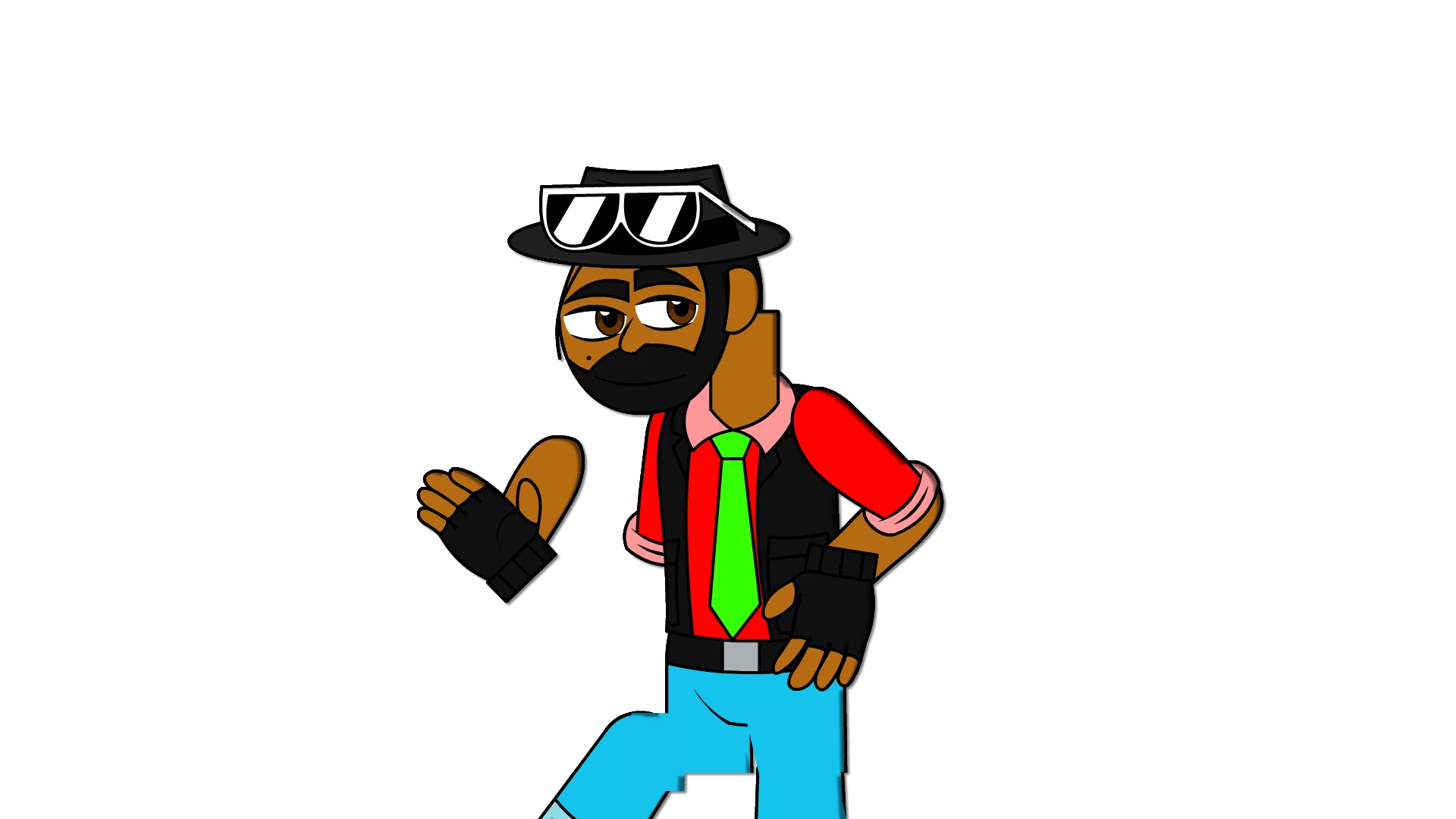
This topic has been closed for replies.

4 replies

Community Expert
January 14, 2022

Show us a screen shot of your layer parent set up. so we can see if there is an issue with it. 

davidc55968441
Participating Frequently
January 14, 2022

Okay, here. And the relationships don't change at all when I scroll through the timeline. I just tried posing without the auto keyframe and it seems to work much better. So I really do think it's the Auto Keyframe that's the problem just like Arvind said.

_keyframer
Community Expert
Community Expert
January 7, 2022

Also worth mentioning I have experienced this if I update any parent/child relationships across keyframes - it will break the rig. In other words, if the arm is parented to the torso in keyframe A but then I change it in keyframe B, it breaks. Scrub your timeline and watch the layer parenting window to see if anything changes across keyframes.

Animator and content creator for Animate CC
davidc55968441
Participating Frequently
January 7, 2022

All the parent/child relationships are fine, I don't see any anomalies anywhere else.

_keyframer
Community Expert
Community Expert
January 9, 2022

Did you accidentally change the center point for a symbol(s) instance on any keyframes?

Animator and content creator for Animate CC
Adobe Employee
January 7, 2022

Are you using Auto Keyframe ON. If Yes it is a known issue and we have fixed it internally. Fix will be soon available in upcoming release. You can avoid these issue if you Disable Autokeyframe.


If it still exists please share a short screen recording of the issue with us to investigate on the same. 


Thanks!


davidc55968441
Participating Frequently
January 7, 2022

Okay, sure.

n. tilcheff
Legend
January 7, 2022

You may want to up your game and explore SMR.


Nick - Character Designer and Animator, Flash user since 1998 | Member of the Flanimate Power Tools team - extensions for character animation
davidc55968441
Participating Frequently
January 7, 2022

Ok I'll check these videos out. Thank you!