Participant
December 11, 2016
Answered

Adobe Animate - Click Trigger

  • December 11, 2016
  • 1 reply
  • 636 views

Hello,

I'm working on a university project, and I'm a beginner at Adobe Animate.

I am making an interactive kids game to teach shapes.

This is how my stage looks at the moment:
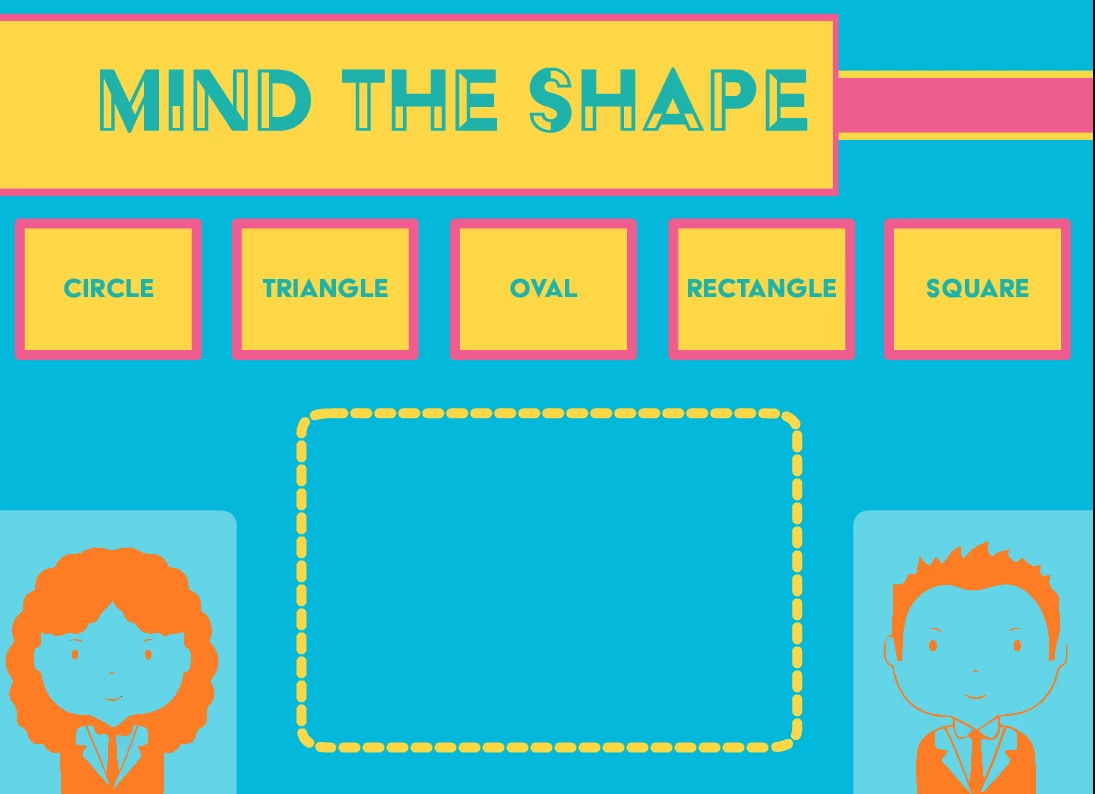
When the child would click on the name of the shape in front of him/her, I have a shape tween to transform into the next shape the kids are required to identify.

my question is, how can I trigger shape tween animation ONLY by the click of one of the buttons???

YOUR HELP IS HIGHLY APPRECIATED !!

THANK YOU!

This topic has been closed for replies.
Correct answer kglad

it all goes back to being a square. what I'm trying to do is get the click to trigger a tween that is already set in the timeline. so to basically make the animation jump to a certain frame and play the tween and when it reaches the next shape it stops?

that that something that can be done or am I being very ambitious with this project?

Thank you so much for your reply


if users can only animate the circle to the square (and not eg, from the circle to the oval), that will work.

but if they can animate from any of the 5 to any of the remaining 4 using the timeline, you should have each shape tween from a default shape to the desired shape and then back again to the default shape.

and it doesn't make sense for the default shape to be any of your listed shapes/sizes.  the default shape could be something like 2px x 2px circle/square.

the reason for all this stress on a default shape is: with a default shape, you would only need 5 animations. otherwise, you would need a minimum of 20 animations.

1 reply

kglad
Community Expert
Community Expert
December 11, 2016

you stated, '..i have a shape tween to transform into the next shape..'. 

do you mean you created frame-based shape tweens from some default shape to a circle (triangle, oval, etc) and back to the default shape?

Participant
December 11, 2016

well basically, I have shapes that are triggered by keyframes on the timeline, and the shape tween is to transform the square to circle, circle to triangle, etc.

So, to answer your question, yes.

Legend
December 12, 2016

You can't, using only timeline animation, shape tween between any arbitrary shape just by jumping around the timeline. You'll have to have each shape tween return to a "neutral" shape shared as a common starting shape for all tweens.