
Participating Frequently
July 7, 2023
Question

Adobe Animate file disappeared.

  • July 7, 2023
  • 3 replies
  • 2968 views

Hello Adobe Animate Staff.
Just finished working on an Adobe Animate File for 4hrs and it has dissapeared!
I saved it into the Folder and it was there. Now it is gone!
The file is not even in the Recent Files.
Its just gone.
I don't understand how this can happen, as there is no way the file would have been completely deleted, but I can't seem to find it.
I'm on a Mac, reading the forums I went to
~/Library/Application Support/Adobe/Animate CC 2017/en_US/Configuration/
I actually found the file in /tmp folder.
Please look into this, as I nearly had a heart attack!
Why is the file not in Recent?
Why did the application Remove the .fla from my computers folder!
Did it get confused with the auto delete RECOVER file and also REMOVE the .fla from my computer?
FYI
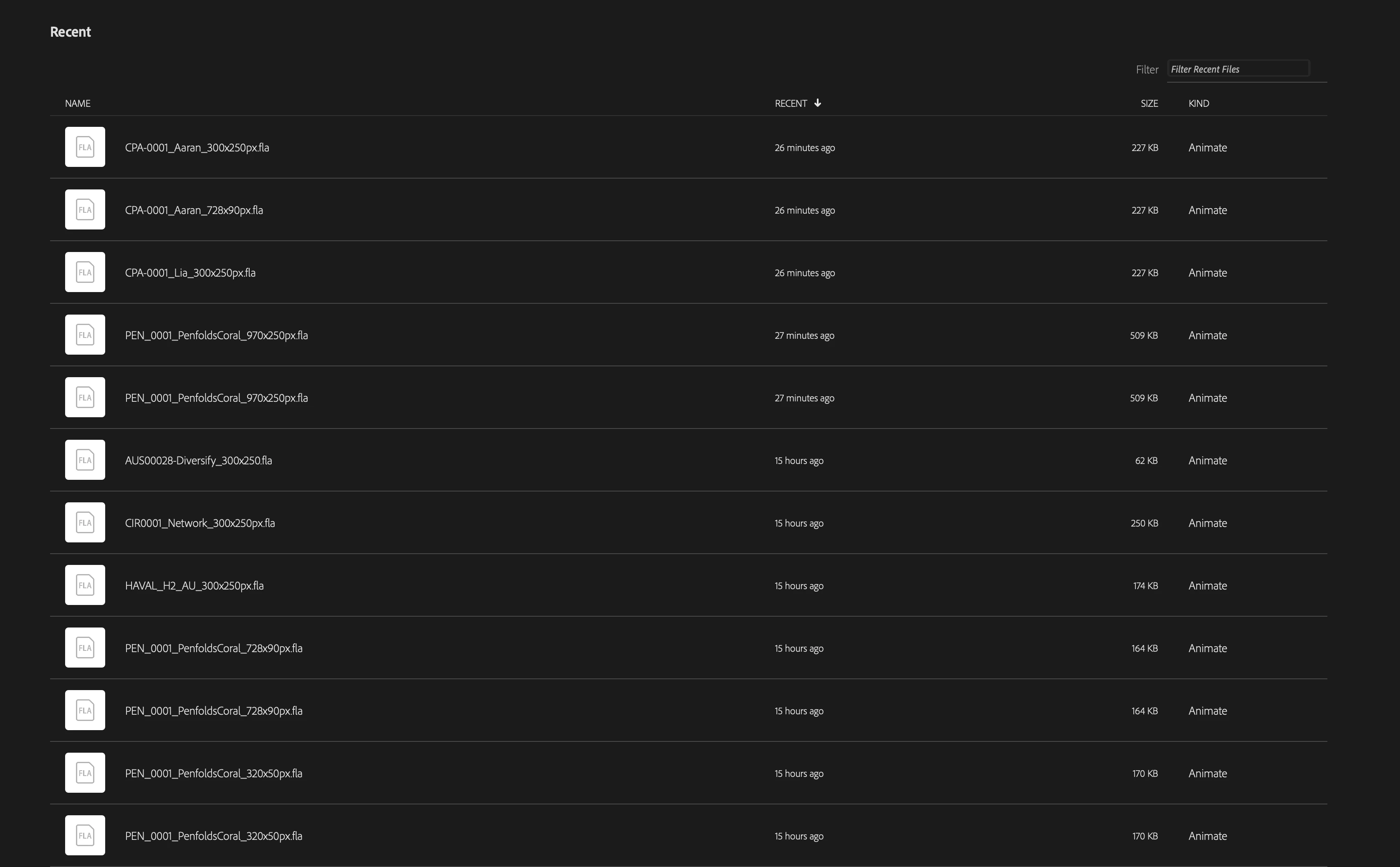
 

    3 replies

    Community Expert
    July 9, 2023

    Did you get this figured out?

    Participating Frequently
    July 15, 2023

    Yes, in my comment I found the file in ~/Library/Application Support/Adobe/Animate CC 2017/en_US/Configuration/
    I actually found the file in /tmp folder.
    This does not explain why the application deletes the .fla entirely.


    Participating Frequently
    July 8, 2023

    The Adobe Animate file might not be in Recent Files due to limited slots or if it was moved/renamed. The application is unlikely to have confused the auto-delete recover file and remove the .fla file. The file's disappearance could be due to accidental deletion or being saved in a different location. Check the original folder, search for the file, and review the Trash/Recycle Bin. Consider file recovery software and maintain regular backups to avoid data loss.

    Participating Frequently
    July 15, 2023

    Yes, I did a complete file name search on my computer, not in the Trash, Recyle or in a new folder and the file and file name were simply gone. How did this disspear from the Recent Files directory in the application itself? I wouldn't even know how to go into the application and remove the file name from the Recent files in Animate. The file was sitting on my NAS Network Server. I was working on the original .fla, as the original was open, I did a save as to a new file name and the original .fla (with the recovery file still open) the .fla simply dissapeared. This was not due to an accidental deletion, nor was it saved in a different location. When I went into the folder on the Server to look for the file I was originally workin on it was gone. Then I did a search on my computer for the file name, again, gone. I went into the app and in the recent files, gone. I only (thankfully) found the file when researching and finding it in ~/Library/Application Support/Adobe/Animate CC 2017/en_US/Configuration/
    I actually found the file in/tmpfolder.
    I feel this is an application based bug.
    I have not worked off the server as the application gives me errors every now and then, so I save to the local HD and it has not errored whilst working locally.

    Thanks.

    kglad
    Community Expert
    Community Expert
    July 7, 2023

    there are, at least, a few ways for a save to fail. on of the most common is trying to save to a non-local location.


    save frequently with increasing version number appended to the file name and periodically close and open the latest version to confirm it exists and is not corrupted.

    Participating Frequently
    July 15, 2023

    Yes, it seems that this has occured on a few occasions, files that were on my server not on my local HD. I have a Network NAS Server where I work off. The files are not large, so there shouldn't be any cause for the files to dissapear due to memory whilst saving. I have increased the save time from 10 mins to 5mins. This does not explain why the application simply removes the .fla from the server and you can not find it in the recent files in the application itself.

    n. tilcheff
    Legend
    July 15, 2023

    I don't think that your claim that the application is deleting your files can be substantiated.


    I am not a defendant of Animate as it has lots of problems, but you simply do not know what exactly happens to your files and what process is removing them from the NAS. A program interfaces with the OS which manages the available hardware resources via controllers and device drivers, so it is more likely that the issue is not directly with Animate.


    What is much more likely is that the list of recent files is checked upon load and the ones that are not available at the recorded locations are purged from the list.


    Nick - Character Designer and Animator, Flash user since 1998 | Member of the Flanimate Power Tools team - extensions for character animation