


Participant
May 2, 2021 7:40 PM UTC
Question

Adobe Animate won’t let me paint
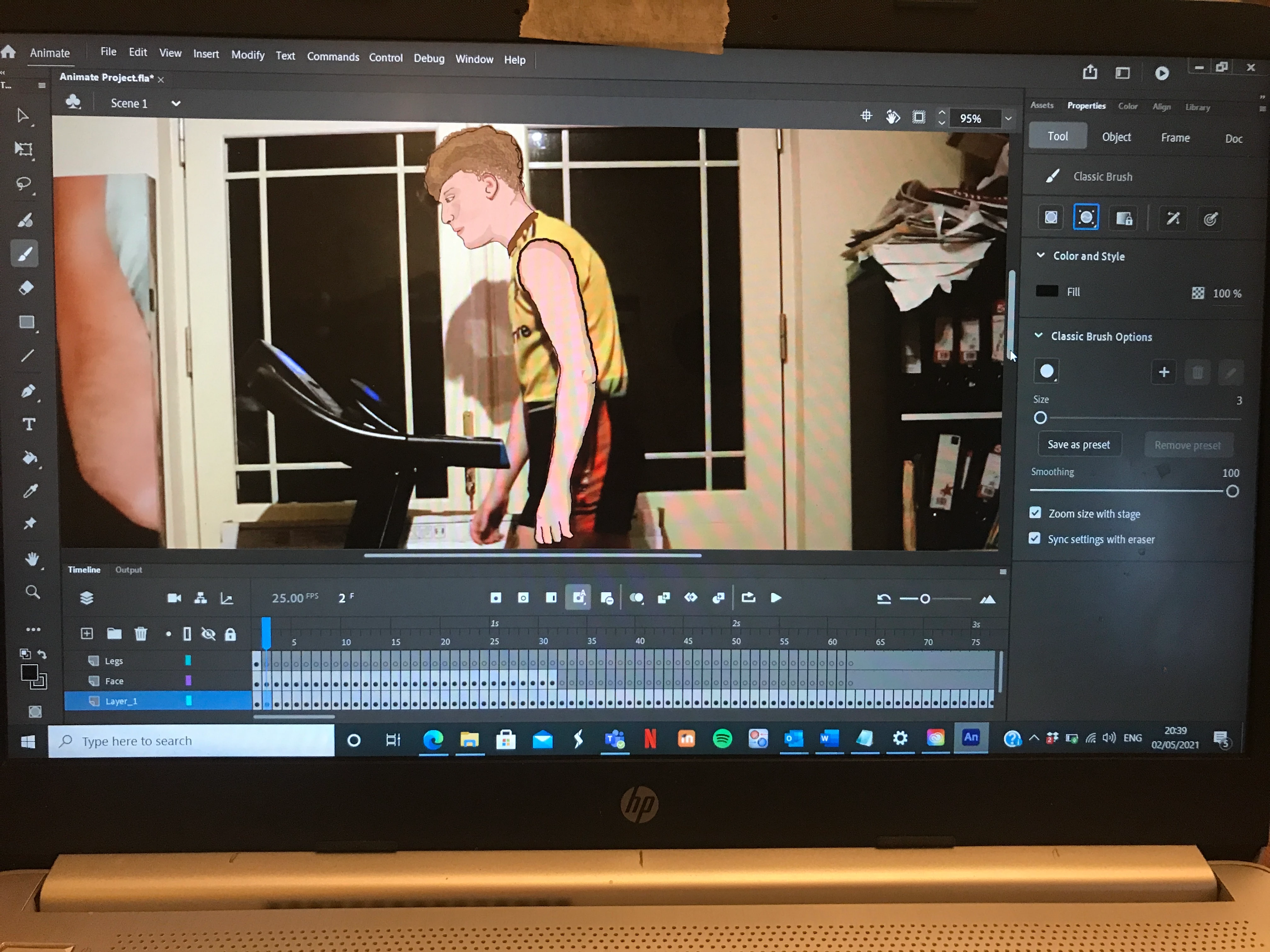
 

Using Animate and it won't let me paint. I'm using the classic brush tool and i'm in the 'Normal' brush mode but when i go to paint the srokes appear for a short second and then dissapear. Could anyone please help me out?!!

    This topic is closed to new replies. Start a new post to keep the conversation going.

    7 replies

    _keyframer
    Community Expert
    Community Expert
    May 3, 2021 1:27 AM UTC

    You are in Paint Selection mode. It's the sub-selection icon in the Properties Panel

    Translate
    Animator and content creator for Animate CC
    Participant
    May 4, 2021 6:15 PM UTC

    Thank you for your response. But i am still having this problem when I am in normal selection mode

    Translate
    Mario_CR
    Community Expert
    Community Expert
    May 5, 2021 3:59 AM UTC

    Then you're painting on the same layer as the video.  Add a new layer.

    Translate
    Participant
    May 2, 2021 7:59 PM UTC

    It will only let me draw in 'Object drawing mode' but this makes it awkward because every different brush stroke is then a different object. And i cannot fill in objects with the paint bucket tool. Why won't it let me paint with the normal brush drawing tool? 

    Translate