
Inspiring
September 28, 2022
Answered

Adobe Flash Player is too old issue

  • September 28, 2022
  • 2 replies
  • 1765 views

whenever I try to run the SWF file when the Adobe Animate is closed I get this error message:
Adobe Flash Player is too old

Please update to the latest version to continue
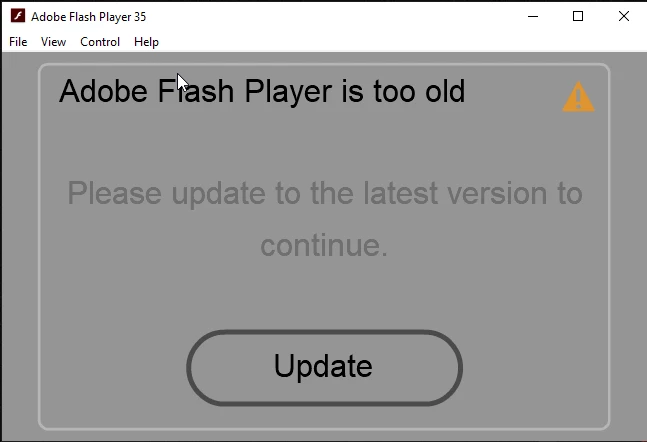
it actually got an Update button inside the error message, but if I press that nothing happens.

also, I can't download the Flash Player manually as the program is EOL.


I have many animations, if I want to check the animation, I have to open the Animate file and check

I couldn't open the SWF because of this issue.


can anyone help me?


Thanks

    This topic has been closed for replies.
    Correct answer Nick Gioia

    Adobe does really support this stuff anymore. Flash is gone. It's now Animate. I would update the Adobe Animate version 22.0.8. That should fix it.

    2 replies

    Nick GioiaCommunity ExpertCorrect answer
    Community Expert
    September 28, 2022

    Adobe does really support this stuff anymore. Flash is gone. It's now Animate. I would update the Adobe Animate version 22.0.8. That should fix it.

    Mario_CR
    Community Expert
    Community Expert
    September 28, 2022

    Hi, the first thing to do would be to update Animate since it seems the error was fixed in version 22.0.8

    https://helpx.adobe.com/animate/kb/fixed-issues.html

    Flash Player is already included in Animate and should open SWF files as is.

    If Windows doesn't open them for some reason you can locate the "FlashPlayer.exe" file in C:\Program Files\Adobe\Adobe Animate CC [VERSION]\Players.

    Associate FlashPlayer.exe to the SWF file type and you're good to go.