

Question
Although it is simple and it is clear??
fl_total();
function fl_total() {
if (total == 1) {
this.start_2.alpha = 1;
this.start_2.mouseEnabled = true;
this.start_1.alpha = 0.5;
this.start_1.mouseEnabled = false;
} else if (total == 2) {
this.start_3.alpha = 1;
this.start_3.mouseEnabled = true;
this.start_1.alpha = 0.5;
this.start_1.mouseEnabled = false;
this.start_2.alpha = 0.5;
this.start_2.mouseEnabled = false;
} else {
this.start_1.alpha = 1;
this.start_1.mouseEnabled = true;
this.start_2.alpha = 0.5;
this.start_2.mouseEnabled = false;
this.start_3.alpha = 0.5;
this.start_3.mouseEnabled = false;
}
}
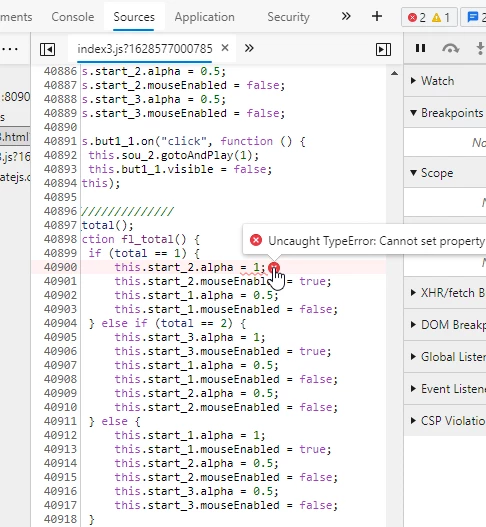
Even if you cancel this
Everything shows an error and does not execute
Although it is simple and it is clear??
I don't know where is the problem?


 AdChoices