
Participant
January 18, 2022
Answered

Anchor Point Rotation Causes Unwanted Symbol Shifting

  • January 18, 2022
  • 1 reply
  • 1517 views

I'm using Layer Parenting with anchor points to create a simple character arm movement animation. My issue is that each time I slightly rotate a segment of the arm, the segment and it's child segments will slightly shift when I release the mouse. I have also noticed that the anchor point (Transform Point slightly shifts as well).


Over time, these gradual shifts accumulate as displayed in this short video below, in which the lower arm starts as straight and after a 360 degree rotation of the upper arm, the lower arm is bent to the right.


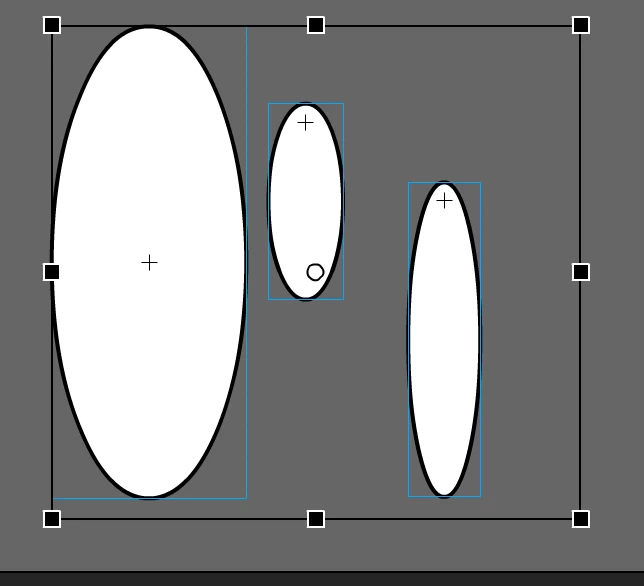
Also, note that each symbol ("Body", "UpperArm", "LowerArm") has it's Registration point set to the top middle point which iswhere the joint or Transformation point (anchor point) would be.
 

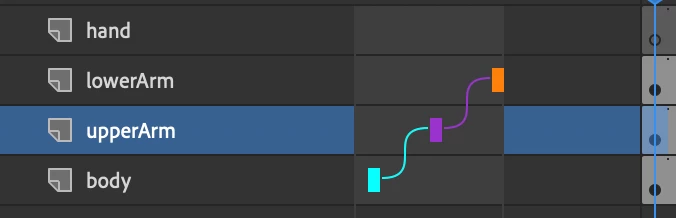
This is the simple Layer Parenting Hierarchy as well:
Any advice would be great. Thank you!



    This topic has been closed for replies.
    Correct answer n. tilcheff

    Hi Sam,


    Please, have a look here: https://flash-powertools.com/classic-tweens-and-arcs/

    And here: https://flash-powertools.com/smart-magnet-rigs-where-to-start/

    And you may want to watch this video, just so that you get a general idea how animation is approached.


    Good luck!

    1 reply

    n. tilcheff
    Legend
    January 18, 2022

    There are many such issues with Layer Parenting. The longer the chains, the larger the accumulated inaccuracies, due to rounding.


    My suggestion is to use SMR instead, and only toggle Layer Parenting on once your animation is complete, and only for longer tween spans where you really need it to clean up arcs in tweens.


    Nick - Character Designer and Animator, Flash user since 1998 | Member of the Flanimate Power Tools team - extensions for character animation
    Participant
    January 19, 2022

    Thanks for the response @n. tilcheff . I read through SMR and applied it to a simple arm, torso, and waist. I've read a few more of your (great) articles and even though I made sure that the Transform point and Registration point align and also that the bounding boxes fit properly, I'm still noticing that Classic Tweening is breaking. I'd really like to keep using this SMR tool, any suggestions would be great.


    Here is what the Freestyle rigging looks like:

    Here is the animation at the first frame:

    last frame:

    Some frame in the middle breaking with classic tweening:


    Here are some symbols in place:


    n. tilcheff
    n. tilcheffCorrect answer
    Legend
    January 19, 2022

    Hi Sam,


    Please, have a look here: https://flash-powertools.com/classic-tweens-and-arcs/

    And here: https://flash-powertools.com/smart-magnet-rigs-where-to-start/

    And you may want to watch this video, just so that you get a general idea how animation is approached.


    Good luck!

    Nick - Character Designer and Animator, Flash user since 1998 | Member of the Flanimate Power Tools team - extensions for character animation