Animate 20.0.1 where to specify Document class for iOS app?
This used to be within the Publish Settings panel but it now seems to have disappeared.
Could anyone please tell me how I specify the document class using Animate 20.0.1?
Thanks,
Mark

This used to be within the Publish Settings panel but it now seems to have disappeared.
Could anyone please tell me how I specify the document class using Animate 20.0.1?
Thanks,
Mark
Hi.
Follow these steps:
1 - Click on the stage on an empty space;
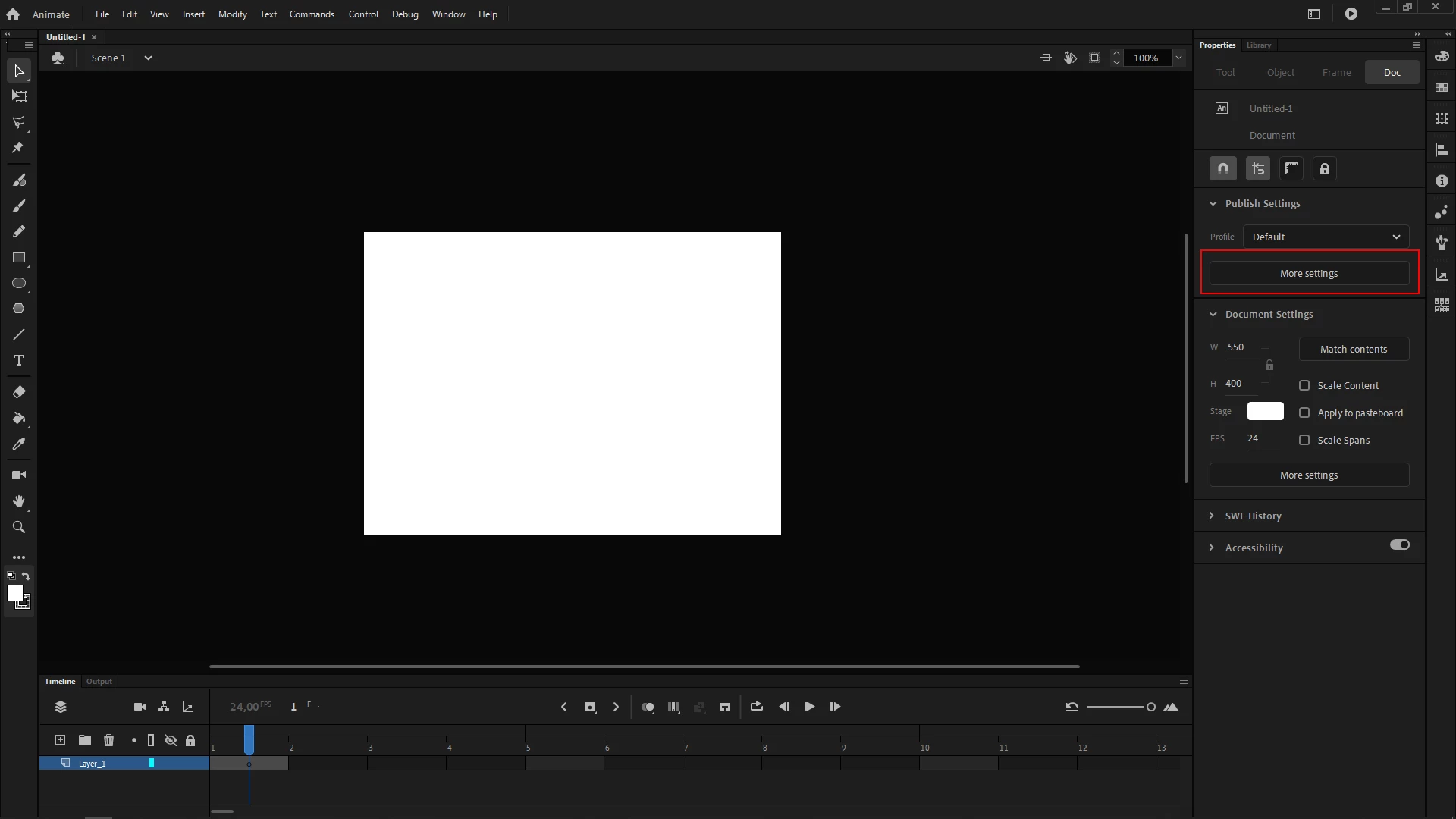
2 - Go to the Properties Panel e click on More Settings;

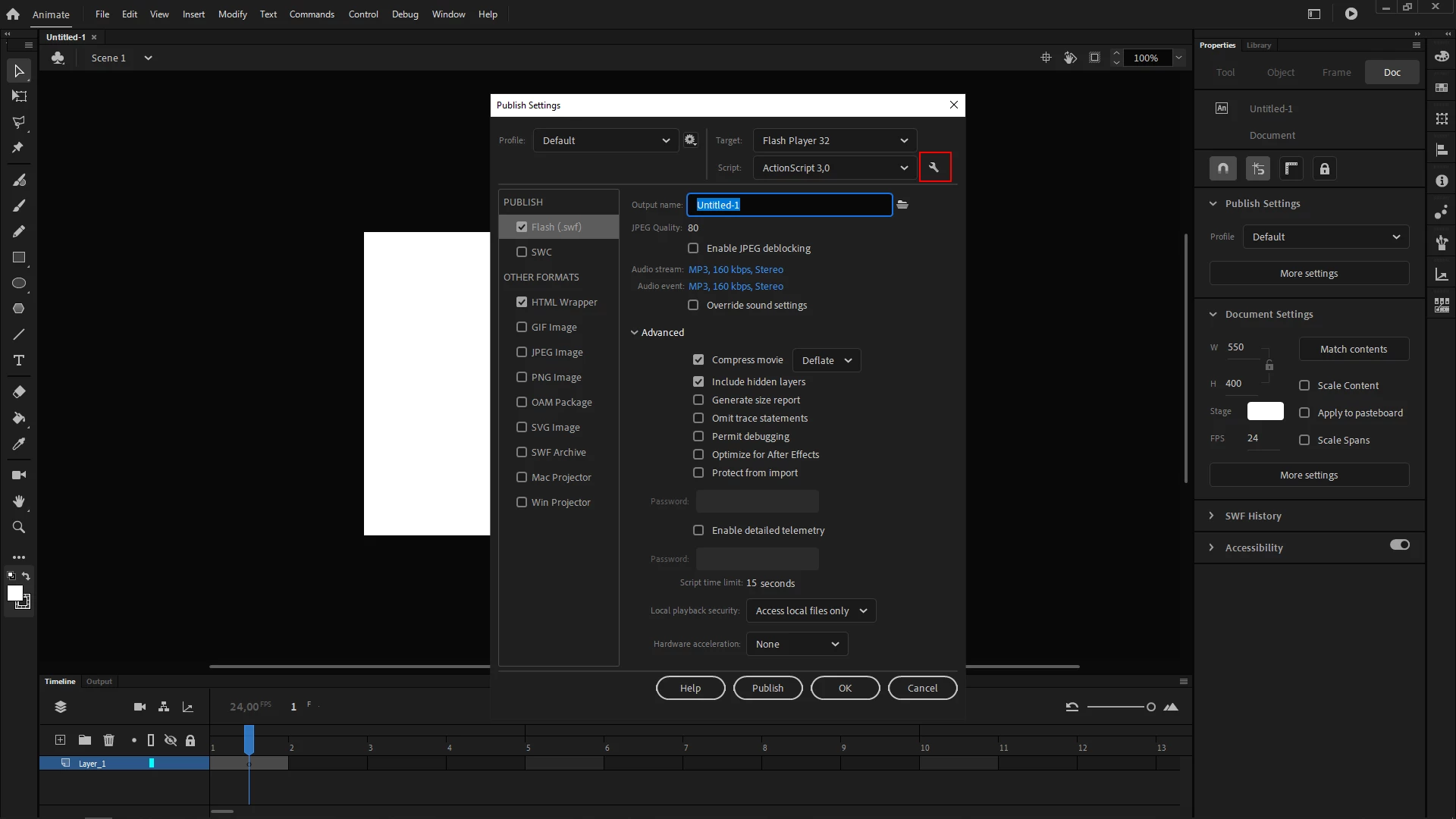
3 - In the Publish Settings (Ctrl/Cmd + Shift + F12), click on the little wrench icon to the right of the Script dropdown menu that displays ActionScript 3,0 by default;

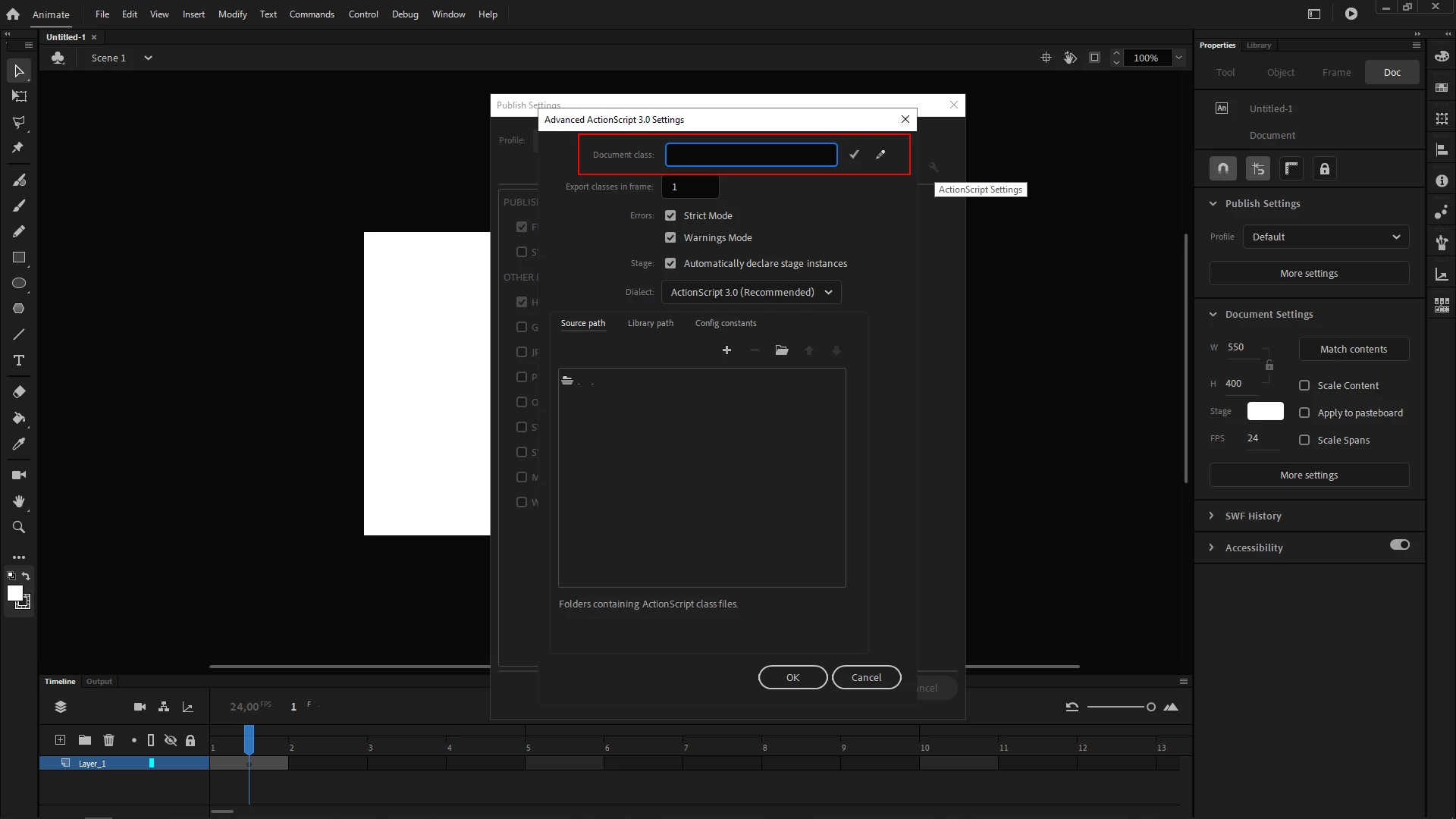
4 - Then type the name of your document class in the Document class input field without the .as extension.

I hope this helps.
Regards,
JC
Already have an account? Login
Enter your E-mail address. We'll send you an e-mail with instructions to reset your password.