Participant
February 8, 2024
Answered

Animate Adding audio file creates javascript error on publishing HTML5 canvas

  • February 8, 2024
  • 2 replies
  • 774 views

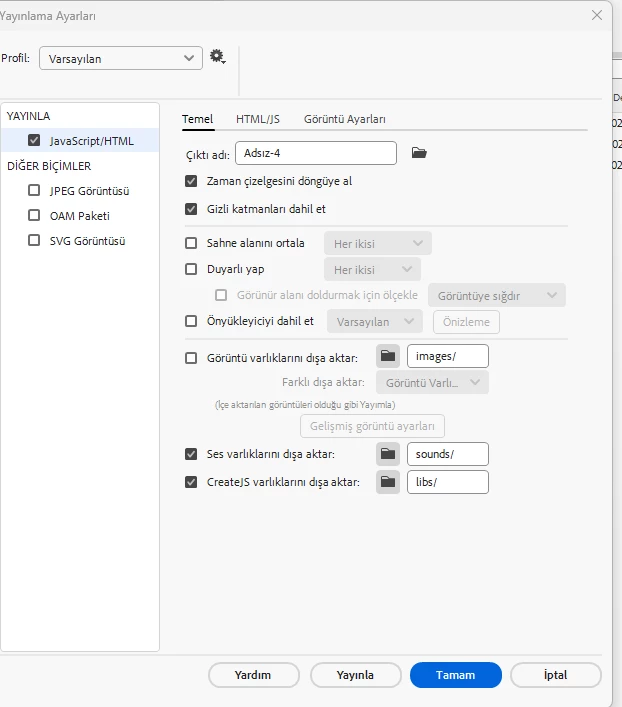
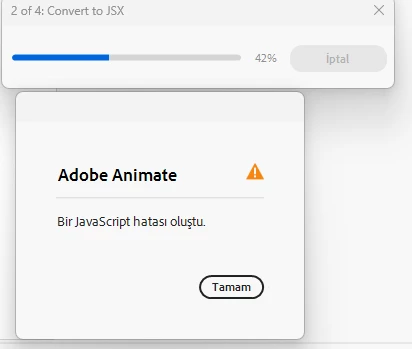
Hi, i am making a game in Animate i want sound playing automaticly. I import mp3, waw format to library, also in the scene but when i tried to publish i got an error a javascript error occured. i tried to uncheck the publish settings - export files as texture but it didnt work. What am i doing wrong?
    This topic has been closed for replies.
    Correct answer Arcadix GmbH

    create a new fla and save with a new name.

    copy the main timeline layers from the problematic fla to the new fla and save the new fla

    test the new fla.


    Fixed the issue.
    The issue was because an audio file has german character "ö" in it.
    Renaming the audio file to plain english charater fixed the issue.

    Thank you all for the support and quick replies.

    2 replies

    Inspiring
    October 11, 2024

    Hello,
    i have same issue, did you found solution for this issue?
    I also tried the steps suggested by @kglad , still the issue is not resolved.

    kglad
    Community Expert
    Community Expert
    October 11, 2024

    does the problem occur with all audio files?

    Inspiring
    October 14, 2024

    @kglad 
    1- I was using mp3 audio files first, but not able to import them to HTML5 Canvas document. So convert them to WAV format.
    2- The Wave format audio files are working fine inside animate app.
    3- Tried all 3 audio files in a single layer, it is fine inside animate app. but getting javascript error when exporting.
    4- added all 3 audio files in their own seperate layer it is fine inside animate app. but getting javascript error when exporting.
    5- Removed all Code in the action panel, still same error.
    6- When all audio files are deleted from the project, then the project is exporting without any issue.
    7- In the 'Sound Properties' options, tried default as well as mp3 compression, still same issue.

    Please let me know if wav format is fine.

    kglad
    Community Expert
    Community Expert
    February 8, 2024

    in Adsiz-4: change that dash to an underscore and retest.

    Participant
    February 19, 2024

    i did that i think but it doesn't change anything.

    kglad
    Community Expert
    Community Expert
    February 19, 2024

    create a desktop folder named abc. save your fla to the abc folder. retest.