

Inspiring
November 29, 2016
Answered

Animate CC 2017 - black border around stage

  • November 29, 2016
  • 3 replies
  • 6463 views

How to disable it? I hate it.

Talking about this one:
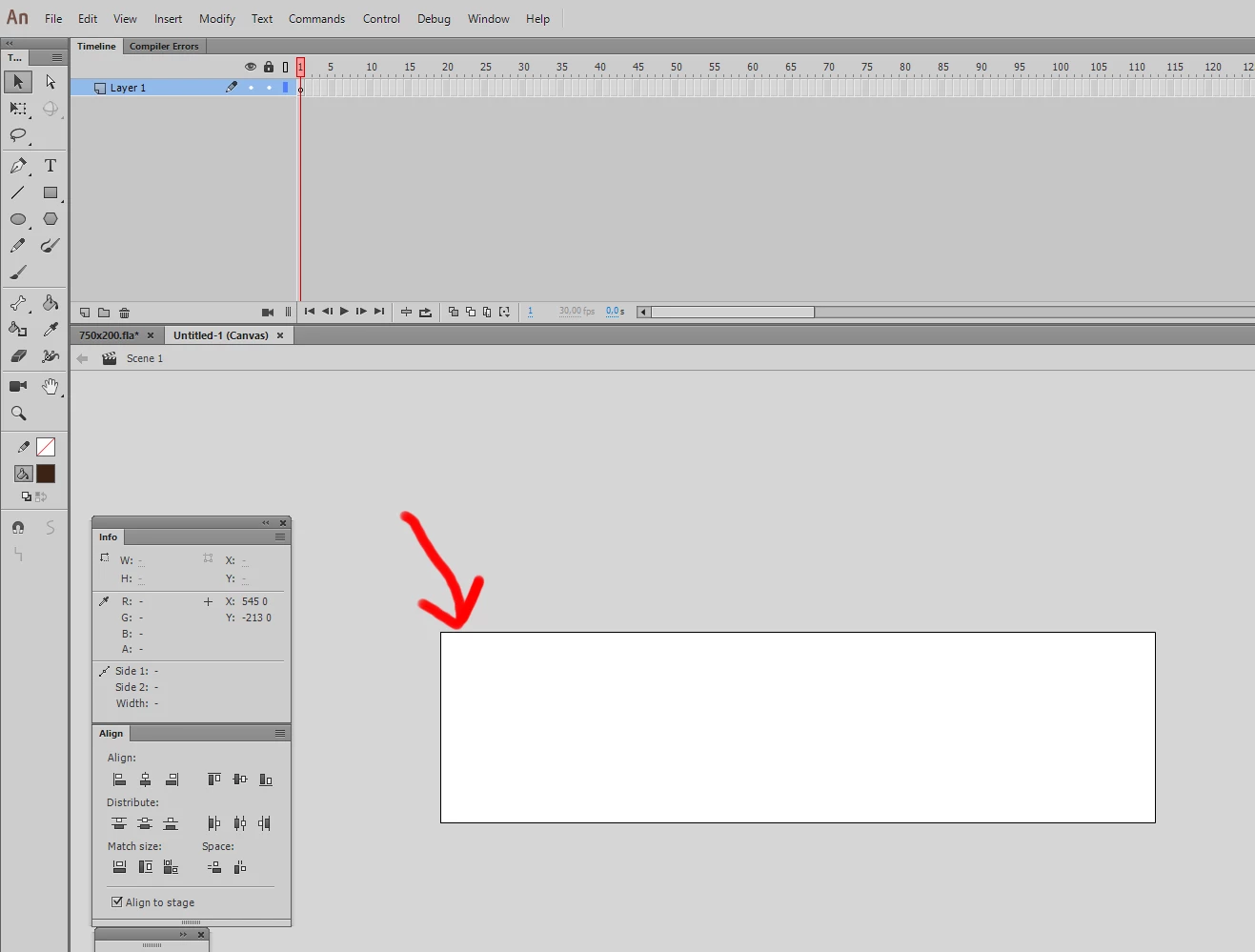
    This topic has been closed for replies.
    Correct answer Colin Holgate

    There isn't a way to hide it. The line is outside of the stage area, so your stage content isn't being covered up.

    3 replies

    _keyframer
    Community Expert
    Community Expert
    November 28, 2017

    Yes - Preferences > Hide Stage Border. it was added because many of us work with objects that are much larger than the stage size. We were always having to convert our layers to outlines to help us see the stage boundary when placing objects relative to the view-able area. You can blame us on the prerelease team but at least there's an option to hide it. I personally use it all the time and love it.

    Animator and content creator for Animate CC
    robdillon
    Participating Frequently
    November 29, 2016

    Not that I know of. That outline just shows the active space for the stage. It is not exported into the finished file. If you choose the "Dark" interface option in the Preferences, it is less obvious.

    Colin Holgate
    Colin HolgateCorrect answer
    Inspiring
    November 29, 2016

    There isn't a way to hide it. The line is outside of the stage area, so your stage content isn't being covered up.

    FalrinthAuthor
    Inspiring
    November 30, 2016

    Then it should be removed in a patch. What a horrible idea to add it for no reason in new build. There was and is already different background shade of active stage area and the area around it. Who needs a border that interferes with the look of the creation? If we need it to see the border if some elements cover the edges, we can make a freaking border ourselves as a guide layer. The hardcored border line is just awefull idea. I dont know how could someone come up with it.

    Any idea if I can "hack" some file to get rid of it?

    Colin Holgate
    Inspiring
    November 30, 2016

    I don't know the thinking that went into adding that, but it could be it was related to adding the ability to rotate the stage.

    Out of curiosity, what problem does the line cause?

