


Participant
October 20, 2020
Answered

Animate CC 2020
  • October 20, 2020
  • 1 reply
  • 692 views

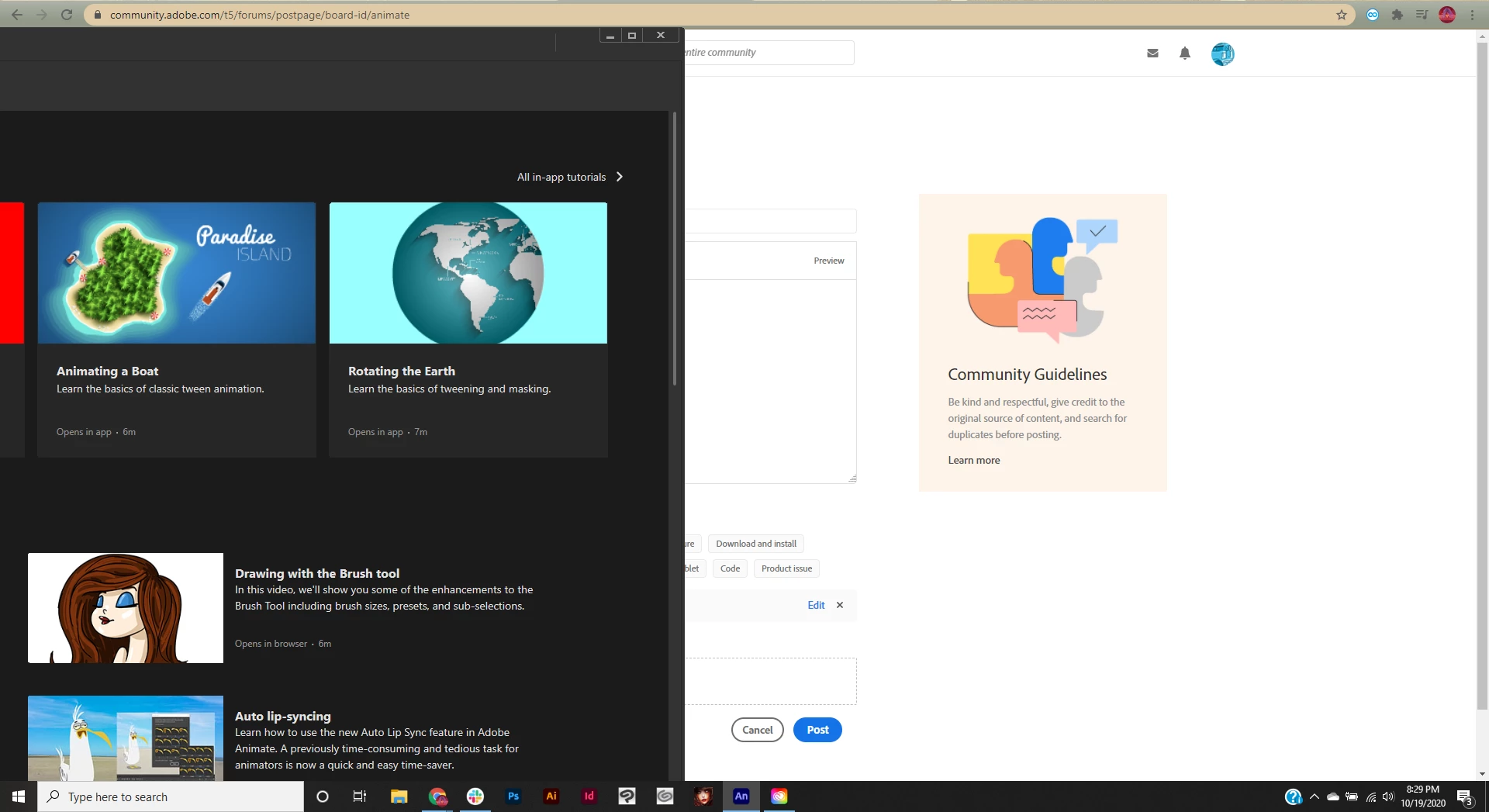
For some reason when I start up Adobe Animate CC 2020 it starts in the corner of screen like this. I can't close out of it once I start it, I can't click on anything. It just makes a "ding"ing noise if I click on it randomly. I tried to restart my computer, did not work. How to fix?? I have used this once before and it worked just fine. 

This topic has been closed for replies.
Correct answer Colin Holgate

The thing on the left is normal, it's a feedback option.

About half of the graphics in the page are missing. You're currently in the Learn screen, and you are missing the Open and Create New buttons, and the Home and Learn buttons, as well as several learn section options.

I don't know for sure if there will be an update to Animate in the next three days, but usually there is an update around Adobe MAX time. If there is an update you could uninstall this version, and install the new version.

1 reply

Colin Holgate
Inspiring
October 20, 2020

Force Animate to close, then hold down the Ctrl, Alt, Shift keys as you open Animate. That should give you a chance to reset the preferences, which may be enough to fix things.

If it doesn't, point at the Animate icon in the taskbar, and see what windows are open. My thought is that a modal dialog box is open off screen. You can retrieve an offscreen window by doing these steps:

1. Press Alt and tap the spacebar. Release both keys.

2. Tap the M key, then any arrow key.

3. Move your cursor, and the previously lost window should be attached.


EMILY5C80Author
Participant
October 20, 2020

I tried to force close and hold ctrl, alt shift as I opened, didn't work. I couldn't get the retrieve offscreen window to work but as I hovered over the icon I did see this which definitely doesn't look normal. What is that thing in the corner and why is it by itself/why is the screen split like this even though I just opened?

Colin Holgate
Colin HolgateCorrect answer
Inspiring
October 20, 2020

The thing on the left is normal, it's a feedback option.

About half of the graphics in the page are missing. You're currently in the Learn screen, and you are missing the Open and Create New buttons, and the Home and Learn buttons, as well as several learn section options.

I don't know for sure if there will be an update to Animate in the next three days, but usually there is an update around Adobe MAX time. If there is an update you could uninstall this version, and install the new version.