


Animate CC 2020 has slow playback
Hello,
I'm contacting you because I think that I tried everithing on my side
Here is the issue
I just bought a Surface book 2
i7-6600U 2,6Ghz
16Gb RAM
500Gb SSD
Graphic card NVIDIA GTX 1050 2 Go
I think that in term of performences we should be ok. BUT when I creat a new ADOBE ANIMATE project, my playback cadence is going between 5 and 12 fps, when my project is set to 30fps
The issue appears even if I creat 2 simple lines in 2 different frames, and when I play them in loop
Even if my PREVIEW MODE is set in FAST or FULL it doesn't change at all. I always have the same cadence in Fast and Full mode
I tryed to reinstall Creative cloud and Animate --> Doesn't work
I tryed to reset my preferences --> Doesn't work
I even tryed to reinstall my Windows 10 deleting all my files --> Doesn't work to!
I tryed to install ANIMATE CC 2019, my cadence went to 20fps for a 30fps project. Little bit better but always bad looking for my computer abilities
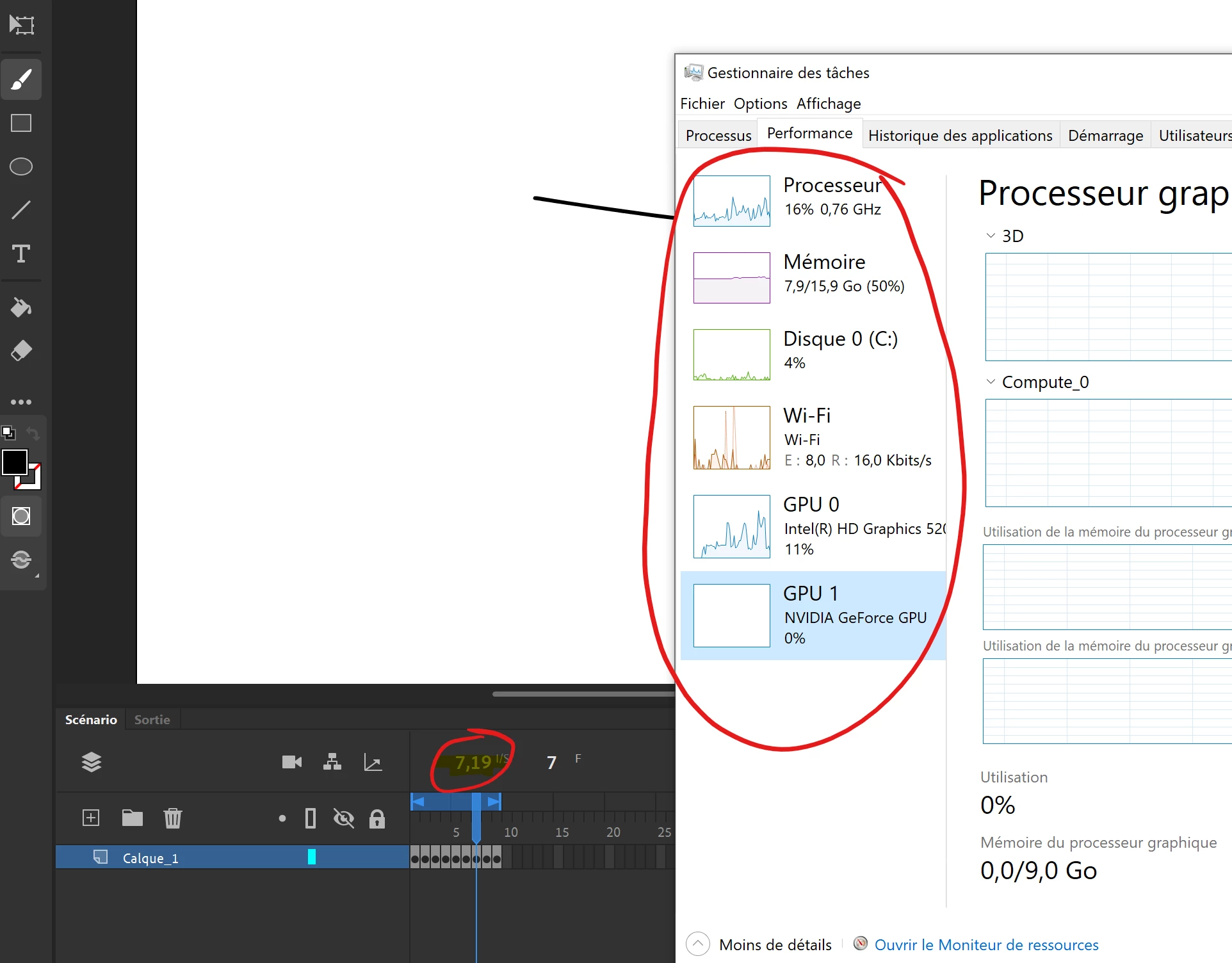
During these playbacks, my performance never goes up to more than half the capacity of my pc (for memory, GPU...) (the caputer down there is in french, don't panic. But you can see the performance of my computer during playback)
My screen is a touchscreen , idk if it can help
I'm asking your help. I look at every performence parameters possible, nothing worked
How can I use ANIMATE normally with a normal playback? with all my computer abilities?
Do you have an idea of why my powerful computer cannot read 2 or 30 pictures of simple lines without downgrade my cadence?
(During my tests, Animate was the only soft launched)
Thanks for your time
 AdChoices