
Animate CC Composition Inserted in Dreamweaver NOT Responsive
I realize there have been other threads about this, and I've read countless articles here and elsewhere. None seem to answer the basic question.
I'm using the latest versions of Animate and Dreamweaver CC 2017 on a Windows 10/64-bit machine. According to the product advertising and documentation, it's possible to make the output responsive, but in actual practice, this seems essentially impossible.
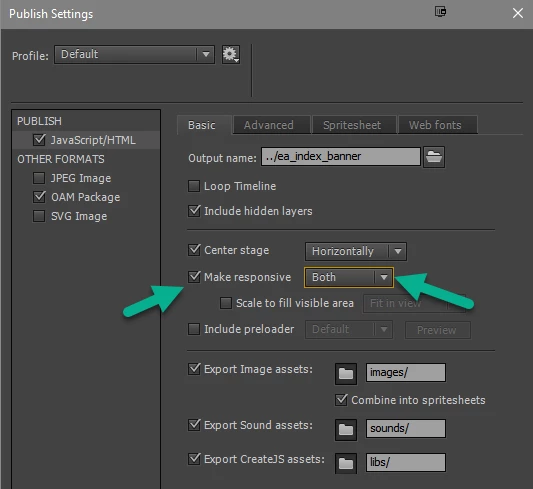
I created an HTML5 canvas project in Animate CC. The Publish Settings are set to "Make Responsive: "Both":
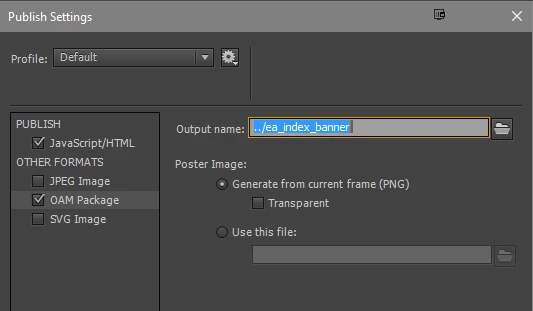
In Dreamweaver, I insert the composition via "Insert > HTML > Animated Composition":

Copacetic so far. Incidentally, the website in question is a Dreamweaver Bootstrap site, using "container-fluid" wrapper. However, when I view the HTML file in a browser (the latest version of Chrome in this case), the animation is not responsive:

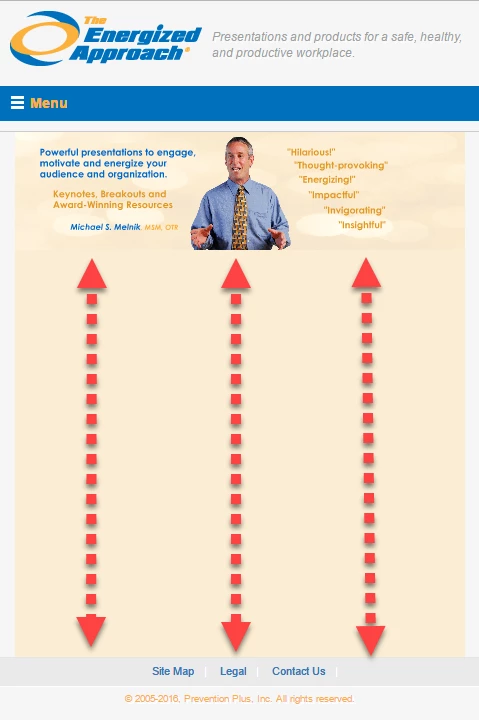
If I change the <object> tag's width="" value to 100%, the animation becomes fully responsive. However, on scaling of the browser viewport, unwanted spacing appears below the animation. I do not have any CSS height value applied to the containing <div>. Apparently, the <object> (but not the animation itself) still follows the "height" value of the <object> tag. This is obviously NFG:
If I set the <object> tag height="" value to anything other than a "hard" value (e.g., "100%", "auto"), then the entire animation shrinks to a tiny size, also NFG:

I've also tried "Make Responsive: "By Width" and "By Height", without success. I'll admit that perhaps it's some boneheaded thing I'm missing here, but I have to ask, Adobe, what $#%@ing good is in app that makes it so absurdly difficult for an experienced web designer to insert an animation into a web page and have it display with some degree of precision and predictability? It's almost 2020, for Christ's sake. It shouldn't be this hard.
Anyone smarter than me who has a solution will be highly appreciated and effusively praised. Thanks in advance.
Charles
 AdChoices