
mukeshp98564331
Participant
August 2, 2018
Respondido

Animate CC Error in color choosing

  • August 2, 2018
  • 1 resposta
  • 304 Visualizações

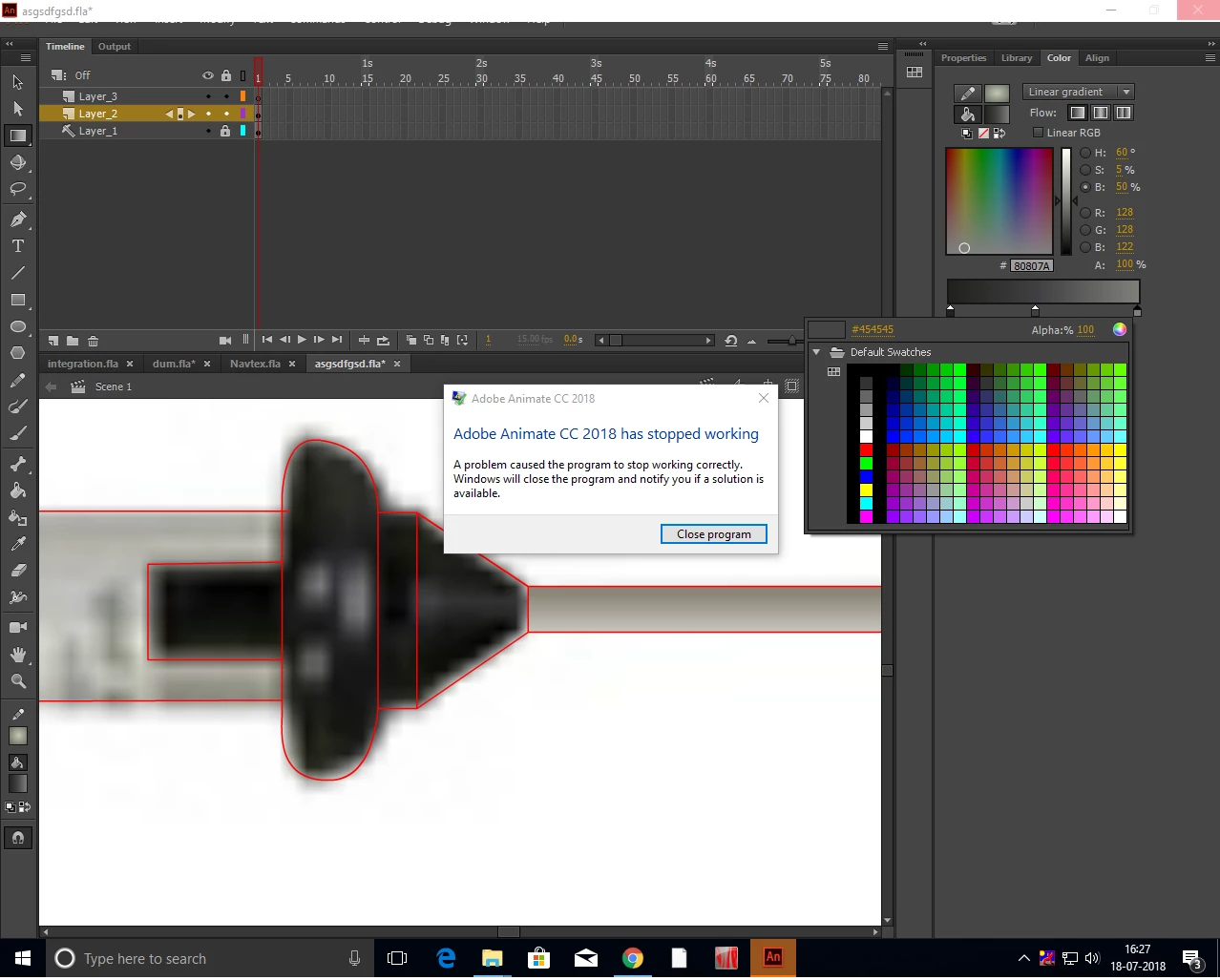
While choosing color in Animate CC 2018 all our employees are getting error and then the application closed so our work getting lost.

Please give us the solution

System Configuration:

Windows 10 Professional 64bit

RAM 4 GB

The error message is below
Este tópico foi fechado para respostas.
Melhor resposta por kglad

reset your preferences -

http://helpx.adobe.com/flash/kb/re-create-preferences-flash-professional.html

    (or remove Win:  C:\Users\<username>\AppData\Local\Adobe\Animate CC <version>\ and

                                  C\Users\<username>\AppData\Roaming\Adobe\Animate\<version>\

                        Mac:   /Users/<username>/Library/Application Support/Adobe/<Animate CC version>/ and

                                    /Users/<username>/Library/Preferences/Adobe/Animate/<version>/)

1 Resposta

kglad
Community Expert
kgladCommunity ExpertResposta
Community Expert
August 2, 2018

reset your preferences -

http://helpx.adobe.com/flash/kb/re-create-preferences-flash-professional.html

    (or remove Win:  C:\Users\<username>\AppData\Local\Adobe\Animate CC <version>\ and

                                  C\Users\<username>\AppData\Roaming\Adobe\Animate\<version>\

                        Mac:   /Users/<username>/Library/Application Support/Adobe/<Animate CC version>/ and

                                    /Users/<username>/Library/Preferences/Adobe/Animate/<version>/)