
Participating Frequently
December 18, 2018
Answered

Animate CC_Onion Skin Settings

  • December 18, 2018
  • 1 reply
  • 9174 views

Is there no settings for transparency of the onion skin?

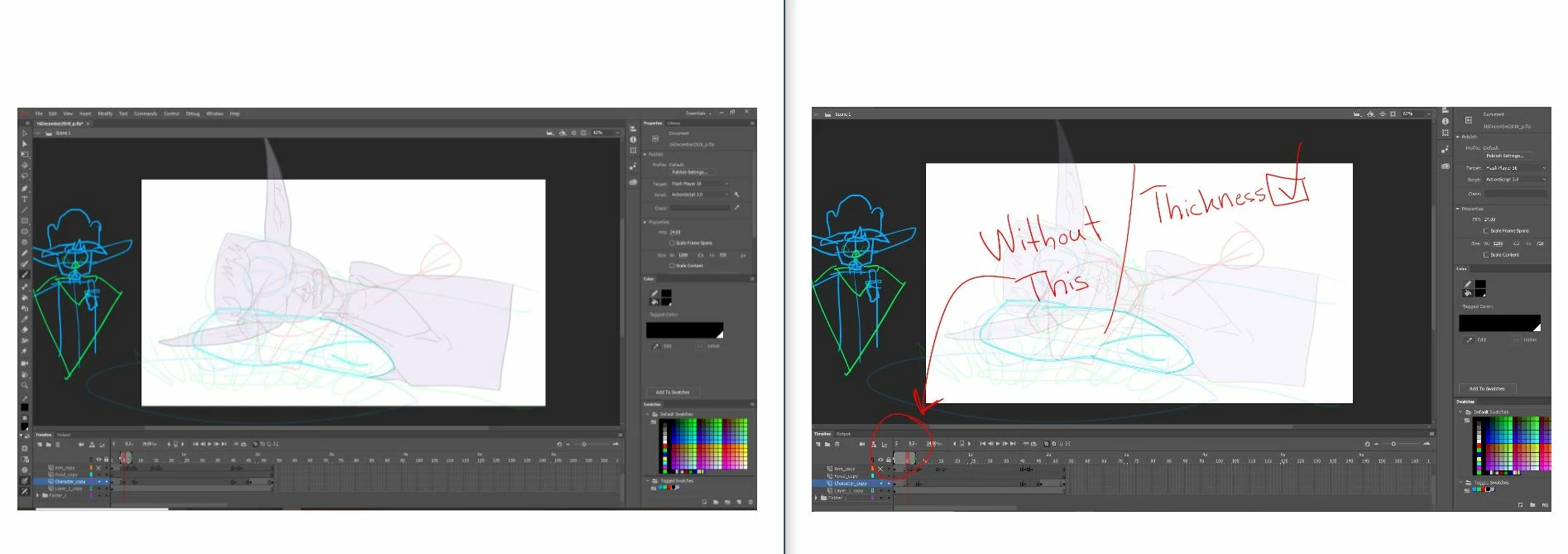
In other programs like OpenToonz you get to choose the thickness off your "paper" (imagine using a light box for animation) I've gotten used to the feel of a very thin onion skin is there any way I can recreate this effect in Animate CC?

Disclaimers:

1.) I've already changed the past/future skin colour to a less saturated white colour.

2.) I know that stretching out the onion skin anchors make it more transparent, but this is not the way because it brings up unwanted onion frames.

3.) Changing the whole layer to Alpha doesn't work for me, because the next frame you'll be drawing is transparent.

It's really close to the way I wanted it to look, but just thinner would be nice.
This topic has been closed for replies.
Correct answer Preran

I don't think there is a way to customize the transparency of Onion Skins in Adobe Animate Frame-by-frame animation with Animate CC

1 reply

Preran
Community Manager
PreranCommunity ManagerCorrect answer
Community Manager
December 19, 2018

I don't think there is a way to customize the transparency of Onion Skins in Adobe Animate Frame-by-frame animation with Animate CC

Participant
January 3, 2019

There really should be! I would like to see previous/next frames, but not being able to adjust the opacity is pretty annoying. You should be able to set the minimum and maximum Onion Skin opacity. For an example, see how it is handled in the AnimDessin 2 animation plugin for Photoshop.

Participant
August 30, 2020

Hi AHeuser,
Holding down the Onion Skin button brings up the Advanced Settings for onion skinning. Is this what you meant?
