
Animate don't show all my PNG layers
Hello there,
I have a problem starting my animation. I always did my animations using the drawing tools built in Animate, but for once, I wanted to draw my assets in Photoshop to get a certain look with its brushes and then export all the different bits in transparent PNGs in order to animate them in Animate afterwards. I was planning to animate the head of my character but once I import all the PNGs (36 layers in total), Animate does not show all of them, so I can't really even start animating.
I double-checked just in case I accidentally exported some JPEGs instead, but it seems I saved all of them them properly in PNG.
Could it be that maybe the files are too big?
Maybe Animate has a limited amount of PNGs to show?
I've also tried to convert them into symbols, but that doesn't fix it. Still can't see all the layers...
I'll try to upload some images here and see what happens (it's the first time I post here)
Thank you so much in advance!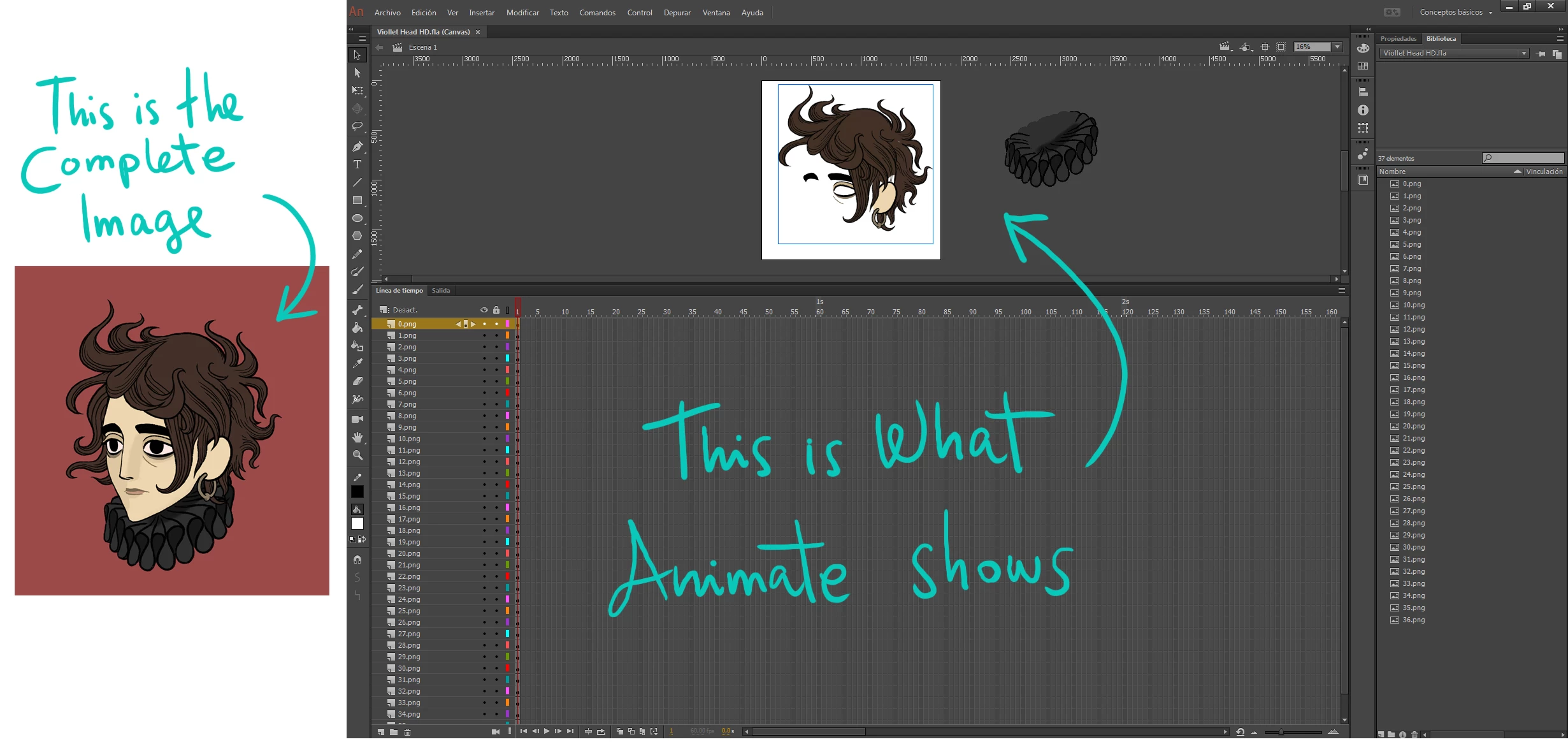


 AdChoices