
Known Participant
July 14, 2022
Question

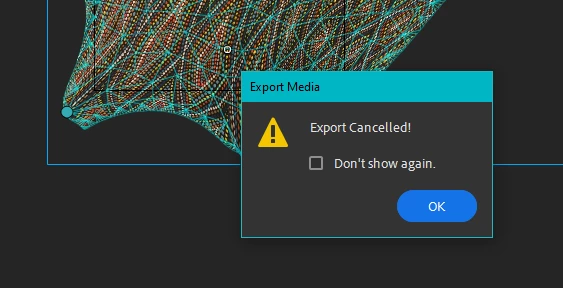
Animate - "Export Cancelled!"
  • July 14, 2022
  • 4 replies
  • 1134 views

Can anyone suggest a solution?

Exporting video has been working fine, have made no changes but suddenly the export gets to about 40% then craps out with the message "Export Cancelled!"


No further explanation or options.

    This topic has been closed for replies.

    4 replies

    Adobe Employee
    July 15, 2022

    Does this happen with all the files or just the ones using Warping? Can you please share the file with your system configuration details? Thanks!

    _keyframer
    Community Expert
    Community Expert
    July 14, 2022

    I have experienced a similar issue with the Asset Warp Tool and found out it's because my document was simply too complicated to export. I was using a layer filter effect the Asset Warp object was on and it applied the filter to each keyframe which proved too CPU intensive even on my M1! 
    The solution was to nest the animation and apply the filter to the parent symbol.

    Animator and content creator for Animate CC
    Brian5E8BAuthor
    Known Participant
    July 15, 2022

    That is a good idea, UnderscoreKeyframer, thank you.

    I was thinking it was a RAM problem because it starts to export but then craps out halfway through.

    Nesting is a solution I will look at. I also experimented with breaking the animation into smaller sections, although this adds a pain when I'm manipulating a bunch of shorter clips in Premiere.

    Thanks for the idea. 

    Mario_CR
    Community Expert
    Community Expert
    July 14, 2022

    Looks like a bug. How long is your project? Any chance you could share the file with us via Google Drive to take a look?

    If it keeps failing try to export a PNG sequence as a workaround.

    Brian5E8BAuthor
    Known Participant
    July 14, 2022

    Just to add, these are the export settings (very standard, nothing odd there):