


Known Participant
November 6, 2025
Answered

Animate not preserving clipping masks from Illustrator

  • November 6, 2025
  • 1 reply
  • 155 views

Hello to All!

I'm pretty new here (just starting out with Animate) and have run into the following problem when trying to animate my first graphic: namely, objects, which were made using clipping mask in illustrator didn't import correctly into Animate... 😕😕


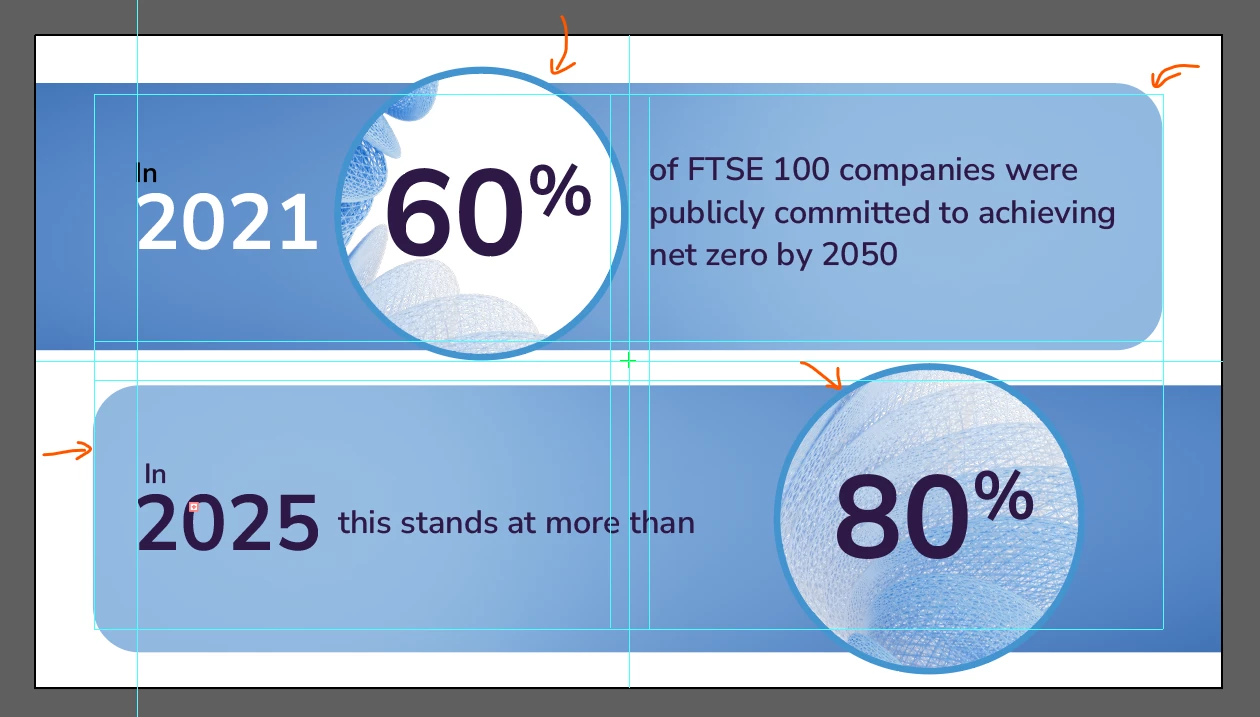
This is how they should look like (screen from Illustrator, arrows pointing to where clipping mask is used)
 

and thi is how the design looks like when imported into Animate...
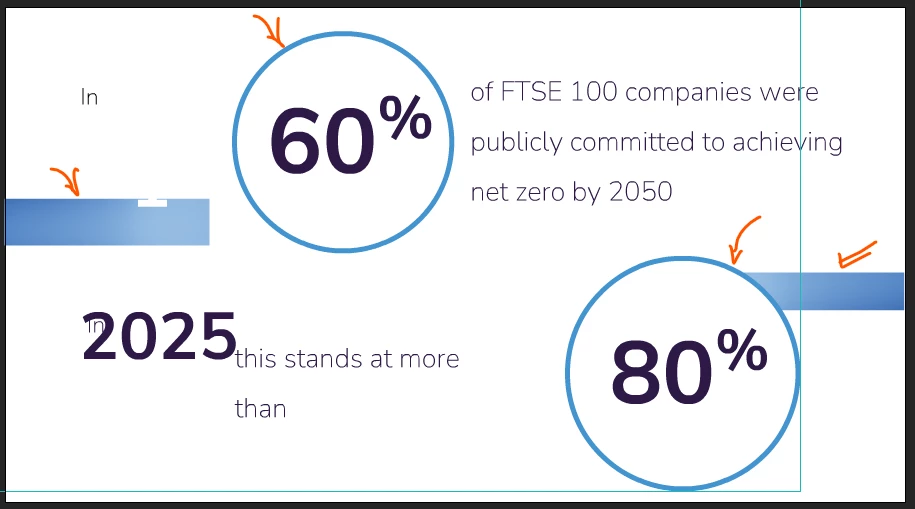
the blue bars imported unclipped, while the background elements within the cicrles including stats are gone altogether.
Does anyone know what mistakes I'm malking and can advise what I could try next?
Thank you! 🙂



Correct answer Mario_CR

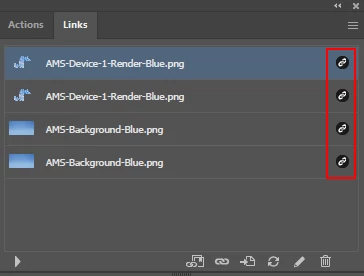
Thank you, I see what the problem is. Animate can't interpret linked elements from Illustrator. In this case, all images in your document are linked, and this is why they aren't being imported properly.

Simply embed the linked images into the Ai document by clicking the hamburger menu in the top right corner of the Links panel and select Embed Image(s), save it and the file will import properly in Animate.


As for the font issue, double check that the fonts are installed locally on your computer. If for some reason this isn't possible or the issue persists, convert the texts to Outlines as a workaround to preserve appearence. To do this go to Type > Create Outlines, or press Ctrl + Shift + O in Windows.

1 reply

Mario_CR
Community Expert
Community Expert
November 6, 2025

I made a quick clipping mask test in Illustrator and it seems to import correctly on my end. I can't seem to reproduce the issue. Using the latest versions for both programs (Illustrator v.30 and Animate 24.0.12)


Could you share the Illustrator file to check the issue more closely?

(You can share files with a Google Drive link since the forums don't support direct uploads)

MargoM.Author
Known Participant
November 7, 2025

Hello Mario_CR!
Thank you for picking my query up ❤️

Here's the link to the file (+ links), hope wetransfer is ok to use instead of Google Dr?

https://we.tl/t-TxFcHyxttq

Clipped objects there in layers under the default name of 'Clip Group' 😉

Thanks again and, meanwhile, I'll go check if all my soft is the latest version.


Mario_CR
Community Expert
Mario_CRCommunity ExpertCorrect answer
Community Expert
November 9, 2025

Thank you, I see what the problem is. Animate can't interpret linked elements from Illustrator. In this case, all images in your document are linked, and this is why they aren't being imported properly.

Simply embed the linked images into the Ai document by clicking the hamburger menu in the top right corner of the Links panel and select Embed Image(s), save it and the file will import properly in Animate.


As for the font issue, double check that the fonts are installed locally on your computer. If for some reason this isn't possible or the issue persists, convert the texts to Outlines as a workaround to preserve appearence. To do this go to Type > Create Outlines, or press Ctrl + Shift + O in Windows.