Participant
March 22, 2017
Answered

Animate tutorial - asset is flat image

  • March 22, 2017
  • 1 reply
  • 972 views

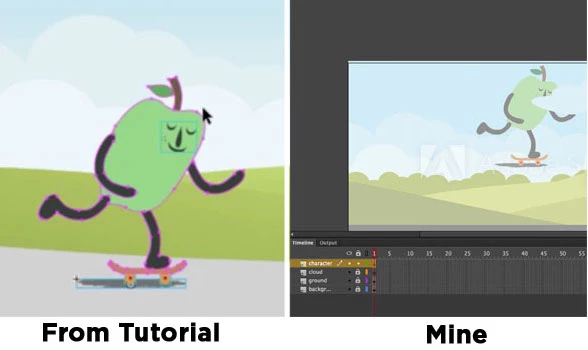
The "Happy Apple" asset in the Animate tutorial called "How to Create 2D Animations" is showing each piece or path of the apple individually. When I drag the apple to my stage, the paths are not selected nor can I move it or select it. I am following the tutorial verbatim.  Anyone know what I'm doing wrong?  Screen shot:
This topic has been closed for replies.
Correct answer Colin Holgate

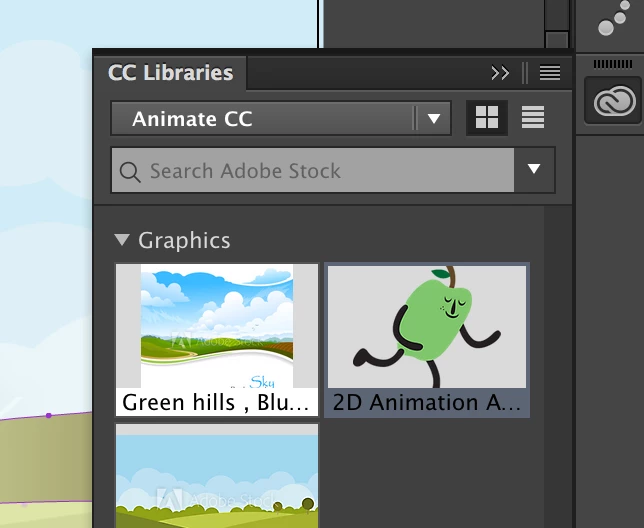
The tutorial instructs me to go to the Creative Cloud Library, select the "happy apple" graphic and drag it to the stage.


It looks like the assets have changed, but even so I always get the character on the stage with the objects selected.

If you skip the setting up on the background steps and only drag the character onto the stage, is it selected then?

1 reply

Legend
March 22, 2017

I don't see any problem other than that you've locked all your layers.

Participant
March 22, 2017

Hi Clay, the character layer does not have a padlock. Although now that you mention it, I can move the objects on all the layers except for background, even though they are locked. I am wondering if I am having trouble because this is a trial version of Animate.

Preran
Legend
March 24, 2017

A trial version has all the features of the full version. I don't think that is causing a problem here.

Thanks,

Preran